AI Product Images for Clothing: A Buyer's Guide (2026)
AI product images for clothing can fill a catalog fast. Here is how they work, where they fail, the specs they must hit, and how to keep them product-accurate.
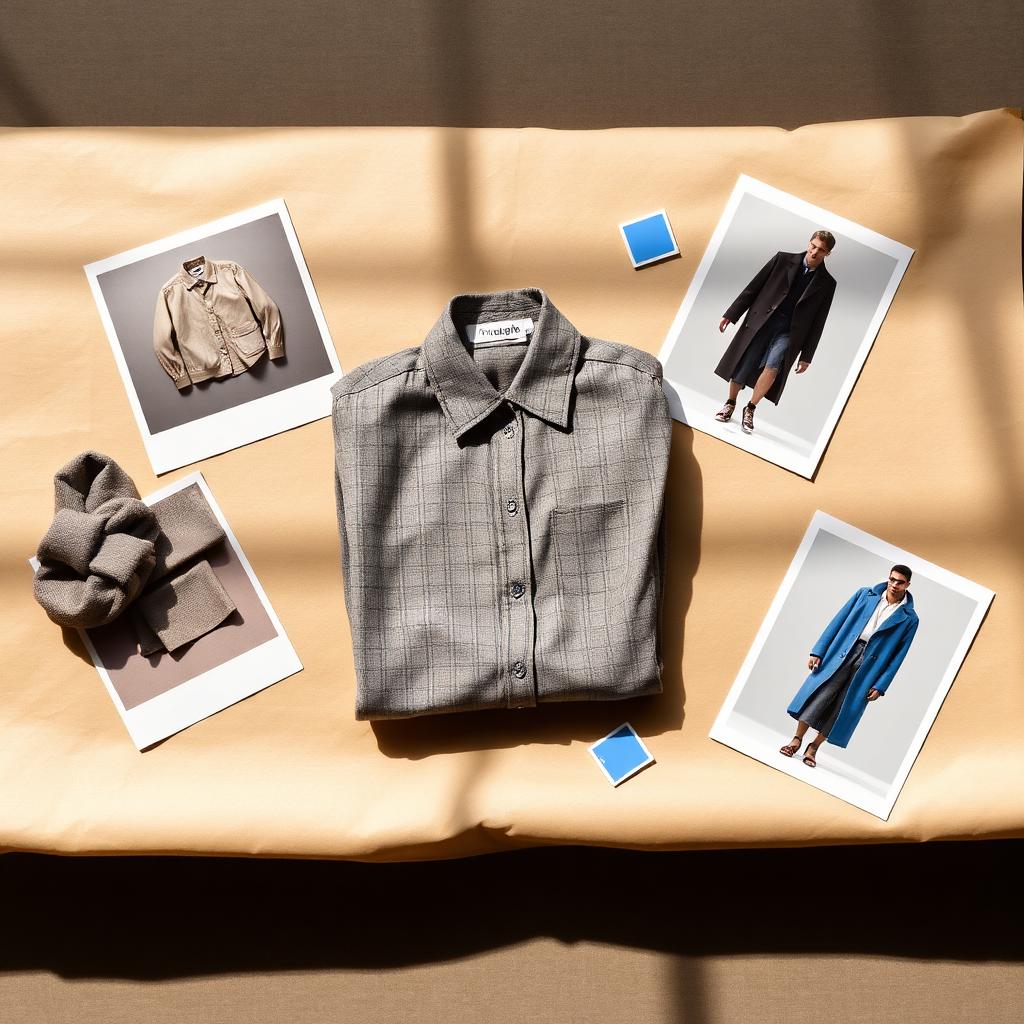
You have the product. You do not have a studio day, a model booking, and two weeks of post-production. So you look at AI product images and wonder if they are good enough to put on a real storefront.
The honest answer is that it depends entirely on whether the image is accurate to the product. A pretty image of a jacket that is not your jacket is worse than no image. The buttons are wrong, the color is off, the fabric reads like something else. That is the line that separates a usable AI product image from a liability.
This guide covers what AI product images for clothing actually are, the types you need, the platform specs they must hit, how to keep them product-accurate, and how they compare to a studio shoot.
If you only read one thing
- AI product images for clothing are images of your garment generated or rendered with AI, not generic "fashion AI art."
- Accuracy is the whole game. The image has to match the real product: color, trims, fabric, and fit.
- You need a set, not one image. Flat, ghost-mannequin, on-model, and detail shots each do a different job.
- They still have to pass platform specs. Google and Shopify have minimum sizes and rules you cannot ignore.
- Kampana generates product-accurate images from your own product files with approval gates and product-fidelity QA, as part of the PDP asset pack.
What are AI product images for clothing?
AI product images for clothing are ecommerce images of a real garment created with AI assistance instead of, or alongside, a traditional photoshoot. They include flat lays, ghost-mannequin images, on-model shots, and detail crops, generated or rendered so they look like studio output but without booking a studio.
There is an important distinction. There is generic AI image generation, where you prompt a model and get a plausible-looking but invented garment. And there is product-accurate image generation, where the output is constrained to your actual product, often using your real product photos, flats, or 3D files as the source. For ecommerce, only the second kind is useful.

The reason the distinction matters is trust. A shopper who orders based on an image expects to receive that exact item. If the AI invented a pocket or shifted the color, the order comes back. Product images are a promise, and the promise has to be true.
| Type | Source | Use for ecommerce |
|---|---|---|
| Generic AI art | A text prompt only | No. The garment is invented. |
| Product-accurate AI image | Your product photo, flat, or 3D | Yes, with approval and QA. |
| Studio photo | A physical sample and a shoot | Yes, but slow and costly. |
Why brands are turning to AI for apparel images
The pull is practical. A studio photoshoot needs samples, a booking, a model, a stylist, a photographer, and a retouching pass. For a small brand with a wide catalog, that is the slowest and most expensive part of getting a product live.
AI product images compress that. If the image can be produced from a sample photo or a 3D file, a brand can fill a catalog in days instead of weeks, refresh imagery per season, and create variants (different colorways, backgrounds, or models) without reshooting.
There is also a coverage problem AI solves well. Most brands cannot afford to shoot every colorway on a model. AI lets you generate the colorway variants you would otherwise skip, so every option on the page has real imagery instead of a swatch.
The catch is the same one as always: the image has to be accurate and it has to meet the platform's rules. Speed is only an advantage if the output is usable. A drop is not a single hero shot. It is a full set of accurate images across every channel.
Where generic AI image generation fails for clothing
Generic text-to-image tools are impressive and wrong for product work, for specific reasons.
First, they invent details. Ask for "a navy quilted jacket" and you get a navy quilted jacket, just not yours. The stitch pattern, the zipper pull, the collar shape are all approximations. For art, fine. For a product page, a return waiting to happen.
Second, they drift on color. Your brand navy is a specific value. A generative model will give you a navy, somewhere in the neighborhood. Color accuracy is one of the hardest things to hold, and color is one of the top reasons apparel gets sent back.
Third, they ignore specs. A model that outputs a beautiful image at the wrong aspect ratio or below the platform minimum still fails the feed. Google Merchant Center, for example, requires apparel images to meet minimum pixel sizes, and an off-spec image gets disapproved no matter how good it looks.
This is why "just use an AI image generator" is bad advice for clothing. The job is not to make a nice image. It is to make an accurate image of a specific product that passes a specific channel's rules. The product-accurate AI renders guide goes deeper on holding fidelity.
The types of AI product images for clothing
A product page needs a set of images, not one. Each type answers a different question for the shopper.
Flat lay and packshot
A flat lay shows the garment laid out, usually on a clean background. A packshot is the product on a plain background, often the catalog default. These are the workhorses: clear, consistent, fast to produce.
- Best for: showing the true shape and color of the product.
- AI fit: strong, because the garment is the whole subject and there is no body to get wrong.
Ghost mannequin
A ghost-mannequin (or hollow-man) image shows the garment as if worn, but with the body removed, so it holds its shape in 3D. It is a standard ecommerce look that shows fit and structure without a model.
- Best for: showing how a piece sits and drapes.
- AI fit: strong, and a good middle ground between flat and on-model. See the ghost mannequin photography guide for the workflow.
On-model imagery
On-model imagery shows the garment worn by a person. It is the single most useful image type for apparel, because shoppers judge fit and drape on a body. The Baymard Institute found that products meant to be worn require the context of a human model to be assessed properly, and reported that around 21% of apparel sites still fail to show products on a human model.
- Best for: communicating fit, drape, and styling.
- AI fit: strong if the garment stays accurate. Label the model's height and worn size. The on-model imagery with AI guide covers this.
Detail and campaign shots
Detail crops show fabric texture, trims, and construction. Campaign shots place the product in a styled scene for marketing. Both extend the same product into more uses.
- Best for: building trust (detail) and selling a mood (campaign).
- AI fit: strong for variants and backgrounds, with the same accuracy rule.
The specs your product images must hit
A great image that fails the platform's rules does not go live. Know the specs before you generate.
Shopify. Shopify accepts large images and recommends square product images. It supports uploads up to 5000 x 5000 pixels and 20 MB, and recommends around 2048 x 2048 pixels for product images, with zoom requiring images larger than 800 x 800. A square 1:1 ratio keeps the catalog consistent. See Shopify's product media documentation for accepted formats.
Google Merchant Center. For apparel, images must meet a minimum pixel size, and Google has announced higher minimums coming into force. Google also recommends showing apparel on a model for the main image. Images above the minimum, near 1000 x 1000 or larger, display best.
File format. JPEG and PNG are the safe defaults. WebP, developed by Google, can cut file size meaningfully versus JPEG and PNG while keeping quality, which helps page speed.
| Spec | Shopify | Google Merchant Center (apparel) |
|---|---|---|
| Recommended size | ~2048 x 2048 px | 1000 x 1000+ px recommended |
| Aspect ratio | 1:1 square | Square or product-filling |
| Main image | Clean product image | On-model recommended |
| Formats | JPEG, PNG, WebP, others | JPEG, PNG, WebP, others |
| Max | 5000 x 5000 px, 20 MB | Up to 64 MP, 16 MB |
Always check the current platform docs before a launch, since minimums change. The optimize fashion products for marketplaces workflow handles feed-level image and attribute rules.
How to create product-accurate AI images step by step
The goal is accurate images that pass spec. Here is the order that gets you there.
- Start from a real product reference. A sample photo, a flat, or a 3D/CAD file. The reference is what keeps the output accurate, not a text prompt alone.
- Lock color and trims. Pin the exact brand color values and call out the trims (zippers, buttons, hardware) so the model does not improvise.
- Generate the base set. Flat or packshot first, then ghost mannequin, then on-model.
- Add variants. Colorways, backgrounds, and additional model references from the same accurate base.
- QA against the real product. Check color, construction, and fit before anything ships. This is the step generic tools skip.
- Export to spec. Right dimensions, ratio, and format for each channel.
- Approve at a gate. A human signs off on each product-accurate asset.
If you already have 3D or CAD from design, you are ahead. Turning those files into images is its own job, covered by the 3D assets to ecommerce and campaign renders workflow.
AI images vs a studio photoshoot
This is not all-or-nothing. Many brands shoot hero pieces and use AI for the long tail, or shoot once and generate variants. Here is the honest comparison.
| Studio photoshoot | AI product images | |
|---|---|---|
| Speed | Days to weeks | Hours to days |
| Cost per look | High (sample, model, crew, retouch) | Lower, scales with volume |
| Samples needed | Physical sample required | A photo or 3D file can be enough |
| Color accuracy | High (real garment, controlled light) | Depends on the tool and QA |
| Variants | Reshoot each one | Generate from one base |
| Best for | Hero campaign, signature pieces | Catalog coverage, colorways, refresh |
| Risk | Cost and timeline | Inaccuracy if unconstrained |
The takeaway: AI wins on speed, cost, and variant coverage. A studio still wins on a true physical capture of a hero piece. The smart move is to use each where it is strongest, and to hold the same accuracy bar for both.
Common mistakes and how to avoid them
Mistake: prompting from scratch instead of from the product. You get a plausible garment that is not yours.
- Always start from a real reference photo, flat, or 3D file.
- Treat text as direction, not as the source of the garment.
Mistake: letting color drift. The image navy is not the product navy.
- Pin exact color values and QA the output against the real item.
- Remember color is a top return driver, so this is not cosmetic.
Mistake: shipping one image type. A single packshot does not show fit.
- Produce a set: flat, ghost mannequin, on-model, detail.
- Label model height and worn size on on-model shots.
Mistake: ignoring platform specs. A great image gets disapproved.
- Export to each channel's size, ratio, and format.
- Check current Google Merchant Center image rules and Shopify image guidance before launch.
Mistake: no approval step. An inaccurate image slips onto the page.
- Put a human approval gate on every product-accurate asset.
What to look for in an AI product image tool
Not every tool is built for product work. Look for five things.
- Product-accurate, not generative-only. It works from your real product files, not just prompts.
- Holds color and construction. Trims, fabric, and exact color survive the process.
- Produces a full set. Flat, ghost mannequin, on-model, and detail from one product.
- Exports to spec. Channel-ready sizes, ratios, and formats out of the box.
- Has approval and QA. A gate and a fidelity check before anything goes live.
A tool that only generates pretty images will cost you in returns. A tool built around accuracy and approval is the one that belongs in an ecommerce stack.
How AI product images affect conversion and feeds
Images are the product on an ecommerce page. They drive the click, the add-to-cart, and the return. Better, more complete imagery raises conversion because shoppers can actually assess the product. Baymard's research is blunt that most apparel sites fail to let users assess appearance, size, or fit, and imagery is the main lever there.
Images also gate your channels. Google and Meta will disapprove products with off-spec images, which quietly removes them from Shopping and catalog ads. So image quality is not only a conversion question, it is a distribution question. Accurate, spec-compliant images keep your products eligible to be shown.
And accuracy protects margin. An image that overpromises produces a return, and apparel returns are expensive to process. Product-accurate images are the version of fast that does not come back to bite you. Ecommerce should start with the product, not after it, and that includes the imagery.
How Kampana handles AI product images
Kampana is an AI product creation OS for fashion brands. It turns one product into design, 3D renders, tech packs, PDP imagery, B2B sell-in kits, marketplace feeds, and social campaigns, on a node-based canvas with approval gates and product-fidelity QA. AI product images are part of the ecommerce PDP asset pack, generated from your own product so they stay accurate.
What you get
- Flat, ghost-mannequin, on-model, and detail images from one product.
- Colorway and background variants from the same accurate base.
- On-model imagery with the model's height and worn size.
- Channel-ready exports sized for your store and feeds.
- A product-fidelity QA pass and an approval gate on every asset.
The old way vs Kampana
| Old way | With Kampana | |
|---|---|---|
| Source | Studio shoot or generic prompt | Your product photo, flat, or 3D |
| Accuracy | Manual retouch or "close enough" | Product-fidelity QA |
| Image set | Shot or generated piecemeal | Full set from one product |
| Variants | Reshoot or re-prompt | Generated from one base |
| Specs | Resized by hand | Exported channel-ready |
| Who approves | Manual, after the fact | Human approval gate |
How it works
- Drop one product on the canvas.
- Wire it to the image nodes you need (flat, ghost mannequin, on-model, detail).
- Generate the set and the variants from the accurate base.
- Approve each product-accurate asset at the gate.
- Export to your store and feed specs.
Pricing is credit-based. There is a shared credit pool, no per-seat fees, and no subscription lock-in, and credits do not expire. You spend credits on the images you generate, drawn from the same pool as your other workflows. New brands can start with a free starter credit pack. See credit pricing for current ranges.
If your images come from 3D or CAD, the 3D assets to ecommerce and campaign renders workflow feeds straight in, and the end-to-end fashion collection launch flow connects imagery to the full drop.
Frequently asked questions
Are AI product images good enough for a real storefront?
They can be, if they are product-accurate and meet platform specs. The deciding factor is whether the image matches the real garment in color, trims, fabric, and fit. A product-accurate image with a QA pass is storefront-ready; a generic generated image is not.
Can AI generate images from my existing 3D or CAD files?
Yes. Turning 3D, CAD, or DPC files into product images is a defined workflow, covered by 3D assets to ecommerce and campaign renders. Starting from a real file is one of the best ways to keep the output accurate.
What image sizes do Shopify and Google require?
Shopify recommends around 2048 x 2048 pixels and a square ratio, with zoom needing images over 800 x 800. Google Merchant Center sets a minimum pixel size for apparel and has announced higher minimums. Always check current docs before launch, since the minimums change.
Do I still need a photographer?
Often for hero or signature pieces, where a true physical capture matters most. For catalog coverage, colorways, and refreshes, AI product images cover the long tail faster and cheaper. Many brands use both, holding the same accuracy bar for each.
What is the difference between AI product images and generic AI art?
Generic AI art is generated from a text prompt and invents the garment. AI product images are constrained to your real product, using your photos, flats, or 3D as the source. Only the second kind belongs on an ecommerce page.
Will AI product images keep my brand color accurate?
Only if the tool is built to hold it and you QA against the real product. Color is one of the hardest things for generative models to hold, and it is a top return driver, so pin exact color values and check the output before it ships.
Can AI make on-model images without a model booking?
Yes, on-model imagery can be generated from your product, with the model's height and worn size labeled. Baymard's research shows shoppers need a human-model context to judge apparel, so on-model imagery is worth producing even when a shoot is not feasible.
The bottom line
AI product images for clothing are not magic and they are not a gimmick. They are a fast, cheaper way to fill a catalog, but only when the image is accurate to the real product and passes the platform's rules. A pretty image of a garment that is not yours is a return in waiting.
Start from a real reference, hold color and construction, produce a full set instead of one shot, export to spec, and put a human approval gate on every asset. Do that and AI images become the version of fast that does not cost you on the back end.
Start with the product, not the launch. Build a complete PDP pack with accurate flat, ghost-mannequin, and on-model images in one place, or explore fashion workflows to see how imagery connects to the rest of the drop. Start creating, free.
Send one product URL. Kampana turns it into a mini campaign pack.