Wholesale Line Sheet: What to Include and How to Build It (2026)
A wholesale line sheet is the one document buyers actually order from. Here is exactly what to include, how to build one, and the mistakes that lose orders.
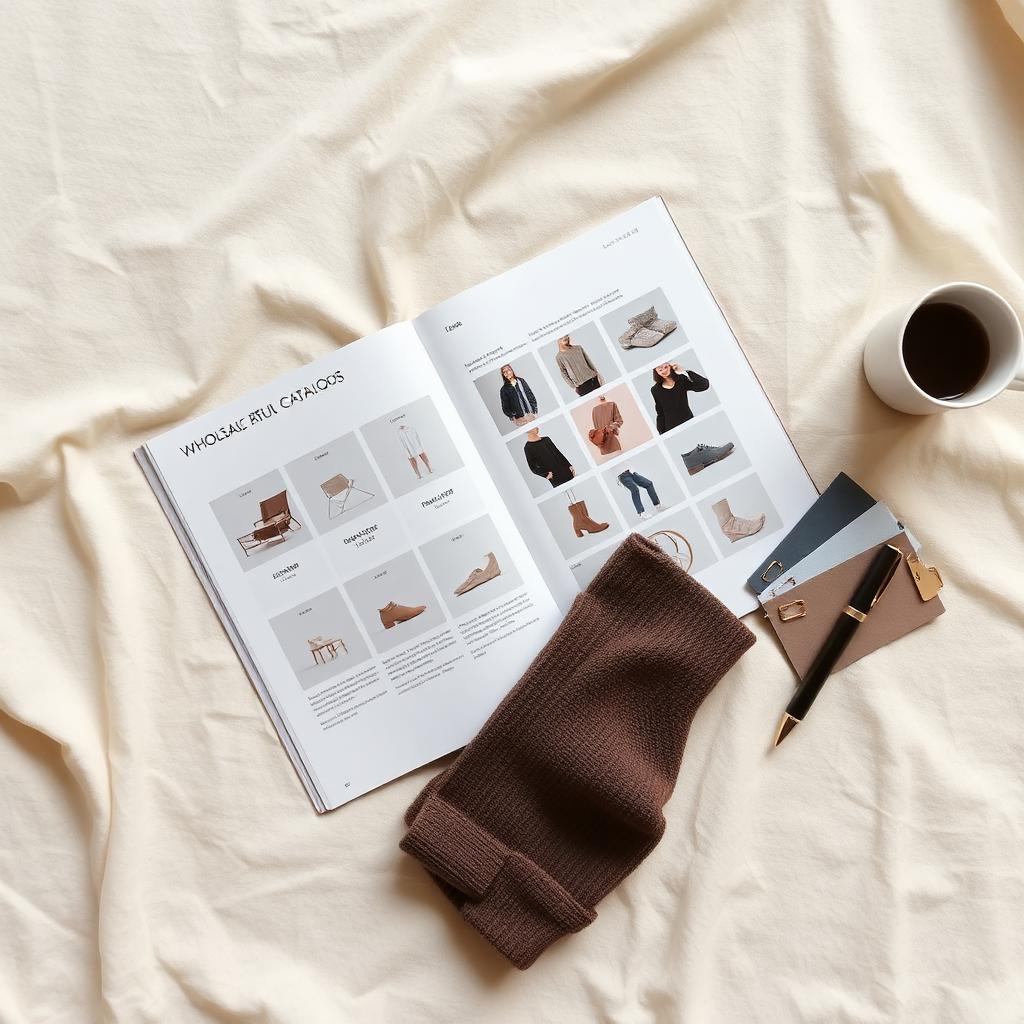
What is a wholesale line sheet?
A wholesale line sheet is a document that lists every product in your collection with the information a buyer needs to place a wholesale order. That means product images, style names and numbers, wholesale and suggested retail pricing, available sizes and colors, fabric content, and your order minimums and terms.
It is the bridge between your collection and a buyer's purchase order. A buyer might fall in love with your brand through a lookbook or an Instagram feed. They place the order from the line sheet.

The wholesale world increasingly runs on dedicated platforms. Tools like JOOR and marketplaces like Faire let brands build and share line sheets digitally, and let buyers order directly from them. Whether you send a PDF or use a platform, the underlying job is the same: give the buyer everything they need to order, with nothing missing and nothing in the way.
Line sheet vs lookbook vs catalog: the difference
These three documents get bundled together, but they do different jobs in a sell-in. Sending the wrong one is a common and costly mistake.
| Document | Job | What it leads with |
|---|---|---|
| Lookbook | Sell the feeling and the styling | Styled, on-model, editorial imagery |
| Line sheet | Enable the order | Product data: images, prices, sizes, minimums |
| Catalog | Reference the full range | Comprehensive listing, often both of the above |
A lookbook makes a buyer want the collection. A line sheet lets them buy it. A catalog is often the two combined into one larger document. If you send a beautiful lookbook with no prices, the buyer cannot order. If you send a bare spreadsheet with no imagery, the buyer cannot picture the product. A strong sell-in uses both, which is why our digital showroom guide treats the line sheet as one asset inside a full kit, not the whole thing.
Why most line sheets cost you orders
A line sheet is the most-edited and least-loved document in a brand's sell-in. That neglect costs orders in three predictable ways.
First, the data is incomplete. A missing wholesale price, an unclear minimum, or a style with no size run forces the buyer to email and wait. Every question you make a buyer ask is a chance for the order to stall.
Second, the images do not match. Studio shot on one style, phone photo on the next, different backgrounds, different lighting. The collection looks unfinished, and an unfinished-looking line is an easy "no."
Third, it is built for the brand, not the buyer. Wholesale buyers do not want to wait for a sample trunk, and they do not want to decode a creative layout. They want to scan, choose, and order. A line sheet that prioritizes art direction over readability slows that down.
What to include in a wholesale line sheet
A complete line sheet has three blocks of information. Miss any one and you create friction at exactly the moment a buyer is ready to commit.
Product information buyers need
For every single style, include:
- A clean, consistent product image on a plain background
- Style name and style number or SKU
- Available colors, named clearly
- Available sizes and the size run
- Fabric content and key materials
- A short, factual description if space allows
Pricing and terms
Pricing is the part brands most often get wrong by leaving it vague. Include:
- Wholesale price per unit
- Suggested retail price (MSRP)
- Minimum order quantity per style and overall order minimum
- Case packs or size run requirements if you sell by the pack
- Currency, payment terms, and lead times
Ordering and contact details
Make the next step obvious:
- How to place an order (email, platform link, or order form)
- Your contact name and direct email
- Shipping and delivery windows
- Any rep or showroom information
The anatomy of a line sheet, field by field
Here is the full field set, what each one is for, and a quick example. This is the parts list you can check your own line sheet against.
| Field | What it does | Example |
|---|---|---|
| Product image | Lets the buyer recognize the style | Front shot, plain background |
| Style name | Human-readable handle | "Field Jacket" |
| Style number / SKU | The orderable code | FW26-JKT-001 |
| Color | The orderable variant | Olive, Black |
| Size run | What sizes ship | XS to XL |
| Fabric content | Material and care signal | 100% organic cotton |
| Wholesale price | What the buyer pays | $58 |
| MSRP | What they sell it for | $128 |
| Minimum | The order rule | 6 units per style |
| Order info | How to buy | Email or platform link |
Note the relationship between the wholesale price and the MSRP. The gap is the buyer's margin, and it is one of the first things a buyer checks. A line sheet that hides it forces the buyer to do math before they can decide, which is friction you do not want.
How to build a wholesale line sheet, step by step
You can build a line sheet in a spreadsheet, a design tool, or a wholesale platform. The tool matters less than the discipline. Here is a sequence that produces a clean, orderable sheet.
1. Lock your product and pricing data
Before you touch layout, get every style's data straight in one place: style number, colors, sizes, fabric, wholesale price, MSRP, and minimum. A line sheet with one wrong price is worse than no line sheet, because it can commit you to an order you lose money on. This data is the same data that feeds your fashion line plan, so build them together.
2. Get one clean image per style
Every style needs one consistent image, ideally on the same plain background with the same crop. Inconsistent imagery is the fastest way to make a collection look unfinished. You do not need a full photoshoot for this. A 3D file or an approved product render can produce consistent line sheet images before samples even exist.
3. Lay out for scanning, not for beauty
A buyer reads a line sheet the way you read a menu: scanning for what they want, then checking the price. Use a consistent grid, put the price near the image, and keep the data in the same place on every row. Save the art direction for the lookbook.
4. Add ordering logic
State the minimums, the case packs, and the terms clearly on the sheet itself. If you are using a platform, this is where order quantities and rules get enforced automatically. If you are sending a PDF, spell them out so the buyer can build a compliant order without a phone call.
5. Export the formats buyers actually use
Buyers want a line sheet they can work with. That usually means a clean PDF for reference and an editable order form, plus a platform link if you use one. Export the formats your buyers actually order from, not just a pretty PDF that they then have to retype into their own system.
Static PDF vs digital line sheet
The PDF is not dead, but it is no longer the only option. Here is the honest comparison so you can pick based on where your brand is.
| Static PDF | Digital line sheet / platform | |
|---|---|---|
| Cost to start | Low, just a design tool | Platform fee or commission |
| Buyer ordering | Email back and forth | Order directly in the tool |
| Updates | Re-export and re-send | Update once, buyers see it live |
| Inventory | Manual | Often real-time |
| Best for | New brands, small buyer lists | Brands scaling wholesale |
A new brand with a handful of buyers can run a clean PDF and be fine. As your wholesale grows, the back-and-forth of PDFs becomes the bottleneck, and platforms like JOOR or marketplaces like Faire start to pay for themselves by letting buyers order directly. Line sheet builders like Brandboom sit in between, focused specifically on turning your data into a digital line sheet and order form. The right answer depends on your buyer count, not on what is trendy.

Line sheet pricing: what to show and what to hide
Pricing on a line sheet trips up a lot of brands, usually because they are nervous about showing numbers. The rule is simple: show the buyer everything they need to decide, hide nothing that builds trust.
Always show the wholesale price, the MSRP, the minimums, and the terms. The buyer is a business. They are calculating margin and cash flow, and every number you withhold is a reason to delay. A clear wholesale-to-retail gap, often around a 2 to 2.5 times markup depending on category, is something the buyer wants to see, not something to hide.
What you can leave off the public line sheet is account-specific deal terms: volume discounts, exclusive pricing, or negotiated payment windows. Those belong in the conversation, not on the sheet every buyer sees. The line sheet states your standard terms. The negotiation handles the exceptions.
Common line sheet mistakes and how to fix them
Missing or vague pricing
A line sheet without clear wholesale prices and minimums is not a line sheet, it is a teaser. Put the wholesale price, MSRP, and minimums on every style.
Inconsistent product images
Mixed backgrounds and crops make a collection look unfinished. Use one consistent image style for every product, even if that means generating renders rather than mixing photo sources.
Treating it like a lookbook
Editorial layouts look great and order poorly. Lead with data and readability. Send the lookbook and digital showroom alongside, as separate assets.
No clear way to order
If the buyer has to hunt for how to place an order, some will not bother. Put the ordering method and your direct contact on every page or screen.
Letting it go stale
A line sheet with sold-out styles or last season's prices erodes trust. Update it the moment something changes, which is far easier on a digital line sheet than a re-exported PDF.
Ignoring the data behind it
The same product data on your line sheet should match your PDP and your marketplace feed. If your line sheet says one thing and your Google Shopping feed says another, you have created work and risk. Keep one source of truth, formatted to specs like the Google Merchant Center product data specification and the structured Product and Offer types from schema.org.
How a line sheet affects your sell-in
Here is the part most line sheet templates skip. A line sheet is not paperwork. It is a conversion tool, and it converts at the exact moment a buyer is deciding whether to write a purchase order.
When the line sheet is complete and easy to scan, the buyer can build an order in one sitting. No follow-up emails, no waiting on a missing price, no confusion about minimums. The friction between interest and order is close to zero, and orders close faster.
When the line sheet is incomplete, every gap becomes a delay. The buyer emails a question. You reply a day later. The buyer has moved on to the next brand's clean sheet. The product did not lose the order. The document did.
So the real question is not "is my line sheet pretty." It is "can a buyer order from this without asking me a single question." That is a clarity problem, and it is the one Kampana is built to solve.
How Kampana builds a wholesale line sheet
Kampana is an AI product creation OS for fashion brands. It builds a wholesale line sheet as part of a full B2B sell-in kit on a node-based canvas. You drop in one product and wire it out to a line sheet, a lookbook, a digital showroom, and an order-ready format, all drawing from the same approved product data and imagery. Every product-accurate asset passes an approval gate and a product-fidelity check.

What you get
- A complete line sheet with consistent images, style data, wholesale and retail pricing, and minimums
- A matching lookbook and digital showroom from the same product
- Consistent product imagery generated from your 3D, CAD, or approved renders
- Export-ready formats buyers can order from
- One source of product data shared with your PDP and marketplace feeds
The old way vs Kampana
| The old way | With Kampana | |
|---|---|---|
| Source data | Spreadsheet, separate from imagery | One product node, one source of truth |
| Images | Mixed photo sources, inconsistent | Consistent renders from one product |
| Line sheet + lookbook | Built separately, drift apart | Generated together from the same product |
| Updates | Re-export and re-send | Update the product, regenerate the assets |
| Approval | Ad hoc | Approval gate + product-fidelity check on every asset |
How it works
- Drop one product, or your collection, on the canvas.
- Wire it to the sell-in nodes: line sheet, lookbook, digital showroom, order format.
- Approve each product-accurate asset.
- Export the line sheet and the full kit in buyer-ready formats.
Pricing is credit-based. One shared pool for the whole workspace, unlimited users, no per-seat fees, and credits do not expire. As a rough guide, the B2B digital showroom kit that produces the line sheet runs 1,500 to 5,000 credits depending on how many styles and assets you generate. You spend on what you actually create. See pricing for current credit packs.
Frequently asked questions
What is a wholesale line sheet?
A wholesale line sheet is a document that lists every product in a collection with the information a buyer needs to order: product images, style names and numbers, wholesale and retail pricing, sizes, colors, fabric, and minimums. It is the document a buyer actually places a wholesale order from.
What should be included in a line sheet?
Every style needs a clean product image, a style name and number, available colors and sizes, fabric content, the wholesale price, the suggested retail price, and the order minimum. The sheet as a whole needs your terms, lead times, and a clear way to place an order.
What is the difference between a line sheet and a lookbook?
A lookbook sells the feeling with styled, editorial imagery. A line sheet enables the order with product data and pricing. A lookbook makes a buyer want the collection, and a line sheet lets them buy it. Strong sell-ins use both as separate assets.
How do I price products on a line sheet?
Show the wholesale price and the suggested retail price for every style, plus minimums and terms. The gap between wholesale and retail is the buyer's margin, often around a 2 to 2.5 times markup depending on category. Keep account-specific deal terms for the negotiation, not the public sheet.
Should I use a PDF or a digital line sheet?
A clean PDF works for a new brand with a small buyer list. As wholesale grows, digital line sheets and platforms like JOOR or marketplaces like Faire reduce back-and-forth by letting buyers order directly and see live updates. Choose based on your buyer count, not on what is trendy.
Can I make a line sheet without a photoshoot?
Yes. You can generate consistent line sheet images from 3D files, CAD, or approved product renders before samples exist. Consistent imagery matters more than expensive imagery, since the line sheet's job is clarity, not editorial styling.
How does a line sheet relate to my ecommerce data?
The product data on your line sheet should match your PDP and your marketplace feed. Keeping one source of truth, formatted to specs like the Google Merchant Center product data specification, means you build the data once and reuse it across wholesale and ecommerce instead of maintaining three versions.
The bottom line
A wholesale line sheet is simpler than brands make it and more important than they treat it.
It is not a lookbook and it is not art direction. It is the working document a buyer orders from, and its only real job is to let that buyer choose styles, sizes, and quantities without asking you a single question. The brands that win wholesale are the ones whose line sheets are complete, consistent, and built for scanning, with the same product data feeding their lookbook, their PDP, and their feeds.
If you want your line sheet and your full sell-in kit built from one product, in one place, with approval gates on every asset, that is exactly what Kampana is built for. Start creating, free, or explore the fashion workflows to see each stage.
Send one product URL. Kampana turns it into a mini campaign pack.