3D to PDP: How to Turn CLO3D Files into Product Images (2026)
3D to PDP means turning your CLO3D, GLB, OBJ, and USDZ files into product-accurate page images. Here is the workflow, the file formats, and how to keep fidelity.
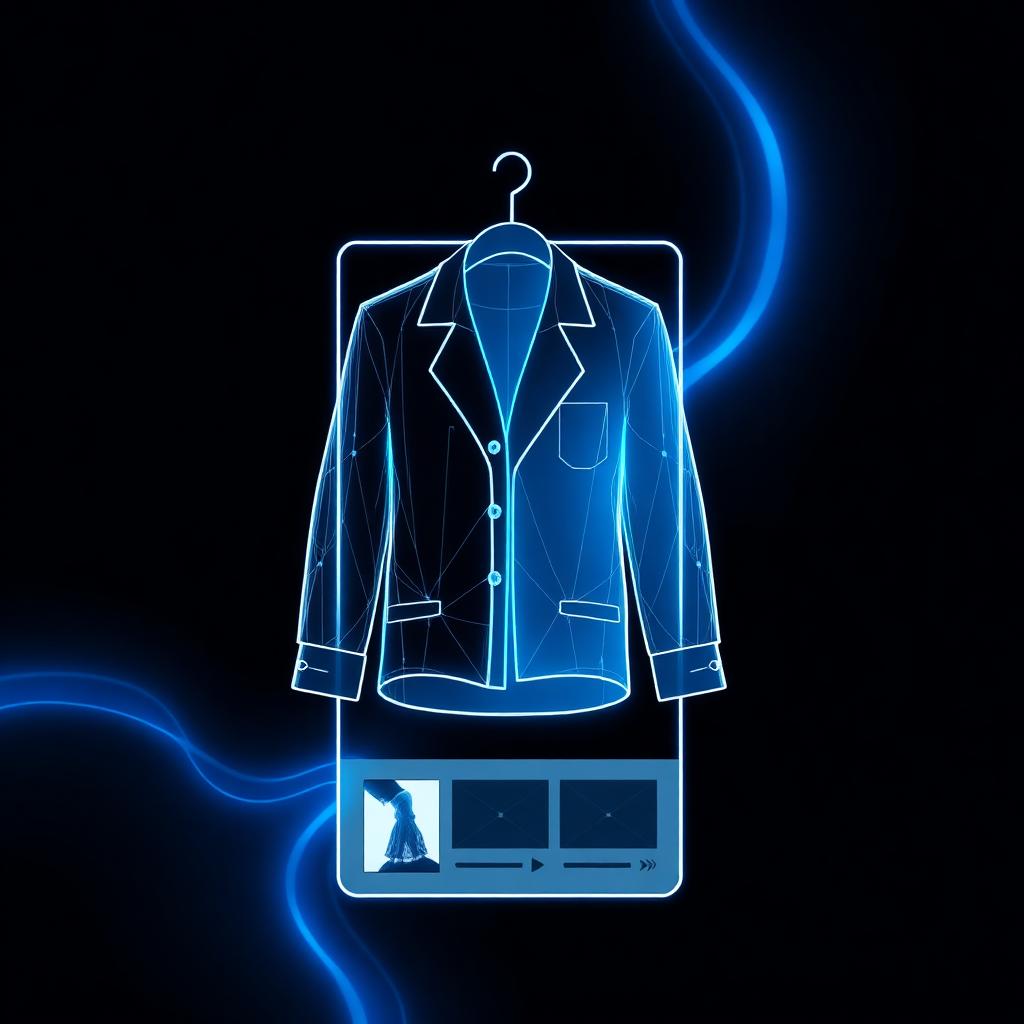
Table of Contents
- What does "3D to PDP" mean?
- Why your CLO3D files stop at design review
- The file formats: GLB, OBJ, USDZ, and CLO
- The 3D to PDP workflow, step by step
- How to keep fidelity from 3D to image
- 3D to PDP vs a studio photoshoot
- What 3D to PDP should not do
- Common problems and fixes
- What to look for in a 3D to PDP tool
- How 3D to PDP affects your launch
- How Kampana turns 3D into PDP images
- Frequently asked questions
- The bottom line
You already paid for the 3D. Your team built the garment in CLO3D, got the fit and drape right, and used it in design review. Then it stopped. The product page got shot in a studio weeks later, after sampling, like the 3D never existed.
That is the gap. Your DPC investment should not stop at design review. The same 3D that proved the design can produce the images that sell it.
This guide covers what 3D to PDP means, the file formats involved, the step-by-step workflow from CLO3D to a product page, how to keep fidelity, and how it compares to a traditional photoshoot.
If you only read one thing
- 3D to PDP means turning a 3D garment file into product page images. Your CLO3D work becomes PDP visuals, detail crops, and lifestyle shots.
- The common formats are GLB, OBJ, USDZ, and CLO's native file. CLO3D exports all the standard ones.
- Fidelity is the whole game. The render has to match the real garment: color, fabric, fit. A human approves that.
- 3D and CAD are inputs, not the product. The output is a channel-ready image set, not a digital-only garment.
- Kampana turns 3D into PDP and campaign renders on a node-based canvas, with a product-fidelity check before anything ships.
What does "3D to PDP" mean? {#what-it-means}
3D to PDP is the process of turning a 3D garment file into the images on a product detail page (PDP). You start with a digital garment built in a tool like CLO3D. You end with PDP visuals, detail crops, and lifestyle images a customer sees when they shop.
PDP stands for product detail page. It is the page where someone decides to buy. The images on it do most of the selling.
The phrase matters because most 3D work never reaches that page. The garment gets modeled, reviewed, and parked. 3D to PDP closes the loop: the asset you already made becomes the asset that sells.
Here is where 3D fits across the path from design to storefront:
| Stage | What you have | What 3D to PDP adds |
|---|---|---|
| Design review | A 3D garment in CLO3D | Nothing yet, the file is internal |
| Export | A GLB, OBJ, or USDZ file | A portable 3D asset |
| Render | The exported file | PDP images, detail crops, lifestyle shots |
| Product page | A live PDP | Product-accurate images from your own 3D |
| Campaign | The same product | Reusable renders for ads and social |
The point is that the 3D file is the input, not the finish line. Good tools move it forward into images. The formats this work moves through are an open standard: glTF and GLB from the Khronos Group, and USDZ, based on Pixar's OpenUSD.
Why your CLO3D files stop at design review {#why-stuck}
CLO3D is built for design and fit. It is excellent at draping, simulation, and getting a garment right before a sample exists. That is where most teams use it, and that is usually where the file stops.
The reason is a handoff gap. The 3D lives with the design team. The product page lives with ecommerce. Between them sits a studio photoshoot scheduled after sampling. Nobody owns the step that turns the 3D into page images, so it does not happen.
There are three costs to this gap:
- You pay twice. You pay for the 3D, then you pay for a photoshoot of the same garment.
- You launch late. The page waits for a physical sample and a studio date, even though a usable asset already existed in design review.
- The page can drift. The shot product can differ from the approved design, because the two were created separately.
A 3D file is not a design-review artifact that gets thrown away. It is a head start on the storefront. The brands that ship faster are the ones that carry it forward.
The file formats: GLB, OBJ, USDZ, and CLO {#file-formats}
Before the workflow, it helps to know the formats. CLO3D exports the standard ones, so your file is portable.
| Format | What it is | Best for |
|---|---|---|
| CLO / ZPAC | CLO3D native files | Working inside CLO |
| OBJ | A widely supported 3D mesh format, paired with an MTL material file | Moving a garment between 3D tools |
| GLB / glTF | A compact, modern 3D format, an open standard | Web, rendering, and transfer |
| USDZ | A 3D format based on OpenUSD | Apple ecosystem, AR viewing |
| FBX | A common 3D interchange format | Animation and some pipelines |
CLO3D documents these exports directly. It supports glTF 2.0 (GLB) and OBJ export, among other formats. For most 3D to PDP work, GLB is a safe, portable choice. OBJ is a reliable fallback when you need broad compatibility. For a deeper format breakdown, see the GLB, USDZ, and OBJ fashion file guide.
The 3D to PDP workflow, step by step {#workflow}
Here is the practical path from a CLO3D garment to a finished product page image set.
1. Export from CLO3D {#export-clo3d}
Start by exporting your garment from CLO3D in a portable format. GLB is a good default because it carries geometry and materials in one compact file. OBJ with its MTL file is the broad-compatibility fallback.
Export the garment with its textures and material settings intact. The cleaner the export, the closer the render will be to what you approved in CLO. This is the input step for the 3D assets to ecommerce and campaign renders workflow.
2. Set the camera and angles {#set-camera}
A PDP is not one image. It is a set: a front view, a back view, side angles, and detail crops of seams, trims, and hardware.
Decide the angles your category needs. A jacket needs front, back, and a collar or zipper detail. A dress needs front, back, and a fabric or hem crop. Set the camera for each so the set feels consistent.
3. Generate the PDP image set {#generate-images}
From the 3D file and your angles, generate the full image set. This includes clean product shots on a neutral background, detail crops, and on-model or lifestyle versions where you need them.
The goal is a complete page set from one source, not a single hero image. A product page is not a product photo with a paragraph under it. It is a system. For the full page build, see the ecommerce PDP asset pack.
4. Check product fidelity {#check-fidelity}
This is the step that makes 3D to PDP trustworthy. Every generated image has to match the real garment: the right color, the right fabric texture, the right fit and drape.
A person reviews each image against the approved design. Anything off gets rejected and regenerated. Nothing reaches the page until it passes. This is the difference between a product-accurate render and a generic AI picture.
5. Export channel-ready files {#export-files}
Finally, export the approved images in the formats and sizes your channels need. Your own PDP, plus marketplace feeds with their own image rules.
Marketplace images have requirements. Google, for example, recommends showing apparel on a model for the main image and publishes best practices for clothing and a full product data spec. Meta has its own commerce catalog rules. Export to meet them so the feed does not get disapproved.
How to keep fidelity from 3D to image {#keep-fidelity}
Fidelity is the whole point. A render that looks good but does not match the garment is worse than no render, because it sets a false expectation and drives returns. Here is how to keep the output true to the product.
- Export clean from CLO3D. Keep textures, materials, and scale intact. Garbage in, garbage out.
- Lock color early. Color is the most common drift. Confirm it against a real reference before you generate.
- Render real fabric behavior. Drape, sheen, and texture should match the material, not a generic cloth.
- Review every image. Do not approve a set in bulk. Check each angle against the approved design.
- Keep a fidelity gate. Use a tool with an explicit product-fidelity check, not a one-click export.
The rule is simple. A render ships only when a person confirms it matches the real garment. That single gate is what separates a usable PDP image from a pretty guess.
3D to PDP vs a studio photoshoot {#vs-photoshoot}
3D to PDP does not always replace a photoshoot. It changes when and how you get images, and for many products it is the faster, cheaper path. Here is the honest comparison.
| Studio photoshoot | 3D to PDP (with fidelity check) | |
|---|---|---|
| When | After sampling | From the 3D you already have |
| Cost | Sample, studio, model, retouch | Render from an existing file |
| Speed | Days to weeks | Hours |
| Angles | Limited by shoot time | Generated as needed |
| Variants | Reshoot per colorway | Re-render per colorway |
| Accuracy | Real garment, real light | Product-accurate, human-approved |
The takeaway is not "never shoot again." Some hero shots and campaign moments still call for a real shoot. It is that for the bulk of PDP images, the 3D you already paid for can carry the page, faster and at lower cost. For the photo-versus-AI question in detail, see the fashion product photography alternative guide.
What 3D to PDP should not do {#what-it-should-not-do}
Being clear about the limits keeps the rest trustworthy.
- It should not ship without review. No image reaches the page until a person confirms it matches the garment.
- It should not invent the product. The render shows the approved design, not a model's idea of a nicer version.
- It should not fake fabric. If the material behavior is wrong, the image is wrong, no matter how clean it looks.
- It should not skip marketplace rules. A great image that violates feed specs still gets disapproved.
The pattern is the same one that works across fashion. AI generates, a human approves. The 3D and the model do the speed. The person does the sign-off.
Common problems and fixes {#common-problems}
The render color does not match the garment
Color drift is the most common issue. Fix it by locking color against a real reference before you generate, and rejecting any image that does not match in the fidelity check.
The fabric looks generic
If the drape or sheen is wrong, the export probably lost material data. Re-export from CLO3D with textures and materials intact, then regenerate.
The image set is inconsistent
If angles or lighting jump around, the camera setup was not standardized. Set consistent angles and lighting per category before generating the set.
The feed gets disapproved
Marketplace rejection usually means an image rule was missed. Check the Google clothing best practices and product data spec, and export to meet them.
What to look for in a 3D to PDP tool {#what-to-look-for}
A short checklist when you evaluate options:
- Takes your real 3D files. GLB, OBJ, USDZ, and CLO exports, not a closed format.
- Has a product-fidelity check. An explicit human approval before anything is final.
- Produces a full PDP set. Front, back, detail crops, and lifestyle, not one hero image.
- Outputs channel-ready files. Sizes and formats that meet Google and Meta feed rules.
- Connects to the rest of the launch. The approved renders should feed PDP copy, feeds, and social.
- Pricing that fits a fashion calendar, not per-seat fees that punish collaboration.
How 3D to PDP affects your launch {#how-it-affects-launch}
Here is the part most articles skip. 3D to PDP is not a rendering trick. It changes when your launch can start.
When the 3D carries forward, your product page can be built before the sample arrives. The images come from the asset you already approved in design review. Ecommerce starts with the product, not weeks after it. The page matches the design because they came from the same source.
When the 3D stops at design review, every product page waits for a sample and a studio date. The launch is always behind the design, and the shot product can drift from what was approved.
So the real question is not "can AI render my garment." It is "does my 3D investment reach the storefront." That is a process question, and it is the one 3D to PDP answers.
How Kampana turns 3D into PDP images {#how-kampana-does-it}
Kampana is an AI product creation OS for fashion brands. It turns your 3D and CAD files into product-accurate page images on a node-based canvas. You drop a 3D file at the center and wire it to PDP and campaign render nodes. Every output is a real, channel-ready image, and each one passes a product-fidelity check before it ships.
What you get
- Product-accurate PDP images from your CLO3D, GLB, OBJ, and USDZ files
- Front, back, side, and detail crops generated from one source
- On-model and lifestyle versions where you need them
- Channel-ready exports that meet marketplace image rules
- Reusable campaign renders from the same approved product
The old way vs Kampana
| The old way | With Kampana | |
|---|---|---|
| 3D | Stops at design review | Becomes PDP and campaign images |
| Images | Studio shoot after sampling | Rendered from the 3D you have |
| Variants | Reshoot per colorway | Re-render per colorway |
| Approval | Ad hoc | Product-fidelity check on every render |
| Pricing | Per seat | Shared credits, unlimited users |
How it works
- Drop your 3D file on the canvas: CLO, GLB, OBJ, or USDZ.
- Wire it to the PDP and campaign render nodes.
- Approve each product-accurate image in the fidelity check.
- Export channel-ready files, or feed them into the full PDP and social stages.
Pricing is credit-based. One shared pool for the whole workspace, unlimited users, no per-seat fees, and credits do not expire. As a rough guide, the 3D to renders workflow runs 2,500 to 7,000 credits depending on how many images you generate. You spend on what you actually create. See pricing for the current credit packs.
The same approved renders can feed the ecommerce PDP asset pack, the marketplace feed optimization, and the social campaign launch. To run the whole sequence from one product, see the end-to-end fashion collection launch.
Frequently asked questions {#faq}
What does 3D to PDP mean?
It means turning a 3D garment file into the images on a product detail page. You start with a digital garment built in a tool like CLO3D and end with PDP visuals, detail crops, and lifestyle images. The 3D file is the input, and the product page images are the output.
Can I turn CLO3D files into product images?
Yes. CLO3D exports standard 3D formats like GLB and OBJ, and a tool like Kampana turns those files into product-accurate PDP images with a fidelity check before anything ships. The garment you approved in CLO becomes the garment on the page.
What file format should I export from CLO3D?
GLB is a good default because it is compact and carries geometry and materials in one file. OBJ with its MTL file is a reliable broad-compatibility fallback. CLO3D documents the full list of supported formats, including USDZ and FBX.
Are 3D renders accurate enough for a real product page?
For many products, yes, as long as the render is product-accurate and a person approves it. The render has to match the real color, fabric, and fit. The difference between a usable PDP image and a generic AI picture is the fidelity check.
Is 3D to PDP cheaper than a studio photoshoot?
For most PDP images, yes, because you render from a 3D file you already paid for instead of sampling and shooting. Some hero shots and campaign moments may still call for a real shoot. The bulk of the page set can come from the 3D.
What image rules do marketplace feeds require?
Each platform has its own. Google publishes best practices for clothing and a full product data spec, and Meta has its own commerce catalog rules. Export your renders to meet them so the feed is not disapproved.
Does 3D to PDP replace my 3D team?
No. It puts your 3D team's work to more use. The garments they build for design review become the assets that sell the product, so the investment reaches the storefront instead of stopping upstream.
How long does 3D to PDP take?
With the file in hand, generating a PDP image set takes hours, not the days or weeks a sample-and-shoot cycle needs. The slow part that remains is the human fidelity review, which is the part you want to keep.
The bottom line {#the-bottom-line}
3D to PDP is simpler than it sounds and more valuable than most teams realize.
It is the process of turning the 3D garment you already built into the images that sell it. Your CLO3D file exports to GLB or OBJ, you generate a full PDP image set, a person confirms each render matches the real garment, and you export channel-ready files. The 3D is the input. The product page is the output. Fidelity is the gate that makes it trustworthy.
The brands that get value from 3D are the ones that carry the file all the way to the storefront instead of parking it at design review. If you want your 3D to become product-accurate PDP and campaign images, with a fidelity check on every render, that is exactly what Kampana is built for. Start creating, free, or explore the fashion workflows to see each stage.
Internal links used
/workflows/3d-assets-to-ecommerce-and-campaign-renders · /workflows/ecommerce-pdp-asset-pack · /workflows/optimize-fashion-products-for-marketplaces · /workflows/launch-on-tiktok-instagram-pinterest-ads · /workflows/end-to-end-fashion-collection-launch · /blog/glb-usdz-obj-fashion · /blog/fashion-product-photography-alternative · /pricing · app.kampana.io
External citations used (verify before publish)
- Khronos glTF/GLB: https://www.khronos.org/gltf/
- Pixar OpenUSD: https://openusd.org/
- CLO3D glTF 2.0 (GLB) export: https://support.clo3d.com/hc/en-us/articles/360051525034-glTF-2-0-GLTF-GLB-File
- CLO3D OBJ import/export: https://support.clo3d.com/hc/en-us/articles/115000494107-3D-File-OBJ-Import-Export
- CLO3D supported 3D formats: https://support.clo3d.com/hc/en-us/articles/115012536047-What-kind-of-3D-formats-can-be-imported-exported-to-and-from-CLO
- Google Merchant Center clothing best practices: https://support.google.com/merchants/answer/7348545
- Google Merchant Center product data spec: https://support.google.com/merchants/answer/7052112
- Meta commerce catalog: https://www.facebook.com/business/help/120325381656392
Image slots (Kampana can generate most of these)
- IMAGE-HERO: 3D file wired to PDP and render nodes (product screenshot or generated)
- IMAGE-3D-FLOW: flow diagram, 3D file to PDP image set
- IMAGE-BEFORE-AFTER: before/after, CLO3D file to PDP render (generated)
- IMAGE-CANVAS-3D: full canvas product screenshot, 3D to renders
Pre-publish checklist
- ~3,000 words, no padding
- Clickable Table of Contents with anchors to every H2/H3
- TL;DR short-answer box near the top
- 14 H2 sections, each a real search sub-question
- 4 tables (where 3D fits, file formats, vs photoshoot, old way vs Kampana)
- 6+ lists
- Hero + 3 inline image slots with alt text
- Internal links to the matching workflow + adjacents + flagship + pricing
- 8 real, checkable external citations; no invented stats or sources
- Product section with comparison table + how-it-works + honest pricing (real credit range)
- 8 FAQ with schema
- Recap + CTA
- Voice passes Writing + Bold guidelines (no banned words, no em dashes, American spelling)
- No invented fidelity/performance/conversion numbers
- Human review and approval before publishing
Lovable implementation prompt
Create a new blog post page on kampana.io.

Lovable task title: Add blog post — 3D to PDP (CLO3D to product images, long-form)

Goal: Publish a long-form SEO blog post at /blog/3d-to-pdp using the existing blog post
template, layout, and visual identity. Include a sticky/anchored Table of Contents. Do not
redesign the blog.

Target route: /blog/3d-to-pdp
Audience: 3D designers, ecommerce and product teams, small fashion brand owners.
Primary keyword: 3d to pdp.

Content to add:
- Use the full body below exactly: H1, byline, Table of Contents (with working anchor
  links), hero image, intro, TL;DR box, all H2/H3 sections, tables, FAQ, and conclusion.
  [Paste everything from the H1 through "The bottom line".]
- Author: Kampana. Tag: Fashion (sub-tag: Digital product creation). Read time: ~12 min.
- Render the TL;DR as a highlighted callout box.
- Render the markdown tables as styled tables.
- Add image blocks at IMAGE-HERO, IMAGE-3D-FLOW, IMAGE-BEFORE-AFTER, IMAGE-CANVAS-3D with
  the alt text provided. (Kampana will supply the assets; use placeholders until then.)

SEO requirements:
- Title tag: 3D to PDP: How to Turn CLO3D Files into Product Images (2026) | Kampana
- Meta description: 3D to PDP means turning your CLO3D, GLB, OBJ, and USDZ files into
  product-accurate page images. Here is the workflow, the file formats, and how to keep
  fidelity.
- Canonical: https://kampana.io/blog/3d-to-pdp
- Open Graph + Twitter: title/description as above; 1200x630 OG image.
- Schema: Article + FAQPage + BreadcrumbList + HowTo (use the FAQ for FAQPage and the
  "3D to PDP workflow, step by step" steps for HowTo).
- Generate anchor IDs that match the Table of Contents links.

Internal links to add in-body (descriptive anchors, already placed in the draft):
- /workflows/3d-assets-to-ecommerce-and-campaign-renders
- /workflows/ecommerce-pdp-asset-pack
- /workflows/optimize-fashion-products-for-marketplaces
- /workflows/launch-on-tiktok-instagram-pinterest-ads
- /workflows/end-to-end-fashion-collection-launch
- /blog/glb-usdz-obj-fashion
- /blog/fashion-product-photography-alternative
- /pricing

External links (keep as-is, open in new tab): khronos.org/gltf, openusd.org,
support.clo3d.com (three articles), support.google.com/merchants/answer/7348545,
support.google.com/merchants/answer/7052112, facebook.com/business/help/120325381656392

Also: add this post to the blog index and to sitemap.xml. Add a "related reading" link to
this post from the 3d-assets-to-ecommerce-and-campaign-renders workflow page if that
section exists.

Design constraints:
- Preserve the current blog visual system. Do not redesign unrelated sections.
- One H1. Clean H2/H3. Anchored TOC. CTA visible.

Acceptance criteria:
- [ ] Page exists at /blog/3d-to-pdp
- [ ] Table of Contents anchors jump to the correct sections
- [ ] Metadata unique and correct; canonical correct
- [ ] Article + FAQPage + BreadcrumbList + HowTo schema present
- [ ] TL;DR callout near top
- [ ] All tables and image blocks render; alt text present
- [ ] Internal + external links present and working
- [ ] Added to blog index and sitemap.xml
- [ ] Mobile layout works
- [ ] No unsupported claims (no fidelity/conversion numbers)

After implementation (manual):
- Run the Lovable SEO review.
- Submit https://kampana.io/blog/3d-to-pdp in Google Search Console.
- Add the page to memory/seo-geo-agent-memory/02-content-tracker.md.
Send one product URL. Kampana turns it into a mini campaign pack.