AI for Technical Designers: What It Should and Should Not Do (2026)
AI for technical designers is a starting pack, not a replacement. Here is what AI should draft, what it should never decide, and how to use it without shipping a bad spec.
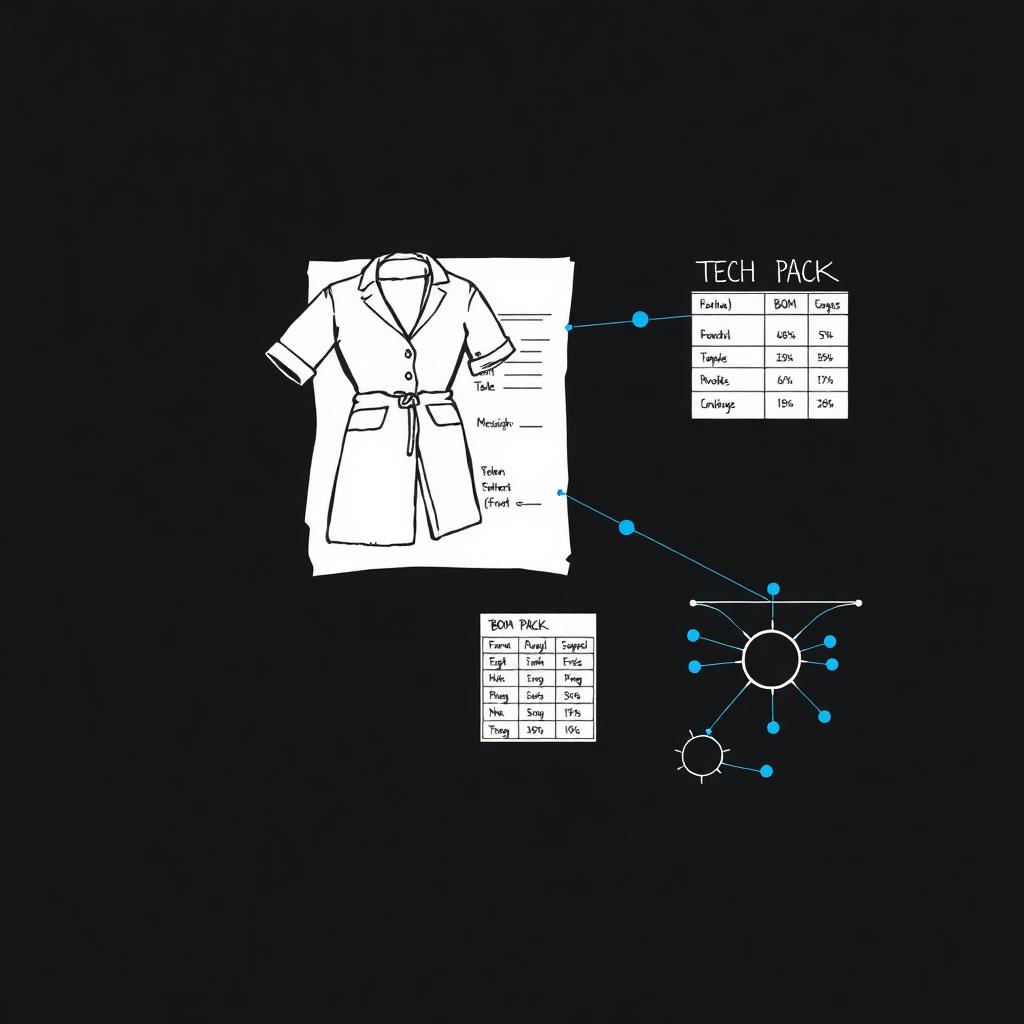
Table of Contents
- What does "AI for technical designers" actually mean?
- Why technical designers are right to be skeptical
- What AI should do for technical designers
- What AI should never do
- AI assist vs the manual way
- How to use AI without shipping a bad spec
- Common mistakes and how to avoid them
- What to look for in an AI technical design tool
- How AI changes the technical designer's day
- How Kampana handles technical design assist
- Frequently asked questions
- The bottom line
You have watched the demos. Someone uploads a sketch and a "complete tech pack" appears in seconds. Then you read it. The seam allowance is wrong. The measurements do not grade. The BOM lists a trim that does not exist. You spend an hour fixing what took the model ten seconds to invent.
That is the wrong way to think about AI for technical designers. AI will not replace you. It gives you a starting pack so you validate instead of format.
This guide covers what AI should actually do in technical design, what it should never decide, how the two compare to the manual way, and how to use it without sending a bad spec to a factory.
If you only read one thing
- AI for technical designers is a drafting tool, not a decision tool. It fills the blank page. You own the spec.
- AI should draft. Tech pack skeletons, a first-pass BOM, a POM checklist, construction notes, and factory questions are all good starting points.
- AI should never decide. Final measurements, grading, tolerances, fabric, and buildability stay with a human. Always.
- The reliable pattern is AI generates, a technical designer approves. Speed on the draft, judgment on the spec.
- Kampana runs this as a technical design assist pack on a node-based canvas, with an approval gate before anything is final.
What does "AI for technical designers" actually mean? {#what-it-means}
AI for technical designers is the use of AI models to draft the documents a technical designer normally builds by hand. That means a tech pack skeleton, a bill of materials (BOM), a points-of-measure (POM) checklist, construction notes, and the questions you need to ask a factory.
The phrase gets used two ways. The hype version says AI produces a finished, factory-ready spec from one image. That version is wrong, and you already know it.
The useful version is narrower and more honest. AI removes the blank-page and formatting work. It gives you a structured first draft you can correct. You still own every number that ships.
Here is where AI fits across a technical designer's core documents:
| Document | What AI can draft | Who decides |
|---|---|---|
| Tech pack cover | Style name, category, season, view callouts | Technical designer |
| BOM | First-pass material and trim list | Technical designer + sourcing |
| POM | Measurement point checklist and labels | Technical designer |
| Grading | Suggested increments to review | Technical designer |
| Construction | Stitch and seam notes to validate | Technical designer |
| Factory questions | A list of open issues to confirm | Technical designer |
The point of the table is simple. AI touches every document, but a person owns the spec at every line. Body measurement work sits on top of published standards like ISO 8559-1 for anthropometric definitions and ASTM D5585 for adult female body measurement tables. AI does not replace those standards. It should point you to them.
Why technical designers are right to be skeptical {#why-skeptical}
Technical design is the stage where a vague idea becomes a buildable garment. A wrong number here costs real money. A bad grade gets repeated across every size. A wrong tolerance gets repeated across every unit.
So skepticism is correct, not stubborn. The cost of an error in technical design is higher than almost anywhere else in the process.
There are three reasons most "AI tech pack" demos fall apart on contact with a real factory:
- They invent numbers. A model will happily produce a measurement that looks plausible and is wrong. Plausible is not buildable.
- They ignore the standard. Grading, tolerances, and measurement points follow published references. A generic image model does not know your block or your fit history.
- They hide the uncertainty. A finished-looking document implies confidence the model does not have. That is the dangerous part.
A spec is not a guess that looks neat. It is a set of numbers a factory will cut to. AI is useful when it helps you get to the right numbers faster, and dangerous when it pretends to already know them.
What AI should do for technical designers {#what-ai-should-do}
Here is the honest list of what AI does well in technical design. Notice that every item is a draft, not a decision.
1. Draft the tech pack skeleton {#draft-tech-pack}
The slowest part of a tech pack is often the setup. The cover page, the callout structure, the section headers, the view placeholders, the standard notes you write on every style.
AI is good at producing that skeleton from a sketch or a reference image. You get a structured document with the right sections, ready for your real inputs. You spend your time on the spec, not on formatting a template again. This is the core of the technical design assist pack job.
2. Build a first-pass BOM {#first-pass-bom}
A bill of materials lists every component in the garment: shell fabric, lining, interlining, thread, zippers, buttons, labels, hangtags, and packaging.
AI can read a sketch or product image and propose a first-pass BOM. It will catch the obvious components and give you a structured list to edit. You add the real supplier references, the real placements, and the real quantities. The draft saves you from starting at an empty table. For a deeper build, see the BOM for apparel guide.
3. Propose a POM checklist {#pom-checklist}
Points of measure are the locations on a garment you measure to confirm fit: chest, waist, hem, sleeve length, and so on. The list changes by category.
AI can propose the right POM checklist for a garment type and label each point clearly. That is a real time saver, because building the checklist from scratch for every new category is tedious. What AI should not do is fill in the actual numbers. Those come from your block, your fit history, and standards like ISO 8559-2. For the full method, see the POM measurement guide.
4. Write construction notes and factory questions {#construction-notes}
Every garment carries construction details: seam types, stitch counts, finishes, topstitch placement, and reinforcement points. There are also always open questions for the factory.
AI can draft construction notes from a reference and, more usefully, generate the list of questions you will need to confirm. A good factory-question list is one of the most underrated outputs. It turns a vague spec into a clear conversation.
5. Flag inconsistencies {#flag-inconsistencies}
This is where AI earns real trust. A model can scan a draft and flag where things do not line up. A measurement that contradicts another. A trim in the BOM that is not in the sketch. A callout with no matching note.
AI does not fix these for you. It surfaces them so you decide. That is the right division of labor: the model catches the gaps, you close them.
What AI should never do {#what-ai-should-never-do}
Being clear about the limits is what makes the rest usable. These are the lines AI should not cross in technical design.
- Finalize measurements. A model should never set the numbers a factory cuts to. Those come from your block and your fit process.
- Decide grading. Size increments follow your fit history and the population you serve. Standards like ASTM D5585 are the reference, not a guess.
- Set tolerances. How much variance is acceptable is a sourcing and quality decision, not a generated one.
- Choose fabric and trims. Hand feel, weight, performance, and cost are real-world choices. A render cannot test a fabric.
- Confirm buildability. AI should never imply a factory can make something it cannot. Only your factory confirms that.
The pattern that works is the same one that works everywhere else in fashion. AI generates, a human approves. Speed on the draft, judgment on the spec. Any tool you trust with technical documents should have an explicit approval step, never a one-click "send to factory."
AI assist vs the manual way {#ai-vs-manual}
AI does not replace your technical process. It changes where your hours go. Here is the honest comparison.
| Fully manual | AI-assisted (with approval) | |
|---|---|---|
| Tech pack setup | Built from a template each time | Drafted skeleton, then edited |
| First BOM | Typed from scratch | Proposed list, then corrected |
| POM checklist | Rebuilt per category | Proposed checklist, then numbered by you |
| Construction notes | Written from memory | Drafted, then validated |
| Catching errors | Manual review | Model flags, you decide |
| Where your time goes | Formatting and typing | Validating and deciding |
The takeaway is not "AI is faster, let it do the spec." It is that AI removes the blank-page work so you spend your time on the decisions only a technical designer can make. The numbers still belong to you.
How to use AI without shipping a bad spec {#how-to-use}
You do not need to trust AI with the whole document to get value from it. Use it as a drafting assistant and keep approval where it belongs. A simple sequence:
- Start from a real input. A sketch, a flat, a 3D file, or a product image. The better the input, the better the draft.
- Generate the skeleton and first-pass BOM. Treat both as a starting point, not an answer.
- Replace every number with your own. Measurements, grading, and tolerances come from your block and fit history.
- Use the factory-question list. Send the open questions to your supplier before you finalize.
- Run the inconsistency check. Let the model flag gaps, then close them yourself.
- Approve the spec before it ships. Nothing goes to a factory without a human sign-off.
Do one garment this way before you scale it across a collection. Once the path works for one style, you can repeat it. If you are starting from a drawing, the how to make a tech pack from a sketch guide walks through the input step.
Common mistakes and how to avoid them {#common-mistakes}
Trusting the generated numbers
The most expensive mistake is treating a plausible measurement as a correct one. Replace every number. A draft is a layout, not a spec.
Skipping the approval step
If a wrong tolerance ships, AI cost you money, not time. Keep an explicit human sign-off on every technical document before it leaves your hands.
Using a generic image tool
A general AI image generator does not know grading, BOM structure, or POM logic. Use a tool built for technical documents, not one built for pretty pictures.
Losing the link to the design
If your sketch, tech pack, and BOM live in three tools, details drift between them. Keep one source of truth so the spec matches the approved design. This is where a connected collection concept and technical flow helps.
What to look for in an AI technical design tool {#what-to-look-for}
A short checklist when you evaluate options:
- Drafts, does not decide. It should produce editable starting points, not locked-in numbers.
- Knows technical structure. Real tech pack, BOM, and POM formats, not a generic document.
- Keeps a human approval gate. Nothing is final until a technical designer signs off.
- Works from your real inputs. Sketches, flats, 3D files, and product images.
- Connects to the rest of the process. The approved spec should feed the next stage, not sit in a silo.
- Points to standards, not guesses. Useful tools reference real measurement and grading standards like ISO 8559.
- Pricing that fits a fashion calendar, not per-seat fees that punish a small team.
How AI changes the technical designer's day {#how-it-changes-the-day}
Here is the part most articles skip. The point of AI in technical design is not to remove the technical designer. It is to change what the technical designer spends time on.
Without assist, a large share of the day is formatting. Setting up the template. Typing the BOM. Rebuilding the POM checklist. Writing the same construction notes again. That work is necessary and slow, and it is not where your judgment adds value.
With assist, the formatting compresses and the validation expands. You spend less time typing and more time checking fit, confirming buildability, and talking to the factory. The work that only a technical designer can do gets more of your day, not less.
So the real question is not "can AI write a tech pack." It is "does AI free my technical designer to validate instead of format." That is a process question, and it is the one a good tool should answer.
How Kampana handles technical design assist {#how-kampana-handles-it}
Kampana is an AI product creation OS for fashion brands. It runs technical design as a drafting step on a node-based canvas. You drop a sketch, flat, 3D file, or product image at the center and wire it to a technical design assist node. The output is a structured starting pack, and it passes a human approval gate before anything is treated as final.
What you get
- A tech pack skeleton with the right sections and callout structure
- A first-pass bill of materials (BOM) to edit
- A proposed points-of-measure (POM) checklist
- Draft construction notes and a factory-question list
- Inconsistency flags for you to review and resolve
The old way vs Kampana
| The old way | With Kampana | |
|---|---|---|
| Tech pack setup | Rebuilt from a template each style | Drafted skeleton on the canvas |
| BOM and POM | Typed from scratch | Proposed lists you edit |
| Numbers | Manual, slow | Still yours, the draft is just structure |
| Approval | Ad hoc | Approval gate on every technical document |
| Pricing | Per seat | Shared credits, unlimited users |
How it works
- Drop one product input on the canvas: sketch, flat, 3D, or image.
- Wire it to the technical design assist node.
- Edit the draft: replace numbers, confirm the BOM, fill the POM.
- Approve the spec, then export or wire it to the next stage.
Pricing is credit-based. One shared pool for the whole workspace, unlimited users, no per-seat fees, and credits do not expire. As a rough guide, the technical design assist pack runs 600 to 1,400 credits per style. You spend on what you actually generate. See pricing for the current credit packs.
The same approved product can then feed the 3D assets to ecommerce and campaign renders and ecommerce PDP asset pack stages, so the spec you approve is the product you sell. To run the whole sequence, see the end-to-end fashion collection launch.
Frequently asked questions {#faq}
What does AI do for technical designers?
It drafts the documents you normally build by hand: a tech pack skeleton, a first-pass BOM, a POM checklist, construction notes, and factory questions. It removes the blank-page and formatting work. It does not set final measurements, grading, or tolerances. Those stay with you.
Will AI replace technical designers?
No. The reliable pattern is AI generates and a technical designer approves. AI is good at fast first drafts and catching inconsistencies. People still decide measurements, grading, fabric, and whether a factory can build the garment.
Can AI write a complete, factory-ready tech pack on its own?
No, and you should not trust one that claims to. AI produces a structured draft. Final numbers, grading, and tolerances come from your block, your fit history, and standards like ASTM D5585. A human owns the spec before it ships.
Can AI build a bill of materials?
It can build a first pass. AI reads a sketch or image and proposes the obvious components, which gives you a structured list to edit. You add the real supplier references, placements, and quantities. Treat it as a starting point, not a sourcing decision.
What measurement standards should the numbers follow?
Body measurement work commonly references ISO 8559-1 for anthropometric definitions and ASTM D5585 for adult female misses body measurement tables. AI should point you to these references, not replace them. Your final grade still reflects your block and your customer.
How is this different from a generic AI image generator?
A generic generator gives you a picture. Technical design needs structured documents: a tech pack, a BOM, a POM checklist, and construction notes, where a person owns the numbers and approves the spec. A tool built for technical design knows that structure.
Does AI technical design assist work for small brands?
Yes, and it is often where the leverage is highest. A small team can produce a clean technical starting pack for one style without a large studio. Shared-credit pricing with no per-seat fees keeps it workable for lean teams.
What is the biggest risk of using AI in technical design?
Trusting a generated number. A model can produce a measurement that looks right and is wrong. The fix is simple: replace every number, use an approval gate, and never send a generated spec straight to a factory.
The bottom line {#the-bottom-line}
AI for technical designers is simpler than the hype and more honest than the demos.
It is not a tool that writes your spec. It is a tool that fills the blank page so you can validate instead of format. It should draft the skeleton, the first BOM, the POM checklist, the construction notes, and the factory questions. It should never decide measurements, grading, tolerances, fabric, or buildability. Those belong to you.
The technical designers who get value from AI are the ones who use it as a starting pack and keep approval where it belongs. If you want a technical design assist that drafts the structure and leaves the spec to you, with an approval gate on every document, that is exactly what Kampana is built for. Start creating, free, or explore the fashion workflows to see each stage.
Internal links used
/workflows/technical-design-assist-pack · /workflows/collection-concept-from-brand-dna · /workflows/3d-assets-to-ecommerce-and-campaign-renders · /workflows/ecommerce-pdp-asset-pack · /workflows/end-to-end-fashion-collection-launch · /blog/bom-for-apparel · /blog/pom-measurement-guide · /blog/tech-pack-from-sketch · /pricing · app.kampana.io
External citations used (verify before publish)
- ISO 8559-1:2017 anthropometric definitions: https://www.iso.org/standard/61686.html
- ISO 8559-2:2017 primary and secondary dimensions: https://www.iso.org/standard/64075.html
- ASTM D5585 standard tables of body measurements (overview): https://www.astm.org/Standards/D5585.htm
- ASTM D5585-21 store listing: https://store.astm.org/d5585-21.html
Image slots (Kampana can generate most of these)
- IMAGE-HERO: sketch wired to tech pack, BOM, and POM nodes (product screenshot or generated)
- IMAGE-TECHPACK-ANATOMY: labeled tech pack anatomy diagram
- IMAGE-BEFORE-AFTER: empty template vs AI-drafted skeleton (generated)
- IMAGE-CANVAS-TECH: full canvas product screenshot, technical design assist
Pre-publish checklist
- ~3,000 words, no padding
- Clickable Table of Contents with anchors to every H2/H3
- TL;DR short-answer box near the top
- 13 H2 sections, each a real search sub-question
- 4 tables (where AI fits, AI vs manual, old way vs Kampana, plus FAQ-supported)
- 6+ lists
- Hero + 3 inline image slots with alt text
- Internal links to the matching workflow + adjacents + flagship + pricing
- 4 real, checkable external citations; no invented stats or sources
- Product section with comparison table + how-it-works + honest pricing (real credit range)
- 8 FAQ with schema
- Recap + CTA
- Voice passes Writing + Bold guidelines (no banned words, no em dashes, American spelling)
- No invented fidelity/performance/conversion numbers
- Human review and approval before publishing
Lovable implementation prompt
Create a new blog post page on kampana.io.

Lovable task title: Add blog post — AI for Technical Designers (long-form)

Goal: Publish a long-form SEO blog post at /blog/ai-for-technical-designers using the
existing blog post template, layout, and visual identity. Include a sticky/anchored Table
of Contents. Do not redesign the blog.

Target route: /blog/ai-for-technical-designers
Audience: technical designers, product developers, small fashion brand owners.
Primary keyword: ai for technical designers.

Content to add:
- Use the full body below exactly: H1, byline, Table of Contents (with working anchor
  links), hero image, intro, TL;DR box, all H2/H3 sections, tables, FAQ, and conclusion.
  [Paste everything from the H1 through "The bottom line".]
- Author: Kampana. Tag: Fashion (sub-tag: Technical design). Read time: ~12 min.
- Render the TL;DR as a highlighted callout box.
- Render the markdown tables as styled tables.
- Add image blocks at IMAGE-HERO, IMAGE-TECHPACK-ANATOMY, IMAGE-BEFORE-AFTER,
  IMAGE-CANVAS-TECH with the alt text provided. (Kampana will supply the assets; use
  placeholders until then.)

SEO requirements:
- Title tag: AI for Technical Designers: What It Should and Should Not Do (2026) | Kampana
- Meta description: AI for technical designers is a starting pack, not a replacement. Here
  is what AI should draft, what it should never decide, and how to use it without shipping
  a bad spec.
- Canonical: https://kampana.io/blog/ai-for-technical-designers
- Open Graph + Twitter: title/description as above; 1200x630 OG image.
- Schema: Article + FAQPage + BreadcrumbList + HowTo (use the FAQ for FAQPage and the
  "How to use AI without shipping a bad spec" steps for HowTo).
- Generate anchor IDs that match the Table of Contents links.

Internal links to add in-body (descriptive anchors, already placed in the draft):
- /workflows/technical-design-assist-pack
- /workflows/collection-concept-from-brand-dna
- /workflows/3d-assets-to-ecommerce-and-campaign-renders
- /workflows/ecommerce-pdp-asset-pack
- /workflows/end-to-end-fashion-collection-launch
- /blog/bom-for-apparel
- /blog/pom-measurement-guide
- /blog/tech-pack-from-sketch
- /pricing

External links (keep as-is, open in new tab): iso.org/standard/61686.html,
iso.org/standard/64075.html, astm.org/Standards/D5585.htm, store.astm.org/d5585-21.html

Also: add this post to the blog index and to sitemap.xml. Add a "related reading" link to
this post from the technical-design-assist-pack workflow page if that section exists.

Design constraints:
- Preserve the current blog visual system. Do not redesign unrelated sections.
- One H1. Clean H2/H3. Anchored TOC. CTA visible.

Acceptance criteria:
- [ ] Page exists at /blog/ai-for-technical-designers
- [ ] Table of Contents anchors jump to the correct sections
- [ ] Metadata unique and correct; canonical correct
- [ ] Article + FAQPage + BreadcrumbList + HowTo schema present
- [ ] TL;DR callout near top
- [ ] All tables and image blocks render; alt text present
- [ ] Internal + external links present and working
- [ ] Added to blog index and sitemap.xml
- [ ] Mobile layout works
- [ ] No unsupported claims (no fidelity/conversion numbers)

After implementation (manual):
- Run the Lovable SEO review.
- Submit https://kampana.io/blog/ai-for-technical-designers in Google Search Console.
- Add the page to memory/seo-geo-agent-memory/02-content-tracker.md.
Send one product URL. Kampana turns it into a mini campaign pack.