BOM for Apparel: How to Build a Bill of Materials (2026)
How to build a bill of materials for apparel: every component, supplier, color, consumption, and cost, so your factory quotes once and sources clean.
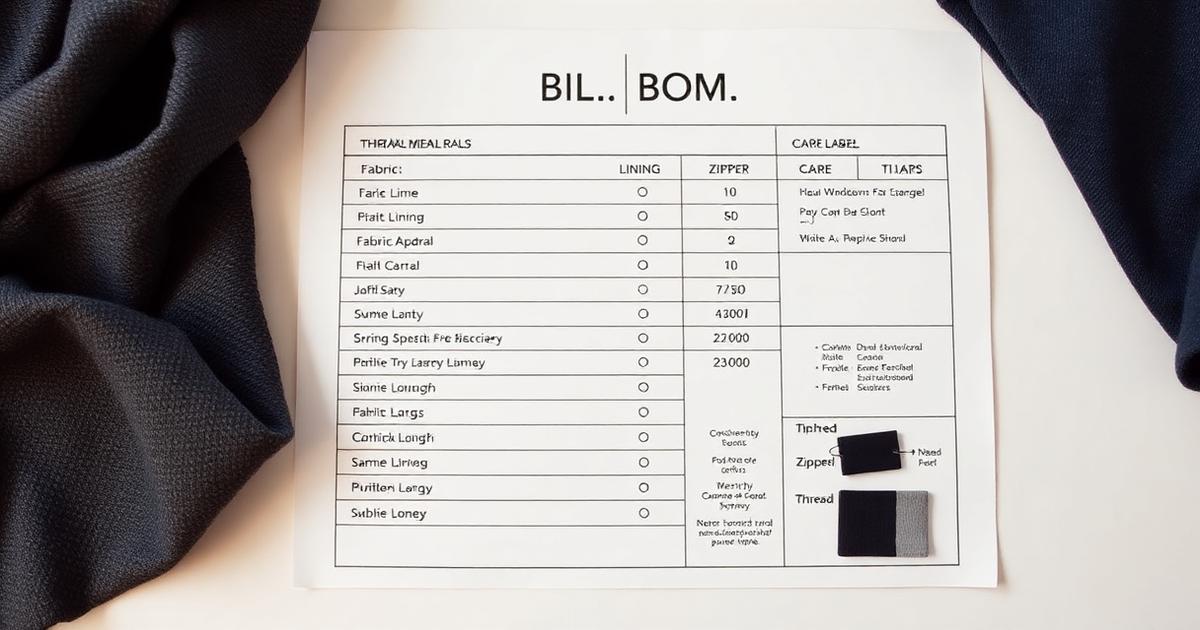
Your factory quoted two prices for the same jacket, three weeks apart, and you do not know why. The reason is almost always the same: your bill of materials was incomplete, so the first quote was a guess and the second was the truth. A clear BOM is how you get one honest price the first time.
A BOM is the most cost-sensitive page in your tech pack. Materials and components are the largest share of what a garment costs, so the document that lists them decides your margin before a single sample is sewn. This guide is the full build: what a BOM is, what every row needs, how to calculate consumption, and how to keep it accurate season after season.
Table of Contents
- TL;DR: The apparel BOM in five lines
- What is a bill of materials in apparel?
- Why the BOM decides your margin
- What goes in an apparel BOM
- The columns every BOM row needs
- The 6 steps to build an apparel BOM
- What the BOM should not leave to the factory
- BOM: the old way vs a connected way
- How to build your first BOM: a workflow
- Common BOM mistakes and how to avoid them
- What to look for in a BOM tool
- How an accurate BOM affects cost and sourcing
- How Kampana builds the BOM inside a tech pack
- FAQ
- The bottom line
TL;DR: The apparel BOM in five lines
- A bill of materials (BOM) is the complete list of every fabric, trim, thread, label, and packaging component needed to make one garment style, with quantities and costs (NetSuite).
- It sits inside the tech pack and is the page a factory uses to quote, source, and cost the garment (Centric Software).
- Every row needs component, description, supplier, color, placement, consumption, unit, and cost.
- Consumption is the amount of each material used per garment. Get it wrong and every quote and order is wrong.
- AI can draft the BOM and reuse components across styles. A human validates the materials and consumption. Map it to Kampana's technical design assist pack workflow.
What is a bill of materials in apparel?
A bill of materials is the complete parts list for a garment. It lists every fabric, lining, trim, thread, button, zipper, label, and packaging item needed to build one style, with the quantity and cost of each (NetSuite).
If the tech pack is the blueprint for a garment, the BOM is the shopping list. A factory cannot quote a price or order materials without it. It is generally prepared by the brand or its merchandiser, following the product design, and lives as one section of the tech pack (Online Clothing Study).
The BOM does three jobs at once. It supports accurate costing, it prevents missing components, and it keeps production repeatable from one season to the next (Fashion Index). For the wider document it belongs to, see the fashion tech pack template.
Why the BOM decides your margin
The BOM is not the longest page in a tech pack, but it is the most expensive one. Raw materials and components are the single largest cost in most garments, which makes the document that lists them the one that decides your margin (Centric Software).
Three reasons the BOM controls your costs:
- It drives the quote. A factory prices what the BOM lists. An incomplete BOM gets a padded or wrong quote, then a re-quote once the missing pieces appear.
- It controls sourcing. The BOM tells sourcing exactly what to order and how much. Get consumption wrong and you over-order or run short, both expensive.
- It enables repeatability. A versioned BOM lets you rebuild the same garment next season at a known cost instead of re-pricing from scratch.
A missing trim is not a small omission. It is a delay when sourcing discovers it, a re-quote when the factory does, and a margin surprise when you do. The BOM is where you catch all three on a page, for free (NetSuite).
What goes in an apparel BOM
A complete BOM covers everything that ends up in or on the finished, packed garment. Brands miss costs by forgetting the small components, so list them all.
| Category | Examples |
|---|---|
| Shell and lining | Main fabric, lining, interlining, fusing |
| Trims | Zippers, buttons, snaps, drawcords, elastic, rivets |
| Thread | Sewing thread, topstitch thread, overlock thread |
| Labels | Brand label, size label, care and content label |
| Finishing | Hangtags, tag fasteners, pins |
| Packaging | Polybag, tissue, box, barcode sticker |
The cheap items are the ones brands forget, and forgotten items become surprise costs or sourcing delays. A drawcord toggle costs little, but leaving it off the BOM means the factory either omits it or stops to ask. List every component, however small.
The columns every BOM row needs
A BOM is only as useful as its columns. A row that just says "zipper" tells a factory almost nothing. Here is the minimum every row should carry, with consumption and cost the columns that turn a parts list into a costing tool (Online Clothing Study).
| Column | What it captures | Example |
|---|---|---|
| Component | The part type | Separating zipper |
| Description | Spec detail | YKK #5 metal, 60 cm |
| Supplier | Who provides it | YKK |
| Color / reference | Exact color or code | Antique brass / Pantone 871 C |
| Placement | Where it goes | Center front |
| Consumption | Amount per garment | 1 pc |
| Unit | Unit of measure | piece |
| Unit cost | Cost per unit | $1.10 |
| Total | Consumption x unit cost | $1.10 |
Add color and placement and the factory knows not just what to order but where it goes and in which colorway. Tie each row's color back to the tech pack's colorways so a three-color run orders the right trims in the right shades.
The 6 steps to build an apparel BOM
Build the BOM in this order. Each step depends on the one before it.
Step 1: List every component
Walk the garment from the outside in, then add finishing and packaging. Shell, lining, interlining, every trim, every thread, every label, every packing item. Use the category table above as a checklist so nothing small slips through.
The discipline here is completeness, not speed. A BOM that is 95 percent complete is the one that triggers a re-quote, because the missing 5 percent is exactly what the factory cannot price.
Step 2: Add supplier and reference
For each component, name the supplier and the exact reference: the article number, the spec, the gauge. "YKK #5 metal zipper" is sourceable. "Zipper" is not. A precise reference is what lets sourcing buy the same part from the same supplier every time (Fashion Index).
Where you have approved suppliers, lock them in. Where you do not, leave the reference precise enough that any supplier could match it.
Step 3: Set color per component
Give every component its color, by Pantone or lab dip, not by name. A garment in three colorways needs each component's color listed for each combination. Thread, zipper tape, and labels all have colors that must be specified, not assumed.
This step is where colorways and the BOM meet. Keep them tied so sourcing orders the right shade of every trim for every color of the style.
Step 4: Calculate consumption
Consumption is how much of each material a single garment uses: yardage of fabric, length of elastic, count of buttons. This is the number that drives every order and every cost, so it has to be right (World Fashion Exchange).
Calculate fabric consumption from the marker, including a wastage allowance for cutting. Count discrete trims directly: a jacket has one main zipper, two pocket zippers, six buttons. Add a small allowance for defects where it is standard. Under-count and you run short mid-production. Over-count and you pay for materials you will not use.
Step 5: Add cost and total it
Put a unit cost against every component, then multiply by consumption for a line total, and sum the lines for the garment's material cost. This is the number that feeds your costing and your target margin.
| Component | Consumption | Unit cost | Line total |
|---|---|---|---|
| Shell fabric | 1.8 m | $9.50/m | $17.10 |
| Lining | 1.2 m | $3.20/m | $3.84 |
| Main zipper | 1 pc | $1.10 | $1.10 |
| Buttons | 6 pc | $0.15 | $0.90 |
| Labels (set) | 1 set | $0.40 | $0.40 |
| Material total | $23.34 |
This material total is the floor of your garment cost. Labor and overhead sit on top. Knowing it from the BOM means you set retail and margin on facts, not hope. It feeds straight into seasonal planning and the line plan.
Step 6: Version and reconcile
A BOM changes as the design firms up. Version every change and reconcile the BOM against the final flats and construction notes before handoff. A button that moved from six to five, a lining that changed weight, a zipper that changed length, each shifts the cost and must be logged.
Reconcile the BOM with the rest of the tech pack so the parts list, the flats, and the construction agree. A BOM that disagrees with the flats is a quote waiting to be wrong.
What the BOM should not leave to the factory
A factory will source and build exactly what the BOM specifies. Whatever you leave vague, it specifies for you, usually with the cheapest option on hand.
Do not leave these open:
- Material spec. "Cotton" becomes whatever cotton is cheapest. Specify weight, weave, and finish.
- Supplier or reference. A generic trim becomes a generic substitute. Name the article.
- Color. A color name is a range. A Pantone or lab dip is one shade.
- Consumption. If you do not set it, the factory estimates it, and their estimate is in their interest, not yours.
The merchandiser's judgment is what fills these in. AI can draft the BOM and carry forward common components, but a human validates the materials, the consumption, and the cost. Kampana keeps a human approval gate on the pack for that reason.
BOM: the old way vs a connected way
Most brands build the BOM by hand in a spreadsheet, then re-key the same trims on every new style. It works, but it is slow and it drifts from the rest of the tech pack.
| Old way (standalone sheet) | Connected (on a canvas) | |
|---|---|---|
| Components | Retyped each style | Reused from a library |
| Color | Re-entered per colorway | Tied to the colorways |
| Consumption | Manual, easy to mis-key | Structured fields with units |
| Reconciliation | BOM and flats drift | BOM tied to the product |
| Costing | Separate calculation | Totals roll up live |
| Reuse next season | Start over | Carried forward as nodes |
The connected approach does not replace the merchandiser. It removes the re-keying so their time goes to validating materials and consumption, not formatting a sheet. Compare the full set on the Kampana workflows hub.
How to build your first BOM: a workflow
You can build a complete BOM in one ordered pass.
- List every component, outside in, then finishing and packaging.
- Add supplier and reference for each, precise enough to source.
- Set color per component, by Pantone or lab dip, per colorway.
- Calculate consumption from the marker for fabric, by count for trims, with allowances.
- Add unit costs and total each line and the garment.
- Version and reconcile against the flats and construction before handoff.
Run that once and you have a factory-ready BOM. To draft it from your product and reuse components across styles, start with the technical design assist pack workflow.
Common BOM mistakes and how to avoid them
Forgetting the small components
The fix: work from the category checklist and list thread, labels, and packaging every time. The forgotten drawcord toggle is the surprise cost. Completeness is the whole job (Fashion Index).
Guessing consumption
The fix: calculate fabric from the marker and count trims directly, with standard allowances. A guessed consumption makes every quote and order wrong in the same direction (World Fashion Exchange).
Naming colors
The fix: reference every color by Pantone or lab dip, per component, per colorway. Thread and zipper tape have colors too, and a name is not a spec.
Letting the BOM drift from the tech pack
The fix: reconcile the BOM against the flats and construction before every handoff, and version each change. A BOM that disagrees with the rest of the pack produces a wrong quote (Centric Software).
What to look for in a BOM tool
If you are choosing software to manage BOMs, judge it on whether it keeps the parts list accurate and connected to the rest of the pack.
- A reusable component library, so common trims are not retyped.
- Structured consumption fields with units, not free text.
- Color tied to colorways, so the BOM and the color story agree.
- Live cost roll-up, so the material total updates as the BOM changes.
- Reconciliation with the flats, so the BOM cannot quietly drift.
- Version control on every change.
- A human approval gate before the BOM goes to the factory.
A tool that gives you a blank spreadsheet has saved you nothing. One that drafts the BOM from your product and rolls up the cost has. See how it prices on Kampana pricing.
How an accurate BOM affects cost and sourcing
The BOM is a margin and a lead-time lever, not a clerical task. It decides two things that make or break a style.
It decides the quote. A complete, costed BOM gets one accurate price instead of a guess and a re-quote, because materials are the bulk of garment cost and the BOM is where they are priced (Centric Software). You set retail and margin on a real number from the start.
It decides sourcing speed. A BOM with precise references and correct consumption lets sourcing order the right materials, in the right quantity, from the right suppliers, in one pass. A vague BOM triggers back-and-forth, substitutions, and delays that compress your production window. On a fixed delivery date, that lost time comes straight out of in-season selling. The costed BOM also feeds the line plan and the rest of the end-to-end launch.
How Kampana builds the BOM inside a tech pack
Kampana is an AI product creation OS for fashion brands. It turns one product into design, 3D renders, tech packs, PDP imagery, B2B sell-in kits, marketplace feeds, and social campaigns, on a node-based canvas with approval gates and product-fidelity QA. The BOM lives inside the technical design assist pack, drafted from the product instead of a blank sheet.
You drop the product on the canvas, and Kampana drafts a starting BOM: the components it can infer, structured columns, and reusable trims from your library, for your merchandiser to validate and cost.
What you get
- A drafted BOM with structured columns: component, supplier, color, placement, consumption, unit, and cost.
- Reusable components carried across styles and seasons.
- Color tied to the tech pack's colorways.
- A live material-cost roll-up as the BOM changes.
- Reconciliation against the flats and construction in the same pack.
- A human approval gate and product-fidelity QA before the BOM ships.
The old way vs Kampana
| Old way | With Kampana | |
|---|---|---|
| Components | Retyped per style | Reused from a library |
| Consumption | Free-text, mis-keyed | Structured fields with units |
| Color | Re-entered per colorway | Tied to colorways |
| Costing | Separate calc | Rolls up live |
| Reconciliation | BOM drifts from flats | Tied to the product |
| Sign-off | Scattered | One approval gate, product-fidelity QA |
How it works
- Drop one product on the canvas.
- Wire it to the technical design assist pack node.
- Review the drafted BOM and adjust components and consumption.
- Validate materials, colors, and costs as the merchandiser.
- Approve at the human gate.
- Export the BOM with the full tech pack and feed the cost into your line plan.
Pricing is credit-based. You draw from one shared credit pool, with no seats and no subscription, and credits do not expire. There is a free starter pack to build your first tech pack and BOM, and an assist pack draws a modest credit range because it is mostly structure and QA. See current ranges on Kampana pricing.
AI will not replace your merchandiser. It gives them a starting BOM so they validate materials and cost instead of retyping a sheet.
FAQ
What is a bill of materials in apparel?
A BOM is the complete list of every fabric, trim, thread, label, and packaging component needed to make one garment style, with quantities and costs (NetSuite). It lives inside the tech pack and is what a factory uses to quote and source the garment.
What is the difference between a BOM and a tech pack?
The tech pack is the full technical blueprint: flats, measurements, construction, and the BOM. The BOM is one section of it, the parts list. You need the whole pack, but the BOM is the page that drives cost and sourcing (Fashion Index).
What columns should a BOM have?
At minimum: component, description, supplier, color or reference, placement, consumption, unit, unit cost, and line total. Consumption and cost are what turn a parts list into a costing tool (Online Clothing Study).
What is consumption in a BOM?
Consumption is the amount of each material a single garment uses: fabric yardage, trim counts, thread length. It drives every order and every cost, so it must be calculated from the marker for fabric and counted directly for trims, with standard allowances (World Fashion Exchange).
Who prepares the BOM?
It is usually prepared by the brand or its merchandiser, following the product design and the tech pack, on a spreadsheet or in a PLM or ERP system (Online Clothing Study). The factory uses it to quote and source, but the brand owns its accuracy.
Why is the BOM so important for cost?
Because materials and components are the largest share of a garment's cost, the BOM is the most cost-sensitive document in product development (Centric Software). An accurate BOM gets one honest quote; an incomplete one gets a padded guess and a re-quote.
Can AI build a BOM?
AI can draft a BOM from the product, carry forward common components, and roll up the cost. It should not be the final word on materials or consumption. A merchandiser validates and approves, and Kampana keeps a human approval gate on the pack.
How do I keep a BOM accurate across seasons?
Version every change, reconcile the BOM against the flats and construction before handoff, and reuse components from a library so proven parts carry forward at a known cost. A connected canvas keeps the BOM tied to the product so it cannot drift.
The bottom line
The BOM is the cheapest place to protect your margin. Every component you forget and every consumption you guess becomes a re-quote, a sourcing delay, or a surprise cost.
List every component, reference each one precisely, set color per colorway, calculate consumption honestly, total the cost, and version every change. Reconcile it with the rest of the tech pack before it leaves your hands.
Do that and the factory quotes once, sources cleanly, and your margin is set on facts. Ready to draft the BOM from your product? Build a technical design assist pack with Kampana or start creating for free.
Send one product URL. Kampana turns it into a mini campaign pack.