AI Fashion Design: What It Is and How to Use It from Concept to Launch (2026)
AI fashion design is more than one image prompt. Here is what it is, the 6 stages it covers, where a human still decides, and how to use it from concept to launch.
If you only read one thing
- AI fashion design is not one image prompt. It is using AI across the whole design phase: concept, colorways, tech packs, 3D-to-image, PDP, and campaign.
- The strongest setup connects the steps. The concept feeds the colorways. The approved design feeds the tech pack. The 3D feeds the PDP. Nothing restarts from zero.
- AI generates, a human approves. Color, fabric, and fit decisions stay with people. That is what keeps the output usable.
- 3D and CAD are inputs, not the product. Good tools turn the files you already have into product-accurate images.
- Kampana runs all six stages on one canvas, with approval gates on every product-accurate asset.
What is AI fashion design?
AI fashion design is the use of AI models to help take a garment from idea to launch. That includes generating collection concepts, exploring silhouettes and colorways, drafting technical design information, turning 3D and CAD files into product images, and producing the page and campaign assets that sell the product.
The phrase gets used two ways. Most people mean the narrow version: type a prompt, get a picture. The useful version is broader. It treats the whole design phase as a set of connected steps, each one assisted by AI and approved by a person.
Here is where AI fits across that lifecycle:
| Stage | What AI helps with | Who decides |
|---|---|---|
| Concept | Brand DNA to concept, moodboard, direction | Creative director |
| Design | Silhouettes, variations, colorways | Designer |
| Technical | Tech pack draft, BOM, POM, construction notes | Technical designer |
| 3D / DPC | Turn 3D and CAD into product images | Design + ecommerce |
| Ecommerce | PDP copy, imagery, video, fit, feed | Ecommerce / catalog |
| Campaign | Angles, hooks, UGC briefs, social cuts | Brand / growth |
The point of the table is simple. AI touches every stage, but a person owns the decision at every stage.
Why most "AI fashion design" stays stuck at one image
Most AI fashion content you see is one pretty image from one prompt. It looks good in a feed. It does not survive contact with a real collection.
The reason is that the steps are not connected. The concept lives in one tool. The tech pack lives in a spreadsheet. The images live in a third place. Nothing carries forward, so every stage starts from a blank page again.
There are three failures this creates, and they map exactly to the gaps real fashion teams hit:
- Concept dies on a moodboard. A direction and a vibe never become product-ready visuals a merchant can plan against.
- 3D and DPC work stays stuck upstream. The 3D you paid for stops at design review instead of powering the storefront.
- Ecommerce starts too late. PDP imagery and feeds get built after the product is already approved, so the launch is always behind.
A drop is not a post, and a design phase is not a single render. The win is connecting the steps so one product feeds the next.
The 6 stages of AI in fashion design
Here is the full design phase, stage by stage, with what AI actually does well at each one.
1. Concept and brand DNA
Most seasons start with a moodboard and a feeling. The ones that sell start with brand codes, trend inputs, and last season's bestsellers.
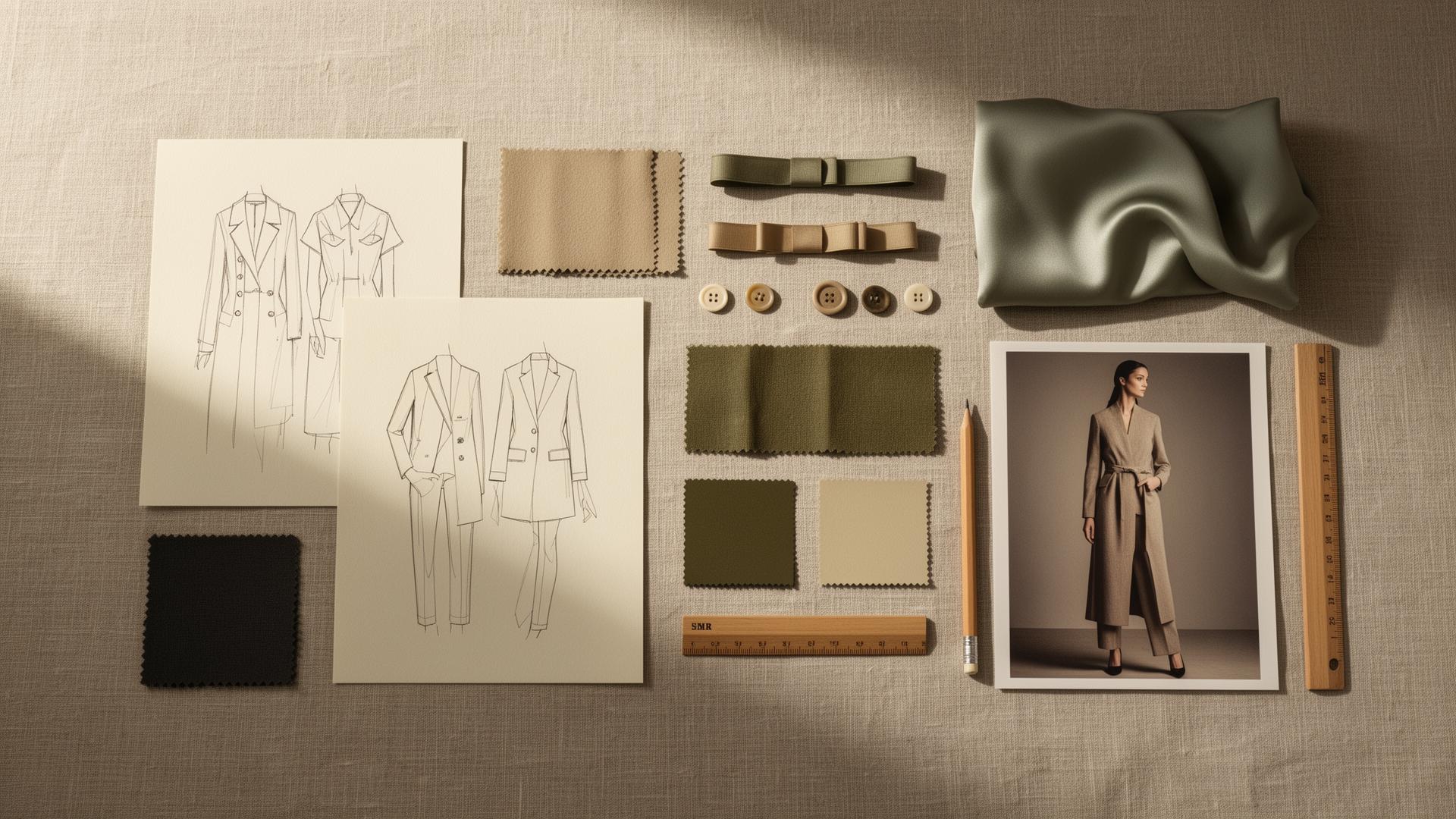
AI is good at turning those inputs into a structured concept: a direction, a moodboard, silhouette options, a colorway system, and a draft line plan. The value is not novelty for its own sake. It is a concept your merchants can build against, produced in hours instead of weeks. This is the collection concept from brand DNA job.
2. Silhouettes and colorways
Once the concept holds, AI explores variations fast. New colorways on the same silhouette. Different proportions on the same idea. Carryover bestsellers refreshed for a new season.
This is where speed helps most, because you are choosing between real options instead of starting each one from a blank canvas. Refreshing a proven product is often higher return than inventing a new one, which is why the refresh a carryover product workflow exists.
3. Technical design assist
This is the stage people underrate. AI will not replace your technical designer. It gives them a starting pack.
From a sketch, render, or product image, AI can draft a tech pack skeleton, a bill of materials (BOM), a points-of-measure (POM) checklist, construction notes, and the questions you will need to ask the factory. Your technical designer then spends time validating, not formatting. See the technical design assist pack workflow for the full output list.
4. 3D, CAD, and DPC into images
Many brands already invest in 3D and digital product creation. The work usually stops at design review.
AI closes the gap by turning GLB, USDZ, OBJ, and CAD files into product-accurate PDP visuals, detail crops, and lifestyle images. The 3D you paid for finally powers the storefront, not just the internal deck. This is the 3D assets to ecommerce and campaign renders job, and it is one of the clearest wins in the whole list.
5. PDP and ecommerce assets
A product page is not a product photo with a paragraph under it. It is a system: copy, on-model and detail imagery, video, fit guidance, alt text, SEO, and feed attributes.
AI can generate that full set from one approved product, so ecommerce does not start weeks after the product is done. The output has to satisfy real marketplace rules, which is why this stage connects to feed specs from Google Merchant Center and the Meta commerce catalog. The ecommerce PDP asset pack covers this end to end.
6. Campaign and social
Finally, one product becomes a campaign: angles, hooks, UGC briefs, vertical video, social stills, ad variants, and a Pinterest pack.
A drop is not a post. The same product node that produced the PDP can feed the social campaign launch, so the story stays consistent from page to feed.
What AI should not decide
Being clear about the limits is what makes the rest trustworthy.
- Product accuracy. Color, fabric, and fit have to be right. Only a person can sign off that a render matches the real garment.
- Buildability. AI should not invent fit specs or imply a factory can make something it cannot.
- Brand. AI should not flatten your label into the same look every other AI brand has.
The pattern that works is simple: AI generates, a human approves. Speed on the draft, judgment on the decision. Any tool you trust with product-accurate assets should have an explicit approval step, not a one-click publish.
AI fashion design vs traditional CAD and manual work
AI does not replace CAD or your technical team. It changes where the time goes. Here is the honest comparison:
| Traditional / manual | AI-assisted (with approval) | |
|---|---|---|
| Concept to first visuals | Days to weeks | Hours |
| Colorway exploration | Manual, slow | Fast variations on one base |
| Tech pack | Built from scratch | Drafted, then validated by a person |
| 3D to product images | Separate render or photoshoot | Generated from existing 3D/CAD |
| PDP imagery | Photoshoot after sampling | Generated from one approved product |
| Where humans spend time | Formatting and production | Deciding and validating |
The takeaway is not "AI is faster, use AI for everything." It is that AI removes the blank-page and formatting work so your people spend time on the decisions only they can make.
How to start: a practical workflow
You do not need to adopt all six stages at once. Start where the pain is sharpest. A simple sequence:
- Pick one product, not a whole collection. A bestseller or a hero piece works best.
- Generate the concept or refresh first. Get the direction, colorways, and a draft line plan.
- Draft the tech pack from the sketch or render, then hand it to your technical designer to validate.
- Turn your 3D or product image into PDP visuals, and approve each one for product accuracy.
- Build the full PDP pack with copy, imagery, video, fit, alt text, SEO, and feed attributes.
- Spin up the social campaign from the same product.
Do one product end to end before you scale. Once the path works for one, the end-to-end fashion collection launch runs the whole sequence as one pack.
Common mistakes and how to avoid them
Treating one image as the deliverable. A render is a start, not a launch. Plan for the full set: tech pack, PDP, feed, and campaign. If a tool only gives you images, you will still do most of the work elsewhere.
Skipping the approval step. If color or fit is wrong and it ships, AI cost you money, not time. Use tools with an explicit product-fidelity check and human approval on every product-accurate asset.
Letting the brand flatten. Generic prompts give generic results. Feed the model your brand DNA, your codes, and your real references so the output looks like you, not like a stock AI label.
Disconnecting the stages. If your concept, tech pack, and images live in three tools, you lose the thread. Keep one source of truth so each stage feeds the next.
What to look for in an AI fashion design tool
A short checklist when you evaluate options:
- Covers the whole lifecycle, not just images. Concept, technical, 3D, PDP, feeds, and social.
- Works with your existing 3D and CAD files (GLB, USDZ, OBJ).
- Has approval gates and a product-fidelity check before anything is marked final.
- Outputs real, channel-ready files, including feed attributes that match Google and Meta requirements.
- Keeps one source of truth so stages connect.
- Pricing that fits a fashion calendar, not per-seat fees that punish collaboration.
How AI fashion design affects your launch
Here is the part most articles skip. The design phase is not a cost center that ends at design review. It is the start of your launch.
When the stages connect, the product you design is the product you sell, with no rebuild in between. The concept informs the page. The 3D becomes the imagery. The imagery feeds the campaign. You launch faster because you are not recreating the product at every step.
When the stages are disconnected, every handoff is a delay and a chance for the product to drift from what was approved. That is how launches slip and how the page ends up looking different from the sample.
So the real question is not "can AI draw a jacket." It is "does my design process carry one product all the way to launch." That is a process question, and it is the one Kampana is built to answer.
How Kampana runs AI fashion design
Kampana is an AI product creation OS for fashion brands. It runs the design phase as connected steps on a node-based canvas. You drop one product at the center and wire it out to references, design, colorways, a tech pack, renders, a full PDP, and social cuts. Every node is a real, channel-ready asset, and product-accurate assets pass an approval gate and a product-fidelity check.
What you get
- Collection concept, moodboard, silhouettes, and colorways from your brand DNA
- A technical design assist pack: tech pack skeleton, BOM, POM, construction notes, factory questions
- Product-accurate PDP and campaign renders from your 3D, CAD, and DPC files
- A complete PDP pack: copy, on-model and detail imagery, video, fit guidance, alt text, SEO, feed attributes
- A social campaign: angles, hooks, UGC briefs, vertical video, stills, and a Pinterest pack
The old way vs Kampana
| The old way | With Kampana | |
|---|---|---|
| Tools | Concept, tech pack, images in separate places | One canvas, one source of truth |
| 3D | Stops at design review | Becomes PDP and campaign images |
| Ecommerce | Starts after sampling | Starts from the same product node |
| Approval | Ad hoc | Approval gate + product-fidelity check on every asset |
| Pricing | Per seat | Shared credits, unlimited users |
How it works
- Drop one product on the canvas.
- Wire it to the stages you need: concept, tech pack, renders, PDP, social.
- Approve each product-accurate asset.
- Export channel-ready files, or run the whole sequence as one launch pack.
Pricing is credit-based. One shared pool for the whole workspace, unlimited users, no per-seat fees, and credits do not expire. As a rough guide, the collection concept workflow runs 2,000 to 6,000 credits, the technical design assist pack 600 to 1,400, and 3D to renders 2,500 to 7,000. You spend on what you actually generate. See pricing for the current credit packs.
Frequently asked questions
What is AI fashion design?
It is using AI to help move a garment from concept to launch: generating collection concepts, exploring silhouettes and colorways, drafting tech pack information, turning 3D and CAD into product images, and producing PDP and campaign assets. The strongest use connects these stages rather than running one image prompt.
Will AI replace fashion designers and technical designers?
No. The reliable pattern is AI generates and a human approves. AI is good at fast first drafts and removing formatting work. People still decide color, fabric, fit, and whether a factory can make the garment.
Can AI turn my 3D or CLO3D files into product images?
Yes. Tools like Kampana convert GLB, USDZ, OBJ, and CAD assets into product-accurate PDP visuals, detail crops, and lifestyle images, with a fidelity check before anything ships.
Is AI-generated imagery good enough for a real product page?
For many brands, yes, as long as the output is product-accurate and reviewed, and as long as the feed attributes meet marketplace rules like the Google Merchant Center spec. The goal is a complete PDP system, not one hero image.
How is this different from a generic AI image generator?
A generic generator gives you one image. Fashion needs connected stages: concept, design, tech pack, 3D, PDP, feed, and social, where each stage feeds the next and a person approves product-accurate assets.
Does AI fashion design work for small brands and independent designers?
Yes, and it is often where the leverage is highest. A small team can run a concept, tech pack, PDP, and campaign for one product without a full studio. Shared-credit pricing with no per-seat fees keeps it workable for lean teams.
What file formats does AI fashion design use?
The common 3D formats are GLB and glTF, USDZ (based on OpenUSD), and OBJ, plus CAD files from pattern and 3D tools. Outputs are standard image and video files plus structured feed data for marketplaces.
How long does it take to go from concept to a launch-ready product?
With connected stages, the design-to-asset work compresses from weeks to days for a single product. The slow parts that remain are the human decisions: validating the tech pack, approving fit, and signing off on product accuracy.
The bottom line
AI fashion design is simpler than the hype and bigger than one image.
It is not a prompt that draws a jacket. It is using AI across the whole design phase, from concept and colorways to tech packs, 3D-to-image, PDP, and campaign, with a person approving every product-accurate asset along the way. The brands that get value from it are the ones that connect the stages so one product carries all the way to launch.
If you want your next design to go from concept to launch in one place, with approval gates on every asset, that is exactly what Kampana is built for. Start creating, free, or explore the fashion workflows to see each stage.
Send one product URL. Kampana turns it into a mini campaign pack.