B2B Sell-In Kit: The Assets Buyers Actually Want (2026)
A B2B sell-in kit is the pack you send buyers to win the order. Here is what goes in it, what to cut, and how to build one fast.
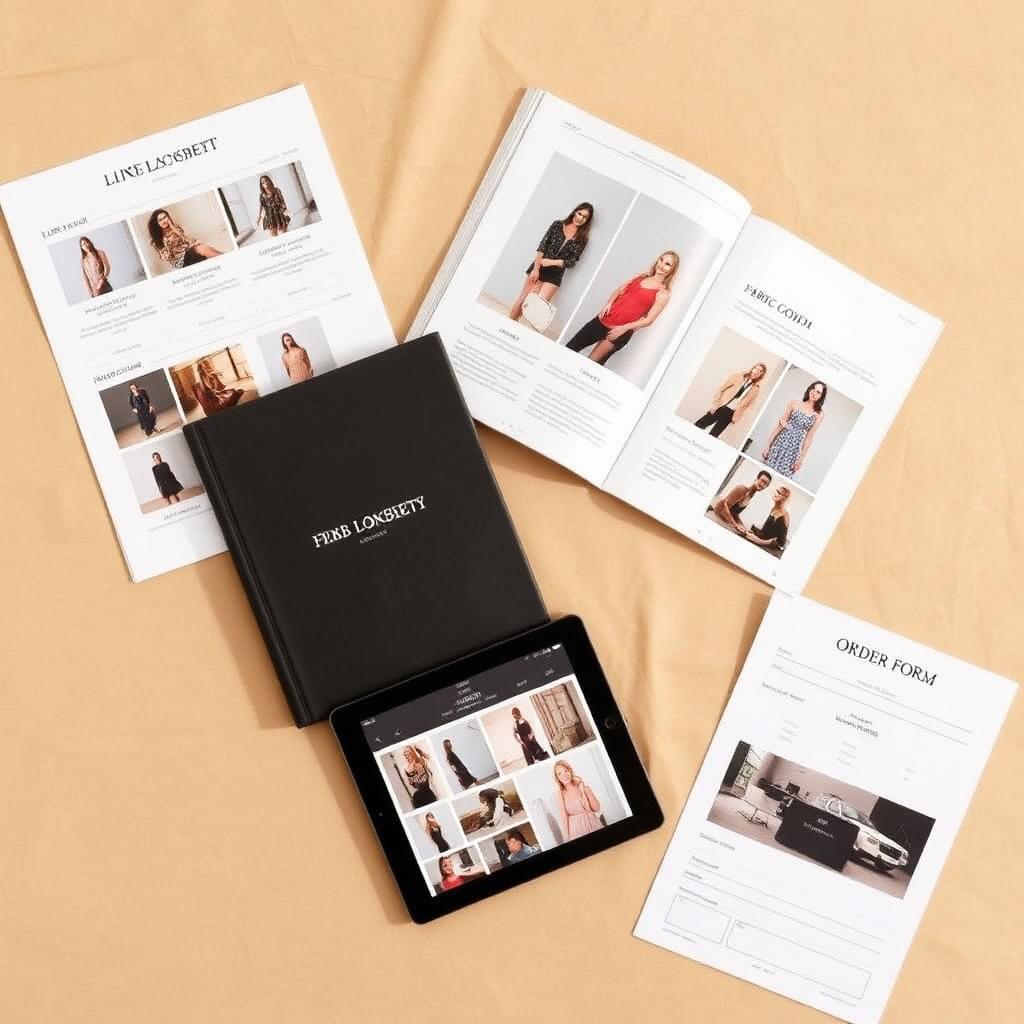
You have a buyer's attention for about the length of one email. That is the window where wholesale orders are won or lost. Most brands fill it with a PDF that is too heavy, a line sheet with the wrong prices, and a "lookbook" that is three runway photos and a hope.
A sell-in is not a deck. It is the decision pack a buyer uses to commit budget. The brands that win wholesale do not send more. They send the exact assets a buyer needs to say yes, in the order the buyer reads them.
This guide breaks down what goes in a B2B sell-in kit, what to leave out, and how to build one fast enough to use the same kit for every account.
If you only read one thing
- A B2B sell-in kit is the buyer-facing pack you send to win the order: line sheet, lookbook, digital showroom, sell-in video, and order terms.
- The line sheet does the work. It needs style names and numbers, colorways, size runs, wholesale and retail prices, MOQs, and delivery windows. Sizing and price errors kill orders.
- Buyers want to order digitally. Platforms like JOOR and NuORDER moved wholesale online, and buyers now expect DTC-quality browsing and real-time data.
- Cut the clutter. Drop the brand-story essay, the 40-page PDF, and the runway-only photos. Buyers need fit, price, and delivery.
- Build it once, reuse it. One product source can feed the line sheet, the lookbook, the showroom, and the video, so every account gets the same kit.
What is a B2B sell-in kit?
A B2B sell-in kit is the set of assets a fashion brand sends a wholesale buyer to sell a collection into their store. It is the wholesale version of a product page. The buyer uses it to judge fit, margin, delivery, and whether the line suits their floor.
Sell-in means selling into the retailer. It is different from sell-through, which is the retailer selling to the shopper. Your kit has one job: get the buyer to write the order. Everything in it should move them toward that.
A complete kit usually includes five things. A line sheet with every style, price, and size run. A lookbook that shows the collection styled. A digital showroom the buyer can browse and order from. A short sell-in video that pitches the drop. And an order form with clear terms, minimums, and delivery dates.
The kit is not your brand bible. It is not your full marketing site. It is a tight, buyer-facing pack built to be opened on a phone between meetings during a busy market week.
Why most sell-in kits lose the order
Most kits fail in predictable ways. The brand treats the kit like a brochure instead of an ordering tool. The buyer cannot find the price, the size run, or the ship date, so they move on to the next brand who made it easy.
The lazy default is a single fat PDF. It is slow to load, impossible to order from, and out of date the moment one price changes. A buyer reviewing dozens of brands during market will not fight a 30 MB file to find your stripe tee.
The cost is real. Wholesale buyers plan budgets six to twelve months ahead and review many lines in a short window. If your kit makes them work, they spend their open-to-buy somewhere clearer. You do not lose because the product was wrong. You lose because the pack was.
The fix is not more assets. It is the right assets in a format a buyer can act on. Buyers increasingly expect to browse and order online with accurate product data and real-time inventory, the same way they shop direct-to-consumer sites, according to wholesale platform RepSpark's 2025 industry overview.
What buyers actually open first
Buyers do not read a kit front to back. They scan. Understanding the order they scan in tells you how to build the kit.
First, they check the line sheet for price and margin. A buyer wants to know the wholesale cost, the suggested retail, and the markup before they care about your story. The suggested retail price helps them see where the product fits on their floor and what they can make on it.
Second, they look at the imagery to judge fit and quality. Can they see the front, the back, the fabric, and how it sits on a body? Flat sketches are not enough at this stage.
Third, they check delivery and minimums. A great line that ships after their season is useless. A minimum they cannot hit is a dead end. Make both impossible to miss.
Only after all that does brand story matter, and only a little. Lead with the buyer's questions, not yours.
| Buyer's question | The asset that answers it | What it must show |
|---|---|---|
| What does it cost and what can I make? | Line sheet | Wholesale price, MSRP, markup |
| Will it fit and sell on my floor? | Lookbook + on-model imagery | Front, back, fabric, fit |
| When does it ship and what is the minimum? | Line sheet + order terms | Delivery window, MOQ |
| Can I order this now? | Digital showroom + order form | Live ordering, real-time data |
| Why this brand? | Sell-in video + short brand line | One reason, fast |
The assets that belong in a sell-in kit
Here is what goes in a kit and exactly what each piece needs to do.
The line sheet
The line sheet is the spine of the kit. It is the document the order is written from, so it carries the most detail and the least decoration.
At a minimum, a line sheet needs clean product imagery, style names and numbers, colorways, size runs, wholesale and suggested retail prices, and minimums. Group products so buyers can scan: by category, by delivery date, or by price point. Six to twelve products per page is a good density.
Show color clearly with swatches, not just a name. Make the minimum order quantity and the delivery window obvious. Buyers plan months ahead, so a missing ship date stalls the order. For a deeper build, see our guide on the wholesale line sheet.
The lookbook
The lookbook sells the feeling and shows the fit. It is where the buyer decides the line suits their store and their shopper.
Keep it styled but honest. Show real colorways, real fabrics, and the actual products you are selling, not aspirational runway-only shots that never make the floor. Pair flat or product shots with on-model imagery so the buyer sees both the detail and the drape.
A lookbook is not a substitute for the line sheet. It sits next to it. The lookbook creates the want, the line sheet captures the order.
The digital showroom
The digital showroom is where the order actually gets written now. It is a browsable, orderable space that holds your line sheet, imagery, pricing, and order flow in one place.
Buyers want to order digitally. The largest wholesale platform, JOOR, connects more than 14,000 brands and over 700,000 buyers and moves around $1.5 billion in average monthly GMV, per JOOR's own platform data. That is the behavior you are designing for. A showroom link a buyer can open on a phone beats a PDF every time. See the full build in our digital showroom guide.
The sell-in video
A short sell-in video does the job your rep does in the booth when you are not in the room. Thirty to sixty seconds. The hook, the hero styles, the story in one line, the delivery and terms.
It travels well. You can drop it at the top of the showroom, send it cold to a buyer, or play it at market. Keep it tight and product-first. We cover this in the sell-in video guide.
The order form and terms
The order form is the close. Make it frictionless. It should capture the buyer's details, the styles and quantities, delivery date, payment terms, and minimums.
Open the kit with a short brand line and close it with clear terms and conditions. Clear terms set expectations and prevent the back-and-forth that delays a signed order.
What to cut from your kit
A sell-in kit wins by subtraction as much as addition. The brands that convert send less, not more.
Cut these:
- The brand-history essay. A buyer needs one reason to stock you, not your founder origin story across three slides.
- The single giant PDF. It is slow, it cannot be ordered from, and it goes stale the second a price changes.
- Runway-only imagery. Beautiful, but it does not tell a buyer how the actual stocked product fits or what it is made of.
- Prices without margin. Wholesale price alone makes the buyer do math. Show MSRP and markup too.
- Hidden minimums and ship dates. If a buyer has to hunt for the MOQ or delivery window, you have added friction at the exact moment you want a yes.
- Stock photos and filler. Every image should be your product. Anything else is noise.
The test for any asset: does it help the buyer decide to order? If not, it does not belong in the kit.
How to build a sell-in kit step by step
Here is a practical order of operations for a small brand building a kit for a season.
- Lock the line list. Finalize styles, colorways, size runs, costs, wholesale prices, and MSRP. Nothing else can be accurate until this is.
- Set terms first. Decide MOQs, delivery windows, and payment terms before you design anything. They drive the line sheet and order form.
- Build the line sheet. Clean imagery, style numbers, colors as swatches, prices, sizes, MOQ, delivery. Group by category or delivery.
- Create the imagery. Product-accurate flats and on-model shots for every style and colorway. This feeds both the line sheet and the lookbook.
- Assemble the lookbook. Style the hero pieces, keep it honest, pair flats with on-model.
- Cut the sell-in video. Thirty to sixty seconds, hero styles, one story line, terms at the end.
- Stand up the digital showroom. Put the line sheet, imagery, video, and order flow in one browsable, orderable link.
- Test the order path. Open it on a phone. Time how long it takes to find a price and place an order. Fix anything that is slow.
The goal is one source feeding every asset, so a price change updates everywhere at once.
Sell-in kit for market week vs year-round
A kit built only for market week is half a kit. Wholesale is moving to a blend of in-person and digital selling, and your assets should work in both.
During market, the kit supports the room. The lookbook and video set the tone, the line sheet sits open on the table, and the showroom link captures the order before the buyer leaves. The pressure is speed and clarity.
Between markets, the kit sells on its own. Buyers reorder, new accounts discover you, and time zones do not matter. The same showroom link works cold, and reorders flow without a meeting. JOOR reports that evergreen and bestselling styles grew from 37% of platform GMV in 2019 to 49% in 2024, which shows how much of wholesale now happens outside the show calendar, per JOOR's wholesale data covered by Just Style.
Build one kit that does both. The market version and the year-round version should be the same assets, not two separate efforts.
| Market week | Year-round | |
|---|---|---|
| Primary job | Support the in-person pitch | Sell and reorder without a meeting |
| Hero asset | Lookbook + video in the room | Digital showroom link |
| Buyer state | Reviewing many lines fast | Reordering or discovering |
| What it needs | Clarity and speed | Always-on, accurate data |
| Risk if weak | Buyer moves to next brand | You miss reorders between shows |
Common sell-in mistakes and how to fix them
Mistake: wrong or missing prices
A price error or a missing MSRP is the fastest way to lose trust. Buyers calculate margin first.
Fix it:
- Show wholesale and suggested retail for every style.
- Build prices from one source so they update everywhere.
- Proof the sheet against your cost file before sending.
Mistake: imagery that hides the fit
Runway-only or flat-only imagery leaves the buyer guessing how the product sits and what it is made of.
Fix it:
- Add on-model imagery for every style and colorway.
- Show front, back, and a fabric or detail shot.
- Keep colors true to the actual stocked product.
Mistake: a kit you cannot order from
A PDF is not an order path. If the buyer has to email you to place an order, you have added a delay.
Fix it:
- Put the line sheet and imagery in a digital showroom with live ordering.
- Make sure it opens cleanly on a phone.
- Capture the order in the kit, not in a separate thread.
Mistake: one kit per account, rebuilt by hand
Rebuilding a kit for every buyer wastes the time you need for selling.
Fix it:
- Build one source of product, imagery, and pricing.
- Generate the line sheet, lookbook, showroom, and video from it.
- Reuse the same kit across accounts and update once.
What to look for in a sell-in tool
If you are choosing software or a workflow to build the kit, judge it on whether it removes friction for the buyer and rework for you.
Look for these:
- One source, many outputs. Product, pricing, and imagery should flow into the line sheet, lookbook, showroom, and video without re-entry.
- Accurate product imagery. On-model and flat imagery that matches the actual product, not generic AI pictures that misrepresent fit or fabric.
- Real ordering, not just viewing. Buyers expect to place orders digitally with real-time data.
- Easy updates. A price or delivery change should propagate everywhere at once.
- Mobile-first delivery. Buyers open kits on phones during market.
- Approval control. You should sign off on every buyer-facing asset before it ships.
The platforms that defined digital wholesale, like JOOR and NuORDER, proved buyers want to order online. Your kit-building tool should feed those habits, not fight them.
How a sell-in kit affects your wholesale numbers
A tighter kit changes the numbers in three places.
It raises your hit rate during market. When a buyer can find price, fit, and delivery in seconds, more conversations become orders. Buyers reviewing many lines reward the brand that made the decision easy.
It captures reorders between shows. An always-on digital showroom means a buyer can reorder a bestseller without waiting for the next appointment. Given how much wholesale GMV now comes from evergreen styles, that is real revenue you would otherwise leave on the table.
It gives back selling time. When one source feeds every asset and account, your team stops rebuilding decks and starts working accounts. The kit becomes a system, not a scramble before each market.
None of this requires more spend on photography or more headcount. It requires the right assets, built once, in a format buyers act on.
How Kampana builds a B2B sell-in kit
Wholesale buyers do not want to wait for a sample trunk. They want a kit they can open and order from. Kampana builds that kit from one product, on a node-based canvas, with approval gates and product-fidelity QA on every asset.
What you get
- A line sheet with product-accurate imagery, style numbers, colorways, size runs, wholesale and retail prices, MOQs, and delivery.
- On-model and flat imagery for every style and colorway, generated from your 3D, CAD, or product shots.
- A lookbook styled from the same product source.
- A short sell-in video for the top of the showroom.
- A buyer-ready digital showroom link with the whole kit in one place.
The old way vs Kampana
| Old way | With Kampana | |
|---|---|---|
| Time to build | Weeks of design and photo | One canvas, reused per season |
| Source of truth | Separate files per asset | One product feeds every asset |
| Imagery | Studio shoot or runway photos | Product-accurate renders, on-model and flat |
| Buyer experience | Heavy PDF, email to order | Browsable, orderable showroom link |
| Updates | Re-edit every file | Change once, updates everywhere |
| Who approves | Manual, scattered | Human approval gate + product-fidelity QA |
How it works
- Drop one product on the canvas.
- Wire it to the line sheet, imagery, lookbook, video, and showroom nodes.
- Approve each product-accurate asset at its gate.
- Export the kit and share the showroom link with buyers.
Pricing is credit-based. You draw from one shared credit pool, with no seats and no subscription, and credits never expire. There is a free starter pack to try it. The B2B digital showroom kit workflow lists its real credit range. For the full season, connect it to the end-to-end collection launch, and feed it from your line plan review and PDP asset pack. See credit pricing.
Frequently asked questions
What is a B2B sell-in kit in fashion?
It is the buyer-facing pack a brand sends to sell a collection into a retailer. It usually includes a line sheet, a lookbook, a digital showroom, a sell-in video, and an order form with terms. Its job is to get the buyer to write the order.
What is the difference between sell-in and sell-through?
Sell-in is the brand selling into the retailer's store. Sell-through is the retailer selling to the end shopper. A sell-in kit is built to win the sell-in, the wholesale order itself.
What must a wholesale line sheet include?
At a minimum: clean product imagery, style names and numbers, colorways, size runs, wholesale and suggested retail prices, minimums, and delivery windows. Group products so buyers can scan quickly, around six to twelve per page, per wholesale platform guidance.
Do buyers prefer digital ordering or paper?
Increasingly digital. Buyers expect DTC-quality online browsing, accurate product data, and real-time inventory, and major platforms like JOOR and NuORDER moved much of wholesale ordering online, per RepSpark's 2025 wholesale trends.
Can I build a sell-in kit before samples arrive?
Yes. You can generate product-accurate imagery from 3D, CAD, or flat product shots and build the line sheet, lookbook, and showroom before a physical sample exists. That lets you sell in earlier in the season.
How long should a sell-in video be?
Thirty to sixty seconds. Lead with a hook, show the hero styles, give one story line, and end on delivery and terms. Keep it product-first so it works cold and at market.
How is a sell-in kit different from a digital showroom?
The digital showroom is one part of the kit, the browsable and orderable space. The kit is the full set: line sheet, lookbook, showroom, video, and order terms. The showroom holds most of the others in one link.
How much does it cost to build a sell-in kit with Kampana?
Pricing is credit-based with no seats or subscription, and credits never expire. There is a free starter pack, and the B2B digital showroom kit workflow shows its real credit range.
The bottom line
A B2B sell-in kit is not a brochure. It is the decision pack a buyer uses to commit budget, and it should answer their questions in the order they ask them: price and margin, fit and quality, delivery and minimums, then the brand.
The brands that win wholesale send less, not more. A clean line sheet, honest on-model imagery, a tight video, and a showroom a buyer can order from beat a heavy PDF every time. Build it from one source so every account gets the same kit and one change updates everywhere.
Wholesale buyers do not want to wait for a sample trunk. Give them a kit they can open on a phone and order from today.
Build a buyer-ready digital showroom · Start creating, free
Schema (JSON-LD)
{
  "@context": "https://schema.org",
  "@graph": [
    {
      "@type": "Article",
      "headline": "B2B Sell-In Kit: The Assets Buyers Actually Want (2026)",
      "description": "What goes in a B2B sell-in kit for fashion wholesale, what to cut, and how to build one buyers can order from fast.",
      "author": { "@type": "Organization", "name": "Kampana" },
      "publisher": {
        "@type": "Organization",
        "name": "Kampana",
        "logo": { "@type": "ImageObject", "url": "https://kampana.io/logo.png" }
      },
      "datePublished": "2026-06-28",
      "dateModified": "2026-06-28",
      "mainEntityOfPage": "https://kampana.io/blog/b2b-sell-in-kit"
    },
    {
      "@type": "BreadcrumbList",
      "itemListElement": [
        { "@type": "ListItem", "position": 1, "name": "Home", "item": "https://kampana.io/" },
        { "@type": "ListItem", "position": 2, "name": "Blog", "item": "https://kampana.io/blog" },
        { "@type": "ListItem", "position": 3, "name": "B2B Sell-In Kit", "item": "https://kampana.io/blog/b2b-sell-in-kit" }
      ]
    },
    {
      "@type": "HowTo",
      "name": "How to build a B2B sell-in kit",
      "step": [
        { "@type": "HowToStep", "name": "Lock the line list", "text": "Finalize styles, colorways, size runs, costs, wholesale prices, and MSRP." },
        { "@type": "HowToStep", "name": "Set terms first", "text": "Decide MOQs, delivery windows, and payment terms before designing." },
        { "@type": "HowToStep", "name": "Build the line sheet", "text": "Clean imagery, style numbers, color swatches, prices, sizes, MOQ, delivery." },
        { "@type": "HowToStep", "name": "Create the imagery", "text": "Product-accurate flats and on-model shots for every style and colorway." },
        { "@type": "HowToStep", "name": "Assemble the lookbook", "text": "Style hero pieces honestly, pairing flats with on-model." },
        { "@type": "HowToStep", "name": "Cut the sell-in video", "text": "Thirty to sixty seconds, hero styles, one story line, terms at the end." },
        { "@type": "HowToStep", "name": "Stand up the digital showroom", "text": "Put the line sheet, imagery, video, and order flow in one orderable link." },
        { "@type": "HowToStep", "name": "Test the order path", "text": "Open it on a phone and fix anything slow to find or order." }
      ]
    },
    {
      "@type": "FAQPage",
      "mainEntity": [
        { "@type": "Question", "name": "What is a B2B sell-in kit in fashion?", "acceptedAnswer": { "@type": "Answer", "text": "The buyer-facing pack a brand sends to sell a collection into a retailer: a line sheet, lookbook, digital showroom, sell-in video, and order form. Its job is to get the buyer to write the order." } },
        { "@type": "Question", "name": "What is the difference between sell-in and sell-through?", "acceptedAnswer": { "@type": "Answer", "text": "Sell-in is the brand selling into the retailer's store. Sell-through is the retailer selling to the end shopper. A sell-in kit is built to win the wholesale order." } },
        { "@type": "Question", "name": "What must a wholesale line sheet include?", "acceptedAnswer": { "@type": "Answer", "text": "Clean product imagery, style names and numbers, colorways, size runs, wholesale and suggested retail prices, minimums, and delivery windows, grouped six to twelve per page." } },
        { "@type": "Question", "name": "Do buyers prefer digital ordering or paper?", "acceptedAnswer": { "@type": "Answer", "text": "Increasingly digital. Buyers expect DTC-quality browsing, accurate product data, and real-time inventory, and platforms like JOOR and NuORDER moved much of wholesale ordering online." } },
        { "@type": "Question", "name": "Can I build a sell-in kit before samples arrive?", "acceptedAnswer": { "@type": "Answer", "text": "Yes. You can generate product-accurate imagery from 3D, CAD, or flat product shots and build the line sheet, lookbook, and showroom before a physical sample exists." } },
        { "@type": "Question", "name": "How long should a sell-in video be?", "acceptedAnswer": { "@type": "Answer", "text": "Thirty to sixty seconds. Lead with a hook, show hero styles, give one story line, and end on delivery and terms." } },
        { "@type": "Question", "name": "How is a sell-in kit different from a digital showroom?", "acceptedAnswer": { "@type": "Answer", "text": "The digital showroom is one part of the kit, the browsable orderable space. The kit is the full set: line sheet, lookbook, showroom, video, and order terms." } },
        { "@type": "Question", "name": "How much does it cost to build a sell-in kit with Kampana?", "acceptedAnswer": { "@type": "Answer", "text": "Pricing is credit-based with no seats or subscription, and credits never expire. There is a free starter pack, and the B2B digital showroom kit workflow shows its real credit range." } }
      ]
    }
  ]
}
Lovable publishing prompt
Create a new blog post page at /blog/b2b-sell-in-kit for Kampana (AI product creation OS for fashion brands).

Layout:
- Use the standard Kampana blog template (same as /blog/wholesale-line-sheet and /blog/digital-showroom-wholesale).
- H1: "B2B Sell-In Kit: The Assets Buyers Actually Want (2026)"
- Byline: "Written by the Kampana team · Updated 2026 · ~13 min read"
- Render the clickable Table of Contents from the markdown, with anchor IDs on every H2/H3.
- Insert the TL;DR box ("If you only read one thing") as a callout component near the top.
- Convert all markdown tables to responsive styled tables.
- Image slots: replace each IMAGE-* placeholder with a generated visual or product screenshot. Hero = flat layout of a full sell-in kit on the Kampana canvas. Inline images per the HTML comments.
- Keep all internal links (workflows, pricing, related blog posts) as real anchor tags.
- Add the JSON-LD schema block to the page head (Article + BreadcrumbList + FAQPage + HowTo).
- Meta: use the metadata block at the top (title tag, meta description, OG, Twitter card, canonical).
- CTA buttons at the end: "Build a buyer-ready digital showroom" -> /workflows/b2b-digital-showroom-kit ; "Start creating, free" -> /pricing.

Do not publish live. Stage as draft for human review and approval.
Send one product URL. Kampana turns it into a mini campaign pack.