Sell-In Video for Fashion Wholesale: What It Is and How to Make One (2026)
A sell-in video is the 60-second pitch that gets a buyer to write the order. Here is what to include, how to make one, and the specs buyers expect.
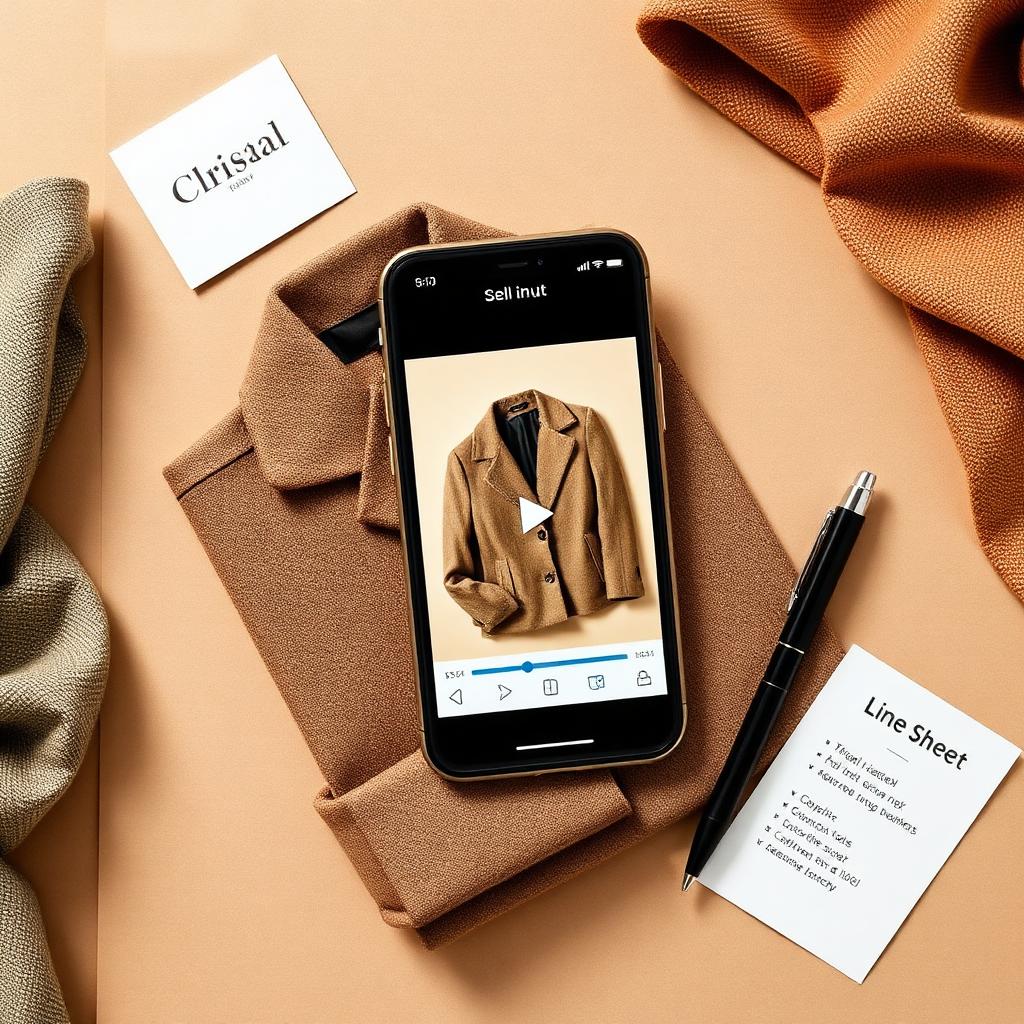
A buyer has 40 brands in their inbox and one open-to-buy budget. Your line sheet is a PDF they will skim for nine seconds. Your sell-in video is the 60 seconds that decides whether they book the appointment or move on.
A sell-in video is a short, focused sales clip built to move a wholesale buyer from interested to ordering. It is not a runway film. It is not a brand mood piece. It is the working pitch for a specific drop: these styles, this story, this delivery window, here is how you order.
This guide covers what a sell-in video is, how it differs from a lookbook and a runway clip, what it has to do in 60 seconds, the exact anatomy, how to make one step by step, the specs buyers expect, and the mistakes that quietly lose orders.
If you only read one thing
- A sell-in video is a sales tool, not a brand film. Its one job is to make a buyer want to write the order for this drop.
- Sixty seconds is the target. Hook in the first three seconds, show the hero styles, prove the fit and fabric, then make the order ask.
- Build it for sound-off. Most buyers watch muted on a phone, so put the message in on-screen text and captions.
- The video is one node in a sell-in kit, alongside the line sheet, lookbook, and digital showroom. They should tell the same story.
- Kampana builds the sell-in video and the rest of the kit from one product, on a node-based canvas with approval gates and product-fidelity QA.
What is a sell-in video?
A sell-in video is a short video, usually 30 to 90 seconds, that a fashion brand sends to wholesale buyers to sell a collection or a drop. It walks the buyer through the styles that matter, shows fit and fabric, and ends with a clear way to order.
The name comes from the wholesale term "sell-in," which is the moment a brand sells its collection into a retailer ahead of the season. Sell-in happens at market weeks, in showroom appointments, and increasingly inside digital platforms. The sell-in video is the asset that carries the pitch when you are not in the room.
Wholesale buying has moved online. Virtual showroom platforms like JOOR and NuORDER by Lightspeed let brands embed product videos directly in the buying experience, tagged with shoppable hotspots so a buyer can add a style to the order straight from the clip. Shopify's guide to virtual showrooms describes the same shift: the showroom is now a digital space where video does the work a sample rack used to do. A sell-in video is the content that fills that space.
Sell-in video vs lookbook vs runway clip
These three get bundled as "the video," but they do different jobs. Sending the wrong one wastes a buyer's attention.
| Asset | Job | Length | Leads with |
|---|---|---|---|
| Sell-in video | Get the order for a specific drop | 30-90 sec | Hero styles, fit, price, how to order |
| Lookbook film | Set the mood and the brand world | 60-120 sec | Styling, location, feeling |
| Runway clip | Show the full collection in motion | 2-10 min | Sequence of looks, walk, music |
A runway clip shows everything and sells nothing in particular. A lookbook film makes a buyer feel the brand. A sell-in video makes a buyer order. The buyer may watch all three, but only one is built to close. If you only have time to make one, make the sell-in video. It is the asset that maps directly to a purchase order, which is why our digital showroom guide treats it as a core part of the kit rather than a nice-to-have.
Why most brands skip the sell-in video, and why that costs orders
Most small brands skip the sell-in video for one of three reasons. None of them hold up.
The first is cost. A traditional video shoot means a videographer, a model, a location, and an edit. That is real money for a brand putting out four drops a year. So the video gets cut and the buyer gets a PDF instead.
The second is time. Sell-in happens fast. The line sheet is barely finished when market week starts. A video feels like a luxury you make later, and later never comes.
The third is the belief that the line sheet is enough. It is not. A line sheet tells a buyer what exists and what it costs. It does not show how a fabric moves, how a fit sits, or why this jacket is the one to lead with. A buyer scanning 40 line sheets needs a reason to stop on yours. Wholesale buyers do not want to wait for a sample trunk. They want to see the product move.
The cost of skipping it is quiet. You do not see the orders you did not get. The buyer skimmed, did not feel anything, and booked an appointment with the brand whose video made the drop feel real.
What a sell-in video needs to do in 60 seconds
A buyer's attention is short and their budget is finite. Your video has about 60 seconds to do four things, in order.
- Stop the scroll. The first three seconds decide whether the buyer keeps watching. Lead with your strongest style or your clearest hook.
- Show the heroes. Name the three to five styles that carry the drop. These are your volume drivers, not your whole range.
- Prove the product. Show fit on a body, fabric in motion, and one or two details that justify the price.
- Make the ask. Tell the buyer the delivery window and exactly how to order. End on a clear next step.
If your video does these four things and nothing else, it is doing its job. Everything else is decoration. The discipline is in cutting the parts that feel good but do not move the buyer toward the order.
The anatomy of a sell-in video
Here is the structure that works, broken into four parts. Treat it as a template, not a rule. The proportions matter more than the exact seconds.
The hook
The first three to five seconds. This is your strongest frame: the hero jacket on a body, a fabric catching light, a bold on-screen line like "Fall 26. Eight styles. Ready to order." Do not open on a logo. Open on the product. The logo can wait until the end.
The hero styles
The next 20 to 30 seconds. Show your three to five volume drivers, one at a time, each labeled with its name and wholesale price on screen. This is the heart of the video. A buyer building an order wants to know which styles to anchor on, and your job is to make that obvious. Read our hero product selection guide for how to pick them.
Fit, fabric, and detail
The next 15 to 20 seconds. Show fit on a real or rendered body, fabric moving, and one or two close details: a trim, a stitch, a lining. This is what a flat photo cannot do. It answers the buyer's silent question, which is "will this sell through in my store."
The order ask
The final five to ten seconds. State the delivery window, the order minimum if relevant, and how to order. End with one line and one action: "Order on JOOR by August 1" or "Reply to book your appointment." A sell-in video that ends on a mood and no ask is a brand film wearing a sales costume.
| Section | Time | What it shows | On-screen text |
|---|---|---|---|
| Hook | 0-5 sec | Strongest frame | Season, style count, "ready to order" |
| Hero styles | 5-35 sec | 3-5 volume drivers | Style name + wholesale price |
| Fit, fabric, detail | 35-50 sec | Body, motion, close-ups | Fabric content, key feature |
| Order ask | 50-60 sec | Logo, delivery window | How and where to order |
How to make a sell-in video, step by step
You do not need a film crew. You need a tight script and clean footage or renders. Here is the process.
1. Pick the styles that carry the drop
Start with your line plan, not your full range. Pick the three to five styles you most want in stores. These are your hero products: the ones with the best margin, the clearest story, or the highest sell-through history. A 60-second video cannot carry 30 styles. It can make a buyer fall for five. If you have not locked your heroes, work through your line plan review first.
2. Write a 60-second script
Write the script before you shoot anything. Sixty seconds is about 150 words of voiceover, or far fewer if you lean on on-screen text. Map each line to a section: hook, heroes, proof, ask. Write the on-screen text at the same time, because most buyers watch muted. If your message only lands with sound on, it does not land.
3. Source your footage or renders
You have three options. Shoot it live with a model and a phone or camera. Use clips from your photoshoot if you filmed b-roll. Or generate product-accurate renders from your 3D files or flat product shots. For brands working from CAD or CLO3D files, renders mean you can make the video before a single sample lands. Your DPC investment should not stop at design review.
4. Edit for sound-off viewing
Cut to the script. Add on-screen text and captions for every key message. Keep each shot short, two to four seconds, so the pace matches how buyers watch. Burn in style names and wholesale prices as the styles appear. Add your logo and the order ask at the end, not the start. Keep it under 90 seconds. Shorter usually wins.
5. Export for every place a buyer watches
A buyer might see your video inside a virtual showroom, in an email, on a phone in a meeting, or in a social DM. Export the formats that cover those: a 16:9 or 4:5 master for showrooms and email, and a 9:16 vertical cut for mobile and social. We cover the exact specs next.
Sell-in video specs buyers expect
Match the format to where the buyer watches. These are the standard, checkable specs.
| Use | Aspect ratio | Resolution | Length |
|---|---|---|---|
| Virtual showroom / email | 16:9 or 4:5 | 1920x1080 | 30-90 sec |
| Mobile and social cut | 9:16 | 1080x1920 | 15-30 sec |
| In-meeting / desktop | 16:9 | 1920x1080 | 60-90 sec |
A few rules that hold across platforms. The 16:9 ratio is the standard for desktop and video hosting, while 4:5 suits portrait apparel and 9:16 is the leading mobile format, as covered in most social video size guides. Shoot or render at a minimum of 1920x1080, use the H.264 codec for broad compatibility, and keep frame rate at 24 to 30 fps. If you shoot at 4K you can crop a clean vertical slice for the mobile cut without losing sharpness. Keep captions legible on a small screen, since many buyers watch on a phone with sound off.
For social-first cuts, LinkedIn's own guidance and most platform specs favor 15 to 30 seconds. For showroom and email, 60 to 90 seconds is fine because the viewer has already chosen to watch.
Where a sell-in video lives in your sell-in
The video is not a standalone asset. It is one node in a sell-in kit, and it works best when the whole kit tells one story.
- In the virtual showroom, embedded next to the styles it features, ideally with shoppable hotspots so the buyer can order from the clip.
- In the line sheet email, as the thing that earns the open and the click through to the line sheet.
- In the appointment, played at the top to set up the styles you are about to walk through.
- In social DMs and follow-ups, as the short vertical cut that re-warms a buyer who went quiet.
When the video, the line sheet, and the lookbook share the same heroes, the same prices, and the same delivery story, the buyer trusts the brand. When they contradict each other, the buyer hesitates. A buyer who hesitates does not order.
Common sell-in video mistakes and how to fix them
Most sell-in videos fail in predictable ways. Here are the common ones and the fixes.
It opens on a logo. Buyers skip. Fix it: open on your strongest product frame and save the logo for the end card.
It has no prices. A buyer cannot build an order from a feeling. Fix it: burn the wholesale price on screen as each hero style appears.
It only works with sound on. Most buyers watch muted. Fix it: put every key message in on-screen text and captions, and treat audio as a bonus.
It tries to show the whole range. Thirty styles in 60 seconds is a blur. Fix it: show three to five heroes and link the full line sheet for the rest.
It has no order ask. The buyer watches, nods, and forgets. Fix it: end on one clear action, a delivery window, and where to order.
It is one format only. A 16:9 file dies in a 9:16 feed. Fix it: export a vertical cut for mobile and social from the same source.
How a sell-in video affects your wholesale numbers
A sell-in video does not replace the line sheet or the showroom. It changes the conversion between them.
The buyer journey in wholesale is a funnel. A brand reaches a buyer, the buyer engages, the buyer books an appointment or builds an order, the buyer reorders. The sell-in video works at the top of that funnel, where most brands lose the most buyers. It is the difference between a buyer who skims your line sheet and a buyer who stops, watches, and replies.
Virtual showroom platforms exist because this funnel moved online. NuORDER reports that it connects more than 3,000 brands with 500,000 buyers and supports thousands of virtual market appointments a year. WWD has covered how virtual showrooms became standard in wholesale rather than a pandemic stopgap. In that world, the brands with strong video content get the appointments. The brands with a flat PDF wait for a reply that does not come.
We will not invent a conversion number for you. What we will say is plain: a buyer is more likely to order from a drop they have seen move than from a spreadsheet they skimmed. The video is how you make the product move when you are not in the room.
How Kampana builds a sell-in video
Most brands treat the sell-in video as a separate project with a separate budget. Kampana treats it as one output of the same product you already loaded. You build the design, the tech pack, the PDP imagery, and the sell-in kit from one source, on a node-based canvas with approval gates and product-fidelity QA at every step.
What you get
- A 60-second sell-in video built from your product, with hero styles, fit, and detail.
- On-screen style names and wholesale prices, pulled from your line sheet data so they match.
- Exports in 16:9, 4:5, and 9:16 so the same video works in the showroom, in email, and on mobile.
- A matching digital showroom and line sheet that tell the same story.
- Product-fidelity QA so the garment in the video matches the garment you ship.
The old way vs Kampana
| Old way | With Kampana | |
|---|---|---|
| Time | Schedule a shoot, wait for samples, edit | Build from your existing product and 3D |
| Cost | Crew, model, location, editor | Credit-based, shared pool |
| Consistency | Video, line sheet, and lookbook drift | One source, one story across the kit |
| Formats | One export, reformatted by hand | 16:9, 4:5, and 9:16 from one source |
| Who approves | Whoever is free | Human approval gate + product-fidelity QA |
How it works
- Drop one product on the canvas, with your 3D, CAD, or product shots as inputs.
- Wire it to the sell-in video node, along with the line sheet and showroom nodes.
- Set your heroes, delivery window, and order ask.
- Approve each product-accurate frame and the final cut at the approval gate.
- Export the formats your buyers watch and drop them into your showroom and emails.
Pricing is credit-based. You draw from a shared credit pool, with no seats and no subscription, and credits do not expire. There is a free starter pack so you can build your first sell-in kit before you spend anything. See credit pricing for the current ranges, and the B2B digital showroom kit workflow for the full output list.
A sell-in video is one part of a buyer-ready kit. If you are building the whole season, the end-to-end collection launch workflow runs from concept through sell-in in one flow.
Frequently asked questions
How long should a sell-in video be?
Aim for 30 to 90 seconds. Sixty is a good default for a showroom or email version. For a mobile or social cut, 15 to 30 seconds tends to perform better, in line with most platform video guidance. The rule is to cover the hook, heroes, proof, and ask, then stop.
What aspect ratio should a sell-in video use?
Use 16:9 or 4:5 for showrooms, email, and desktop viewing, and 9:16 for mobile and social. Most video guides recommend exporting a vertical cut from a horizontal master so one shoot or render covers every placement. Shoot or render at 1920x1080 or higher.
Do I need samples to make a sell-in video?
No. You can build a sell-in video from product-accurate renders generated from your 3D, CAD, or flat product shots before samples arrive. This is how brands working from CLO3D files pitch a drop early. If you have samples, use them. If you do not, renders let you sell in on time.
Where do buyers actually watch sell-in videos?
Inside virtual showroom platforms, in line sheet emails, in appointments, and in social DMs. Platforms like JOOR and NuORDER let brands embed product video directly in the buying flow, sometimes with shoppable hotspots so a buyer can order from the clip.
What is the difference between a sell-in video and a lookbook?
A lookbook sets the mood and the brand world. A sell-in video sells a specific drop and ends with an order ask. The lookbook makes a buyer feel the brand. The sell-in video makes the buyer order. A strong sell-in uses both, but only the sell-in video maps directly to a purchase order.
Can I make a sell-in video without a video editor?
Yes. With a tight script, clean footage or renders, and a tool that exports the right formats, you can build a sell-in video without an editor. Kampana builds it from the product you already loaded, with on-screen prices pulled from your line sheet data so the numbers match.
How many styles should a sell-in video feature?
Three to five hero styles. A 60-second video cannot do justice to a full range, and a blur of 30 styles helps no one. Feature your volume drivers and link the full line sheet for the rest. See our hero product selection guide for how to choose.
Should I add captions and on-screen text?
Always. Most buyers watch with sound off, so put every key message in on-screen text and captions. Burn style names and wholesale prices on screen as each hero appears. Treat audio as a bonus, not the carrier of the message.
The bottom line
A sell-in video is the 60 seconds that turns a buyer skimming your line sheet into a buyer building an order. It is not a brand film. It is a sales tool with one job: make the product move so the buyer wants to write the order for this drop.
Keep it tight. Hook in the first three seconds, show three to five hero styles with prices on screen, prove the fit and fabric, and end on a clear order ask. Build it for sound-off viewing and export it for every place a buyer watches. Then make it match your line sheet and showroom so the whole sell-in tells one story.
You do not need a film crew to do this. You need the product you already have and a way to turn it into a clip a buyer cannot skip.
Build a buyer-ready digital showroom · Start creating, free · Explore fashion workflows
Schema (JSON-LD)
{
  "@context": "https://schema.org",
  "@graph": [
    {
      "@type": "Article",
      "headline": "Sell-In Video for Fashion Wholesale: What It Is and How to Make One (2026)",
      "description": "A sell-in video is the 60-second pitch that gets a wholesale buyer to write the order. What to include, how to make one, and the specs buyers expect.",
      "author": { "@type": "Organization", "name": "Kampana" },
      "publisher": {
        "@type": "Organization",
        "name": "Kampana",
        "logo": { "@type": "ImageObject", "url": "https://kampana.io/logo.png" }
      },
      "datePublished": "2026-06-27",
      "dateModified": "2026-06-27",
      "mainEntityOfPage": "https://kampana.io/blog/sell-in-video"
    },
    {
      "@type": "BreadcrumbList",
      "itemListElement": [
        { "@type": "ListItem", "position": 1, "name": "Home", "item": "https://kampana.io/" },
        { "@type": "ListItem", "position": 2, "name": "Blog", "item": "https://kampana.io/blog" },
        { "@type": "ListItem", "position": 3, "name": "Sell-In Video for Fashion Wholesale", "item": "https://kampana.io/blog/sell-in-video" }
      ]
    },
    {
      "@type": "HowTo",
      "name": "How to make a sell-in video for fashion wholesale",
      "step": [
        { "@type": "HowToStep", "name": "Pick the styles that carry the drop", "text": "Choose three to five hero styles from your line plan." },
        { "@type": "HowToStep", "name": "Write a 60-second script", "text": "Map each line to hook, heroes, proof, and ask, and write on-screen text for muted viewing." },
        { "@type": "HowToStep", "name": "Source footage or renders", "text": "Shoot live, use b-roll, or generate product-accurate renders from 3D or product shots." },
        { "@type": "HowToStep", "name": "Edit for sound-off viewing", "text": "Cut to the script, burn in style names and prices, and add captions." },
        { "@type": "HowToStep", "name": "Export for every placement", "text": "Export 16:9, 4:5, and 9:16 versions for showrooms, email, and mobile." }
      ]
    },
    {
      "@type": "FAQPage",
      "mainEntity": [
        { "@type": "Question", "name": "How long should a sell-in video be?", "acceptedAnswer": { "@type": "Answer", "text": "Aim for 30 to 90 seconds, with 60 a good default for showroom or email and 15 to 30 for mobile cuts." } },
        { "@type": "Question", "name": "What aspect ratio should a sell-in video use?", "acceptedAnswer": { "@type": "Answer", "text": "Use 16:9 or 4:5 for showrooms and desktop and 9:16 for mobile, exported from a 1920x1080 or higher master." } },
        { "@type": "Question", "name": "Do I need samples to make a sell-in video?", "acceptedAnswer": { "@type": "Answer", "text": "No. You can build one from product-accurate renders generated from 3D, CAD, or flat product shots before samples arrive." } },
        { "@type": "Question", "name": "Where do buyers watch sell-in videos?", "acceptedAnswer": { "@type": "Answer", "text": "Inside virtual showrooms, in line sheet emails, in appointments, and in social DMs, often with shoppable hotspots." } },
        { "@type": "Question", "name": "What is the difference between a sell-in video and a lookbook?", "acceptedAnswer": { "@type": "Answer", "text": "A lookbook sets the brand mood while a sell-in video sells a specific drop and ends with an order ask." } },
        { "@type": "Question", "name": "Can I make a sell-in video without a video editor?", "acceptedAnswer": { "@type": "Answer", "text": "Yes, with a tight script, clean footage or renders, and a tool that exports the right formats." } },
        { "@type": "Question", "name": "How many styles should a sell-in video feature?", "acceptedAnswer": { "@type": "Answer", "text": "Three to five hero styles, with the full line sheet linked for the rest." } },
        { "@type": "Question", "name": "Should I add captions and on-screen text?", "acceptedAnswer": { "@type": "Answer", "text": "Always, because most buyers watch with sound off. Burn style names and wholesale prices on screen." } }
      ]
    }
  ]
}
Lovable publishing prompt
Create a new blog post page at /blog/sell-in-video for Kampana (AI product creation OS for fashion brands).

Layout:
- Use the standard Kampana blog template (same as /blog/wholesale-line-sheet and /blog/digital-showroom-wholesale).
- H1: "Sell-In Video for Fashion Wholesale: What It Is and How to Make One (2026)"
- Byline: "Written by the Kampana team · Updated 2026 · ~13 min read"
- Render the clickable Table of Contents from the markdown, with anchor IDs on every H2/H3.
- Insert the TL;DR box ("If you only read one thing") as a callout component near the top.
- Convert all markdown tables to responsive styled tables.
- Image slots: replace each IMAGE-* placeholder with a generated visual or product screenshot. Hero = node-based canvas with a sell-in video node. Inline images per the HTML comments.
- Keep all internal links (workflows, pricing, related blog posts) as real anchor tags.
- Add the JSON-LD schema block to the page head (Article + BreadcrumbList + HowTo + FAQPage).
- Meta: use the metadata block at the top (title tag, meta description, OG, Twitter card, canonical).
- CTA buttons at the end: "Build a buyer-ready digital showroom" -> /workflows/b2b-digital-showroom-kit ; "Start creating, free" -> /pricing.

Do not publish live. Stage as draft for human review and approval.
Send one product URL. Kampana turns it into a mini campaign pack.