How to Refresh a Carryover Fashion Product for a New Season
Bestsellers do not need to be reinvented. They need to be refreshed. Here is the workflow to turn a carryover SKU into new colorways, refreshed PDP copy, launch hooks, and a merchandising story that holds up.
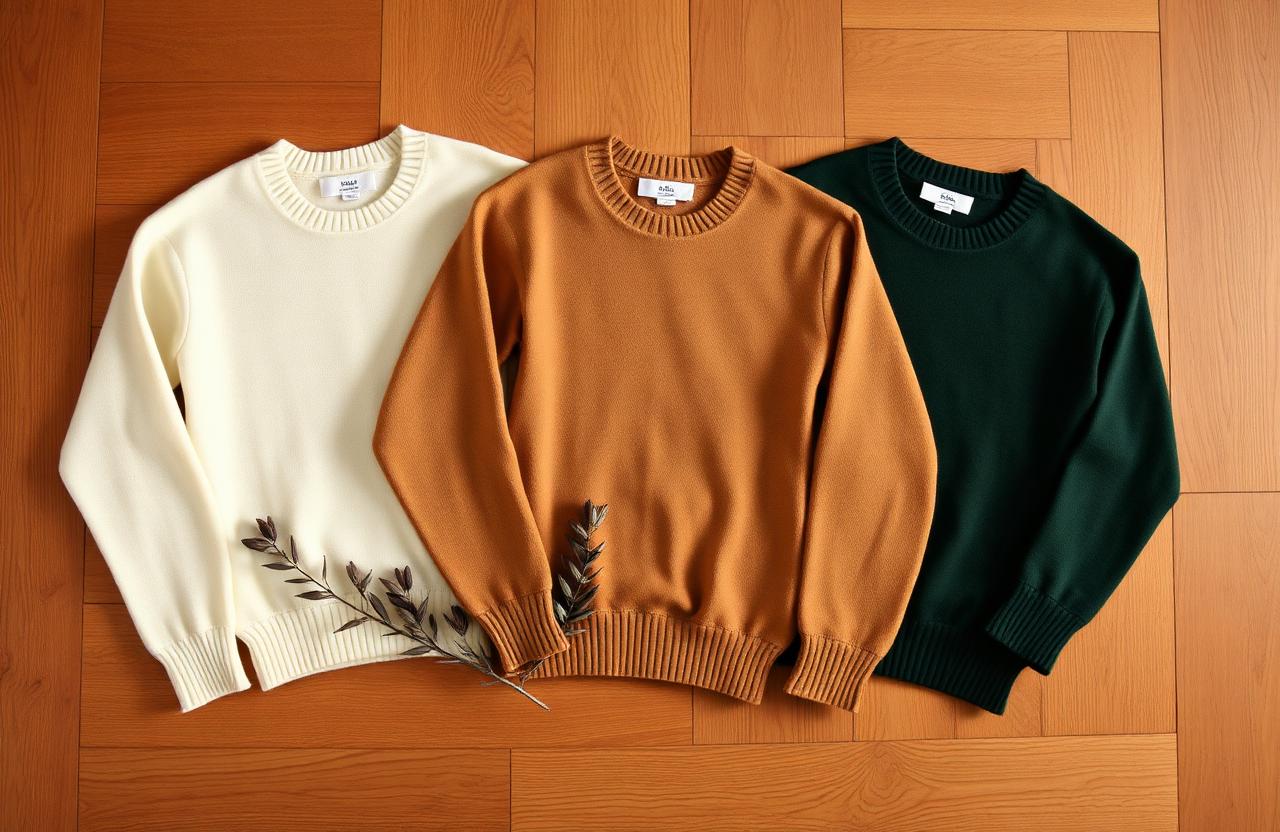
How to Refresh a Carryover Fashion Product for a New Season
Carryover is the most underrated line in the assortment. It already has a sell-through curve, a return rate, a review corpus, a fit dataset, and a photography library that the new-development bets do not. Refreshing it well is a margin lever - not a creative exercise. This guide walks through the operational workflow used by merchandising and ecommerce teams to take a proven SKU into a new season without breaking the equity that made it work in the first place.
This is written for designers, merchandisers, ecommerce managers, and DTC GMs who already work in PLM, Shopify/SFCC/CommerceTools, and an asset stack like Cloudinary or a DAM. It walks through the Kampana Refresh a Carryover Product for a New Season workflow end to end, so you finish with locked colorway visuals, refreshed PDP copy, a merchandising rationale, an updated feed payload, and a set of launch hooks that respect existing brand and review equity.
Table of contents
- How the workflow works
- The carryover refresh decision tree
- 6 things to decide before you start
- 10 steps to ship the pack
- Working with the existing review corpus
- Pricing and margin tests
- Returns risk on refreshed colorways
- Common mistakes to avoid
- FAQ
- Checklist before you ship
How the workflow works
Most fashion teams already have the inputs they need. What they do not have is a workflow that connects PLM construction data, sell-through history, review sentiment, and channel-specific output without losing fidelity at each handoff. A refresh failure is almost never a creative failure - it is a handoff failure between the team that owns the original SKU and the team shipping the seasonal asset.
The Kampana approach is opinionated about that:
- One source of truth per refresh, anchored on the original PLM record and the original on-model hero, not a moodboard.
- Every new visual is product-accurate - construction, proportion, hardware, trim, and stitch density are preserved or the asset is rejected.
- Human approval gates wherever the cost of being wrong is high (colorway sign-off, claims, fit guidance).
- Output formatted to the actual channel - Shopify metafields, Google Merchant attributes, Meta Catalog overrides, marketplace CSV, social asset pack.
The full workflow is documented at /workflows/refresh-a-carryover-product. The version below is the practitioner's view.
The carryover refresh decision tree
Before any creative work, you need a clear yes/no on whether the SKU deserves a refresh or a retire. The tree we use:
- Sell-through rate over the last 2 full seasons ≥ category benchmark (typically 65–75% for core, 80%+ for hero carryover at full price).
- Return rate ≤ category benchmark, and returns are not concentrated on a fit issue you cannot solve.
- Margin (IMU and realized) inside or above plan after markdowns and returns.
- Review sentiment net-positive, with a recognizable repeat-purchase signal in CRM.
- No upstream construction change required (fabric mill change, trim sourcing change, factory move).
If 4 of 5 are green, refresh. If 3 of 5, refresh with a narrow scope (one new colorway, no copy rewrite). If 2 or fewer, the SKU is a candidate for retire, redesign, or limited-drop closure - not a refresh.
6 things to decide before you start
These look administrative. They are not. Each one shapes the entire output, and changing any of them mid-flight costs real time, real samples, and real OTB.
1. Which carryover are we refreshing, and which silhouette family does it anchor?
Refresh decisions cascade. If the silhouette anchors an outfit-build with three other core SKUs, the colorways have to coordinate with the carryover palette of the partner SKUs, not just the new seasonal story.
2. What must stay identical?
Block, pattern, grading, stitch type and density (SPI), seam allowances, label placement, hardware finish, trim sourcing, hangtag, and packaging. If any of these change, it is a new SKU with a new style number - not a refresh. This is the line the technical designer and the QA team should sign off on before any prompt is written.
3. What is allowed to change?
Bound it explicitly: colorway (with target Pantone TCX or TPG references), material finish (matte vs satin vs brushed), background and prop story for imagery, styling context, and copy angle. Do not allow material weight or hand to change - that is a sourcing decision, not a refresh.
4. Which season, drop window, and floor-set are we shipping into?
Drop date drives colorway temperature, styling, hook, and the partner SKUs in the editorial. Pre-fall and resort have different lighting and prop language than holiday or spring.
5. Permanent core, capsule, or limited drop?
Permanent core changes the OTB, the safety stock, and the markdown plan. Capsule and limited drop unlock urgency language ("limited run", "drop one of three") but require inventory discipline so you do not orphan colorways at 40% remaining.
6. Who is the named approver for each gate?
Color sign-off (creative director), construction preservation (technical design), claims and fit copy (merchandising + legal where required), feed payload (ecommerce ops). Without named approvers, gates slip and the pack ships with drift.
10 steps to ship the pack
Step 1: Pull the carryover snapshot
Pull the PLM record, the original tech pack, the original on-model hero and detail crops, the BOM, the sell-through report by colorway by week, the return reason codes, the review export, and the SEO performance of the existing PDP. This becomes the input bundle. Without it, the refresh is guesswork.
Step 2: Mine reviews, returns, and CRM signal
Tag reviews by fit, color, fabric hand, durability, styling use case, and gifting. Tag returns by reason code (size, fit, color expectation, defect, change-of-mind). Cross-reference with CRM segments - who repeat-purchases this SKU, and what else do they buy in the same order. The output is a list of copy lines to keep verbatim because they already work and a list to rewrite because they generated returns.
Step 3: Generate ten refresh concepts, then cull to three
Each concept gets: target colorway with Pantone reference, material finish, capsule theme, styling angle, channel fit (DTC core vs wholesale exclusive vs marketplace), commercial risk (low/med/high), and a forecasted sell-through band based on the closest historical analog. Cull to three before any image work - generating ten visuals is expensive and biases the merchandising decision toward whichever render looks nicest.
Step 4: Write product-safe colorway prompts
Prompts must reference the original hero image as the construction anchor and limit edits to color, material finish, background, and styling context. Lock everything else with explicit preservation language: stitch lines, topstitch color, hardware finish, label, sole, and trim. Reference Pantone codes when available; otherwise reference fabric swatches by SKU.
Step 5: Edit the new colorway from the reference image
This is image editing, not image generation. The output must be diffable against the source - same pose, same crop, same angle, same fit on body, with only the bounded attributes changed. Reject any output where the silhouette has shifted by more than the tolerance the technical designer accepts (usually nothing on shape, ±2% on proportion in render).
Step 6: Color-accuracy review against physical swatch
If the colorway will be produced physically, the render must be reviewed against the dyed lab dip or a Pantone TCX/TPG chip under D65 lighting before approval. Screen color is not production color, and a PDP that promises a tone the bulk cannot hit drives returns.
Step 7: Write the merchandising rationale
One paragraph per refreshed colorway: customer need, styling moment, partner SKUs in the outfit-build, margin potential at full price and after a planned markdown, channel fit, and inventory risk. If a colorway does not survive the rationale, it does not get a SKU number.
Step 8: Refresh the PDP copy without breaking what converts
Keep the trusted benefit lines verbatim (the ones reviews echo back). Replace the seasonal hook, the color story, and the styling suggestion. Update fit guidance only if reviews surfaced a recurring issue. Preserve the existing H1 keyword pattern unless SEO data shows a clear opportunity to change it - a carryover PDP often has organic equity you do not want to flush.
Step 9: Update the feed and metafields
New colorway means new variant: GTIN, MPN if applicable, color attribute, image URLs (variant image + additional_image_link), item_group_id preserved so Google groups variants correctly, Meta Catalog color field synced, marketplace CSV regenerated. Confirm the variant inherits the parent's Google product category and gender so the existing performance does not reset.
Step 10: Ship the launch hooks
Ten hooks specific to fashion and the channel - not generic ecommerce copy. The hook for a wholesale buyer email is not the hook for a TikTok creator brief is not the hook for a Pinterest pin. Pick the three that match the channels carrying this refresh and brief them with the styling context from Step 7.
Working with the existing review corpus
Reviews are the cheapest, highest-fidelity research asset a brand has. For a refresh, treat them as primary source material:
- Fit corpus: cluster every review mention of size, fit, length, sleeve, rise, drop. If 8%+ of reviews mention a single fit issue, the refresh is the moment to address it in copy (not in construction - that is a new SKU).
- Color corpus: every mention of color drift, washout, or unexpected tone is a signal for tighter color approval on the new colorway.
- Use-case corpus: every mention of where the customer wears it. This is the styling moment for the new editorial.
- Repeat-purchase mentions: customers who mention buying multiple colors are the segment to target in CRM with the new colorway launch.
Pricing and margin tests
A refresh should defend or improve realized margin, not erode it. Before locking price:
- Confirm the new colorway BOM cost is within ±3% of the original. Outside that band, the colorway is a margin event and needs CFO sign-off.
- Confirm the planned markdown cadence is identical or better than the original. A refreshed colorway that needs a deeper markdown to sell through is a signal the concept is wrong.
- Model the gross margin scenario at full-price sell-through of 60%, 70%, and 80% - and confirm IMU still clears the category floor at 60%.
Returns risk on refreshed colorways
Color is one of the top three return drivers in apparel. A refresh introduces incremental return risk that the original SKU did not carry. Mitigations:
- Show the new color on the same on-model hero pose as the original so customers can visually compare against a known reference.
- Include a detail crop under neutral light.
- Add a one-line copy note when the color reads materially different in daylight vs indoor light (common for jewel tones and washed denim).
- Track first-30-day return rate by new colorway separately and pull the colorway if it exceeds the SKU's blended return rate by more than 3 percentage points.
Common mistakes to avoid
- Treating a refresh like a new launch. The product is already trusted; over-rewriting copy and re-shooting from scratch destroys the SEO and conversion equity that made it carryover in the first place.
- Letting the colorway prompt drift construction. Hardware finish, stitch color, and label position must be preserved or the customer notices in unboxing and the wholesale buyer notices on the showroom floor.
- Rewriting PDP copy from scratch. You lose the exact lines that the review corpus already validated.
- No human approval on colorway visuals before copy. Copy that promises a color the image cannot deliver is the fastest way to break trust and spike return rates.
- Forgetting
item_group_idon the feed. New variants that are not grouped to the parent reset Google's learning and tank impression share on the existing SKU. - Refreshing a SKU that failed the decision tree. Refresh does not fix a fit problem or a fabric problem - it amplifies it.
FAQ
How many colorways should I refresh per SKU?
Two to four per season for a core carryover, one for a capsule story. More than four and the customer cannot pick, the merchandising story dilutes, and inventory risk goes up disproportionately.
Can I refresh without new photography?
Yes for the first sell-through window, if the source hero is high quality and the construction is preserved in render. Schedule physical photography for the second drop window or once you confirm the colorway is hitting plan - that is when the asset investment pays back.
Does the refresh need a new product handle on Shopify?
Almost always no - keep the parent product and add variants. You only fork to a new handle if the refresh is a true capsule with a distinct merchandising story and a separate URL benefits SEO. Forking unnecessarily resets organic ranking.
Should I refresh the price?
Only if BOM cost moved by more than ±3% or you are testing a price elasticity hypothesis with a clear control. Same construction, same hand, same trims should mean same shelf price.
How do I handle SEO when the PDP copy changes?
Preserve the H1, the URL slug, and the primary keyword in the first 100 words. Refresh the secondary content (color story, styling, related products). Submit the updated sitemap and watch the SERP position for 14 days before any further edits.
What about wholesale buyers who already bought the original?
Brief the sales team with a refreshed line sheet entry, the new colorway tear sheet, and a one-line objection handler explaining why the refresh complements (not replaces) the original. Buyers hate being surprised mid-season.
Checklist before you ship
- Decision tree passed (4 of 5 green minimum).
- PLM record, original hero, BOM, sell-through, returns, and review corpus all attached to the brief.
- Construction preservation list is signed by technical design.
- Pantone reference is signed by creative direction against a physical swatch.
- Colorway renders approved before any copy is written.
- PDP copy preserves the high-converting lines verbatim.
- Feed payload validated:
item_group_id,color, GTIN, variant image URLs, Google product category, gender. - Margin model holds at 60% full-price sell-through.
- Launch hooks briefed to channel owners with styling context.
- Return rate monitoring set for first 30 days post-launch.
Run this workflow in Kampana
Kampana automates every step in this guide while keeping a human in the loop wherever it matters. You bring the PLM record, the references, and the merchandising decisions. Kampana ships the pack.
Start with the Refresh a Carryover Product for a New Season workflow, or book a contact session to walk through your refresh calendar with the team.
Send one product URL. Kampana turns it into a mini campaign pack.