How to Turn 3D Fashion Assets into Ecommerce and Campaign Renders
Your DPC team made beautiful 3D. Marketing still cannot ship a PDP. Here is the workflow to turn GLB, USDZ, OBJ, and CAD into product-accurate PDP visuals, detail crops, lifestyle imagery, and a clean export pack.
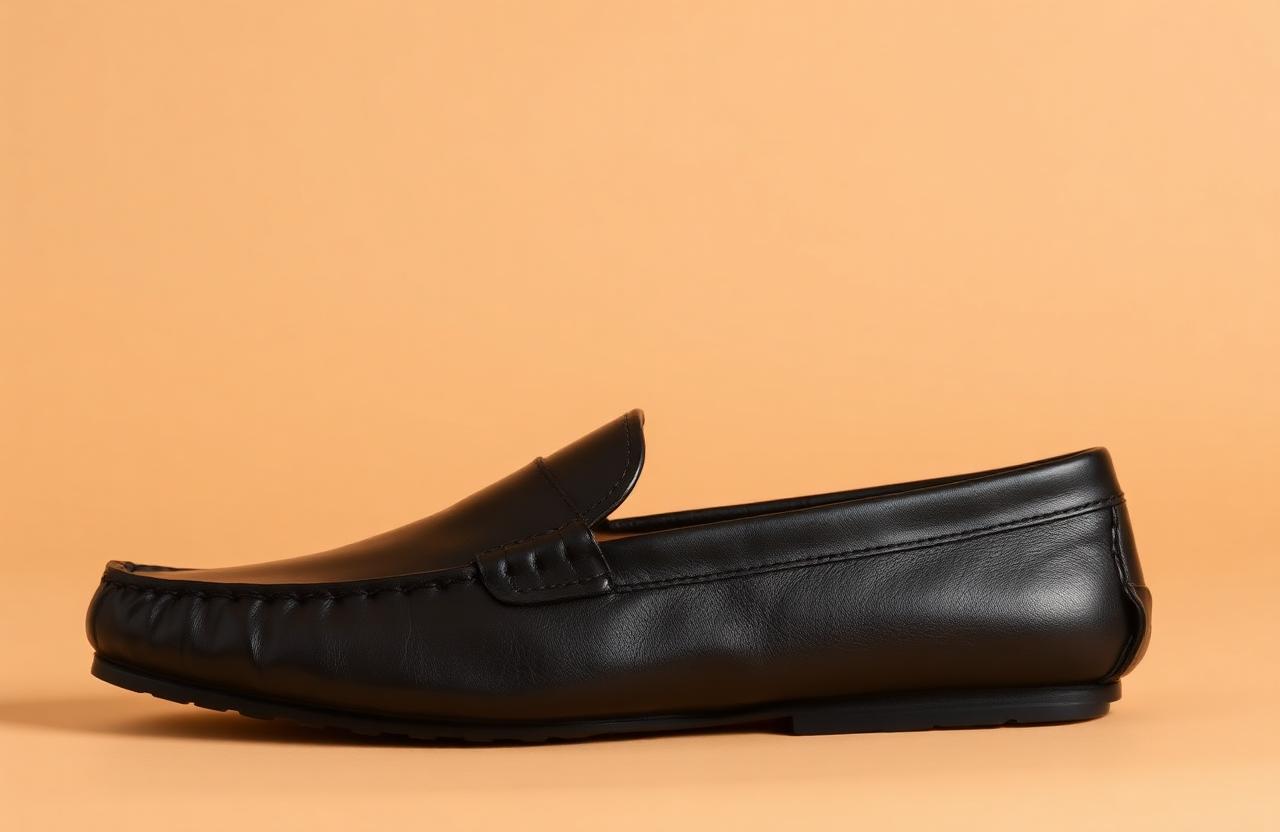
How to Turn 3D Fashion Assets into Ecommerce and Campaign Renders
Your DPC team builds beautiful 3D in CLO, Browzwear, or Marvelous Designer. Your marketing team still cannot ship a PDP. The gap is not the asset - it is the operational pipeline from a clothed avatar to a product-accurate PDP hero, a lifestyle render, a campaign visual, and a feed-eligible variant image. This guide walks through that pipeline end to end.
This is written for digital product creation (DPC) leads, 3D artists, ecommerce content producers, and creative operations managers who already work with GLB, USDZ, USD, OBJ, FBX, ZPRJ, and CAD inputs, render in Unreal, Unity, Blender, Cinema 4D, or Browzwear VStitcher, and ship to Shopify, Salesforce Commerce Cloud, or commercetools. It walks through the Kampana Turn 3D Fashion Assets into Ecommerce and Campaign Renders workflow.
Table of contents
- How the workflow works
- File formats and what they actually carry
- 6 things to decide before you start
- 10 steps from 3D file to PDP-ready render
- Material accuracy and PBR discipline
- Lighting setups for product accuracy vs campaign mood
- Lifestyle and on-model renders without the uncanny valley
- Common mistakes to avoid
- FAQ
- Checklist before you ship
How the workflow works
A 3D pipeline that ships to ecommerce fails at the same handoff every time: between the artist's render-ready scene and the producer who needs 12 SKUs, 4 angles each, 2 backgrounds each, in 48 hours. The artist is solving for visual fidelity; the producer is solving for variant coverage and a render farm budget. Without an opinionated pipeline, the result is one beautiful hero shot and a backlog.
The Kampana approach is opinionated about that:
- The 3D asset is the source of truth for construction. The render is a derivative; the source asset is never edited downstream.
- Materials are PBR-validated against physical swatches before any render goes to PDP.
- Lighting setups are standardized: PDP lighting (product-accurate), lifestyle lighting (mood), campaign lighting (editorial). Each setup is a saved template.
- Output is rendered, named, and formatted to the channel's spec - PDP, lifestyle, marketplace, feed.
The full workflow is documented at /workflows/3d-assets-to-ecommerce-and-campaign-renders. The version below is the practitioner's view.
File formats and what they actually carry
- GLB / glTF: web-ready, carries PBR materials, animations, and rigging. Good for AR and lightweight viewers; lossy on high-frequency texture detail without careful UV.
- USD / USDZ: Pixar/Apple-native, carries hierarchical scene graphs, materials, and is the format for AR Quick Look on iOS. Required for Apple's commerce surfaces.
- OBJ: geometry only, no materials beyond MTL. Useful as a geometry exchange; do not ship to PDP without rebuilding materials.
- FBX: rigging and animation friendly, common Unity/Unreal pipeline format. Material translation between DCCs is lossy.
- ZPRJ / VSTITCHER: native CLO and Browzwear formats. Carry the pattern, the avatar fit, the material library, and the simulation state. Always preserve as the source of truth.
- CAD / DXF: 2D pattern files. Carry the pattern shape and grade; no 3D, no material.
Treat the native ZPRJ or VStitcher file as the source. GLB, USDZ, OBJ, FBX are exports.
6 things to decide before you start
1. Which SKUs are 3D-eligible this season?
Not every SKU justifies a 3D build. Start with hero carryover, capsule heroes, and SKUs with high colorway count (where 3D saves photography spend exponentially).
2. What is the material accuracy bar?
PDP accuracy (must match physical sample under D65), marketplace accuracy (must match within consumer tolerance), or campaign mood (intentional stylization allowed). Each bar drives a different validation gate.
3. Which avatar set?
Brand-owned avatars graded to the brand's fit blocks, with named representation across body type, size range, and ethnicity. Avatars are part of the brand asset library - not stock.
4. What is the render engine and farm budget?
Path-traced (Unreal Lumen, Cycles, V-Ray, Arnold) for hero quality; rasterized (Unity HDRP) for high-volume variant rendering. Mixing engines breaks consistency.
5. What is the output spec per channel?
PDP master (e.g., 2000×2500 sRGB JPEG), variant image (1500×1500), Google Merchant additional_image_link (1200×1200 minimum), Meta Catalog override, marketplace CSV image URLs, AR (USDZ + GLB).
6. Who is the named approver for material accuracy?
A 3D pipeline without a single-throat-to-choke on material accuracy ships colorways that do not match the bulk. Usually the DPC lead plus the head of merchandising for hero items.
10 steps from 3D file to PDP-ready render
Step 1: Validate the source asset
Open the ZPRJ or VStitcher project. Confirm pattern matches the production pattern, fabric properties match the bulk fabric (weight, drape, thickness, friction), and the avatar is the correct fit block.
Step 2: Validate the materials against physical
Compare the digital material to a physical swatch under D65 lighting. Confirm color, sheen, roughness, normal detail, and any pattern or print alignment. Materials that fail validation are not used in PDP renders.
Step 3: Build or pull the lighting template
PDP lighting: 3-point setup with neutral key, fill at 1:2 ratio, soft rim. Backdrop at neutral mid-gray or brand background. Color temperature locked at 5500K. The same template across every PDP render.
Step 4: Set the camera per channel spec
PDP master 4×5 portrait, variant images 1:1 square, detail crops on a separate camera at 50mm equivalent, lifestyle on a wider lens with shallow DOF. Cameras saved as scene presets so the producer does not reframe per SKU.
Step 5: Render the PDP master and variants
Per SKU: 4–8 angles (front, back, 3/4 front, 3/4 back, detail crops, optional packshot). Per colorway, swap the material; do not re-render the geometry. Output naming follows the brand's DAM convention.
Step 6: Render the lifestyle scene
Move from PDP lighting to lifestyle lighting (warmer, directional, environment-driven). Use an environment HDRI that matches the seasonal mood. Same garment, same avatar pose, different scene.
Step 7: Render the campaign hero
Campaign lighting is intentional and editorial. The garment is still product-accurate; the scene is creative. Approved with the creative director against the seasonal brief.
Step 8: Export AR variants
GLB for Android Scene Viewer and web AR, USDZ for iOS AR Quick Look. Both must carry the validated materials and a sensible default scale.
Step 9: Color-manage the output
Convert from linear/ACES rendering space to sRGB for web, with a soft proof against the channel's display target. Sloppy color management is the most common cause of "the render looks great in the DCC and wrong on the PDP".
Step 10: Publish to DAM and feed
Push to DAM with metadata (SKU, colorway, view angle, channel, version). Update the variant image URL on the PDP, the additional_image_link on Google Merchant, the Meta Catalog override, the marketplace CSV. Each channel inherits the validated render.
Material accuracy and PBR discipline
A PBR material has albedo (base color), metallic, roughness, normal, height, ambient occlusion, and sometimes subsurface and clearcoat. For fashion:
- Albedo must match physical color under D65 and the spectrum the customer will see (typically warm indoor 3000K and daylight 5500K). Validate at both.
- Roughness is the most underrated channel. A satin charmeuse and a matte cotton have nearly identical albedo and dramatically different roughness; getting it wrong reads as the wrong fabric.
- Normal maps carry weave and surface detail. Generate from a flat scan of the bulk fabric, not from a generic library.
- Subsurface scattering for sheer, light wool, and certain whites - the difference between "plastic" and "fabric" on render.
- Anisotropy for brushed metals on hardware and for satin weaves.
Validate every material in a turntable render against a physical swatch before it enters the production pipeline. Save the validated material to a brand library; do not rebuild per SKU.
Lighting setups for product accuracy vs campaign mood
- PDP lighting is neutral, flat enough to read color and construction, dimensional enough to show texture. Three-point with key/fill/rim, no environmental color cast, locked color temperature.
- Lifestyle lighting introduces an environment HDRI and a softer, directional key. The garment still reads accurately; the scene carries mood.
- Campaign lighting is creative. Hard light, color gels, motion, atmosphere are all on the table. The garment remains product-accurate but the scene is editorial.
Each setup is a saved template in the DCC. Producers select template, swap garment, render. They do not relight per SKU.
Lifestyle and on-model renders without the uncanny valley
The uncanny valley in fashion 3D usually comes from three places: skin shading on the avatar, hair simulation, and contact between garment and body.
- Use a curated avatar library with skin shading validated under each lighting template.
- For on-body lifestyle, prefer scenes where hair is supporting, not hero (back-of-head, motion blur, or mid-pose).
- Validate garment-body contact (no clipping at the shoulder, the underarm, the waistband) before rendering. Clipping is the most common cause of "this looks AI".
- For campaign, consider stylized rendering (graphic, painterly, editorial) where the avatar reads intentionally rendered rather than attempting photoreal.
Common mistakes to avoid
- Treating GLB or OBJ as the source of truth. The native project file is the source; everything else is an export.
- Skipping material validation against physical swatches. The PDP will be wrong and the return rate will tell you.
- Mixing rendering engines across the same season. Lighting and material response shift, and the assortment looks inconsistent.
- Re-rendering geometry per colorway. Swap material on the same scene.
- Color management as an afterthought. Always render in a wide gamut and convert to sRGB at export with a soft proof.
- Avatars that do not match the brand fit block. The fit on the avatar is the fit the customer expects.
- Shipping AR without testing on the target device. AR Quick Look has different defaults than Android Scene Viewer.
FAQ
Can this replace product photography entirely?
For PDP and variant imagery on hero carryover and high-colorway capsules, often yes - and the economics improve as colorway count scales. For campaign and editorial, 3D supplements photography but does not replace it.
What about footwear and bags?
Footwear and bags are the easiest categories to 3D because the construction is consistent and material is the dominant variable. The pipeline above applies with tighter focus on hardware finish and stitch density.
Does the customer notice the difference between render and photo?
For accurate PBR with validated materials and brand avatars: most customers do not. For sloppy renders with generic materials and uncanny avatars: every customer notices.
How do we handle prints and graphics?
Print files are mapped to the garment in the native DCC and validated against a physical print sample. Generative AI does not replace the print file - the print file is the design asset and the render uses it.
What is the minimum viable team to run this pipeline?
One DPC lead, one 3D artist, one render producer, plus access to the creative director and the merchandising lead for approvals. Beyond 100 SKUs per season, scale the artist and producer roles.
How long does a PDP render take vs a photoshoot?
Once the garment is built in 3D, a complete PDP variant pack (4 angles × N colorways) is render-farm hours, not days. The investment is in the first build; every subsequent colorway is incremental.
Checklist before you ship
- Source ZPRJ / VStitcher project validated against production pattern.
- Every material validated against physical swatch under D65.
- Avatar matches the brand fit block for the silhouette.
- PDP, lifestyle, and campaign lighting templates loaded.
- Camera presets per channel saved and used.
- No garment-body clipping at shoulder, underarm, waistband.
- Renders color-managed from linear/ACES to sRGB at export.
- DAM metadata complete (SKU, colorway, view, channel, version).
- AR assets (GLB + USDZ) tested on device.
- PDP, variant image, additional_image_link, Meta Catalog override, marketplace CSV all updated.
Run this workflow in Kampana
Kampana automates every step in this guide while keeping a human in the loop wherever it matters. You bring the 3D source, the validated materials, and the brand avatars. Kampana ships the render pack.
Start with the Turn 3D Fashion Assets into Ecommerce and Campaign Renders workflow, or book a contact session to walk through your DPC pipeline with the team.
Send one product URL. Kampana turns it into a mini campaign pack.