Meta Catalog for Apparel: Setup and Common Errors (2026)
A Meta catalog powers Facebook and Instagram Shops and ads. Here is how to set one up for apparel, the fields that matter, and the errors that keep clothing out.
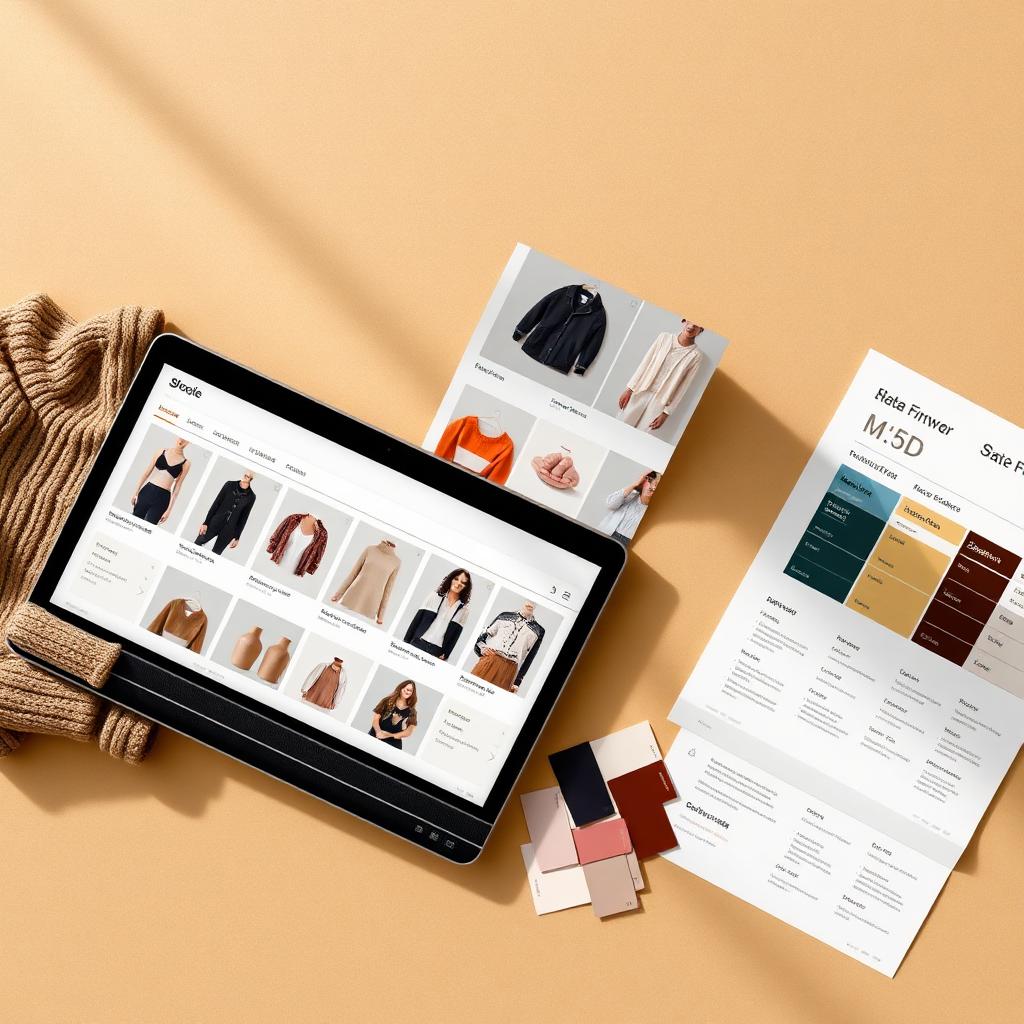
Your product looks perfect on your own store. Then you upload it to a Meta catalog and half your sizes vanish, the color says "Blue" but the swatch is black, and Commerce Manager flags a wall of items you cannot advertise. Apparel is the hardest category to feed correctly, because a single style becomes dozens of rows the moment you add sizes and colors. A Meta catalog is not a copy of your product page. It is a structured database that Facebook and Instagram read literally. This guide covers what a Meta catalog is, how to set one up for apparel, the fields that break most often, and how to fix the errors that keep clothing out of Shops and ads.
TL;DR
- A Meta catalog is the product database that powers Facebook and Instagram Shops, catalog ads, and shopping tags. You feed it with a data source: a CSV, TSV, XML feed, Google Sheet, or a partner platform like Shopify.
- Apparel needs more than the basics. On top of
id,title,description,availability,condition,price,link, andimage_link, Meta expectsbrand, and for clothing you should providegoogle_product_category,color,size,gender,age_group,material, andpattern.- Variants are the #1 source of errors. Every size and color needs its own row with a unique
idand a shareditem_group_idso Meta groups them as one product with selectable options.- Most disapprovals come from missing variant attributes, mismatched images, broken links, or price and availability that do not match the landing page.
- Kampana builds the catalog-ready assets and structured attributes from one product, so your feed goes in clean the first time.
What is a Meta catalog?
A Meta catalog is a structured list of everything you sell, stored inside Commerce Manager. It holds one entry per product, with fields for the title, description, price, availability, images, and a link back to your site. Facebook and Instagram read that catalog to build Shops, run catalog and Advantage+ ads, tag products in posts, and show items in browse surfaces.
The important word is structured. Your product page is written for humans. A catalog entry is read by a machine that matches fields to slots. If the color field is empty, Meta does not guess from the photo. It leaves the color blank, and the product loses eligibility for surfaces that require it.
You do not type products into a catalog one by one at any real scale. You connect a data source. Meta supports several: a manual upload, a scheduled data feed (CSV, TSV, RSS XML, or Atom XML), a Google Sheet, the Meta pixel, or a partner platform such as Shopify or WooCommerce. Meta's own documentation on uploading products with a data feed walks through the feed path, which is the one most apparel brands should use once they have more than a handful of styles (Meta Business Help Center).
A drop is not a spreadsheet. But to Meta, it has to become one. The brands that sell on these surfaces treat the catalog as a real asset, not an afterthought.
Why apparel feeds break more than other categories
A phone case is one SKU. A t-shirt in five colors and six sizes is thirty rows that all have to agree with each other and with your live product page. Apparel multiplies every mistake by its variant count.
Three things make clothing harder than most categories.
First, variants. Meta wants each purchasable combination as its own item, grouped under a shared parent. Get the grouping wrong and either your variants show as separate unrelated products or they collapse into one and lose their size and color options.
Second, required attributes. Apparel and accessories carry extra mandatory fields that a mug does not. Miss gender or color on a clothing item and it can drop out of eligibility entirely, even though the rest of the row is perfect.
Third, images. Each color variant should show that color. If only your black variant has a real image and the red one inherits it, a shopper searching red sees black, and Meta may flag the mismatch.
None of these are exotic. They are the boring, structural details that a fast product launch skips. That is exactly why they cause most of the disapprovals.
The fields a Meta apparel feed actually needs
Meta publishes the full field list in its catalog reference for developers (Meta for Developers). Here is the working set for a clothing feed, split into what is required and what apparel effectively requires.
| Field | Required? | What it does | Apparel example |
|---|---|---|---|
id | Required | Unique ID per variant | TSHIRT-NAVY-M |
title | Required | Product name shoppers see | Everyday Organic Cotton Tee, Navy |
description | Required | Details Meta reads for relevance | Fabric, fit, care in plain text |
availability | Required | Stock state | in stock |
condition | Required | New, used, refurbished | new |
price | Required | Price + currency | 38.00 USD |
link | Required | URL to the variant's product page | https://brand.com/products/tee?variant=navy-m |
image_link | Required | Main image URL | Navy tee on white background |
brand | Required | Brand name | Kampana Studio |
google_product_category | Recommended | Taxonomy Meta uses to classify | Apparel & Accessories > Clothing > Shirts & Tops |
item_group_id | Required for variants | Groups sizes/colors | TSHIRT-EVERYDAY |
color | Required for apparel | The variant color | Navy |
size | Required for apparel | The variant size | M |
gender | Recommended for apparel | Who it is for | unisex |
age_group | Recommended for apparel | Age band | adult |
material | Recommended | Fabric | Organic cotton |
pattern | Optional | Print or weave | Solid |
Meta recommends filling in as many optional attributes as possible, especially gender, age_group, color, size, material, and pattern, because it uses them to improve targeting and to power category browsing in Shops. Products with complete attribute data are more likely to appear in the right places.
One rule that trips people up: keep your feed values consistent with the live product page. If the feed says in stock at 38.00 USD and the page says sold out at 42.00, Meta can disapprove the item for a price or availability mismatch.
How to set up a Meta catalog for apparel, step by step
You can have a clean apparel catalog live in an afternoon if you prepare the data first. Do not start in Commerce Manager. Start with your product data.
- Pick your data source. For more than a handful of styles, use a scheduled data feed or a partner platform. A one-time manual upload is fine for testing, but it does not stay in sync with stock.
- Build the feed file. Create one row per variant. Include every required field plus the apparel attributes above. Use
item_group_idto tie variants together. Meta accepts CSV, TSV, XML, XLSX, and Google Sheets. - Create the catalog. In Commerce Manager, create a catalog and choose the ecommerce type.
- Add your data source. Upload the file, paste the Google Sheet link, or connect your platform. For feeds, set a fetch schedule so stock and price stay current.
- Map your fields. Match your column names to Meta's field names. This is where most first-time errors appear, so check
color,size,gender, anditem_group_idcarefully. - Review the diagnostics. Commerce Manager reports errors and warnings per item. Fix errors before you build a Shop or run ads.
- Connect the catalog to your surfaces. Link it to your Shop, your ad account, and Instagram shopping once items are approved.
Do the field mapping once, correctly, and the scheduled feed keeps the catalog fresh on its own. The work is front-loaded on purpose.
How variants and item_group_id work
This is the single most important concept for apparel, so it gets its own section.
When you sell a style in multiple sizes or colors, each variant must have a unique id and share the same item_group_id with its siblings. That shared ID tells Meta these rows are one product with selectable options. Done right, a shopper sees one tee with a size dropdown and color swatches, not thirty separate tees.
Here is a simplified feed for one style in two colors and two sizes.
| id | item_group_id | title | color | size | image_link |
|---|---|---|---|---|---|
| TEE-NAVY-S | TEE-EVERYDAY | Everyday Tee, Navy | Navy | S | navy.jpg |
| TEE-NAVY-M | TEE-EVERYDAY | Everyday Tee, Navy | Navy | M | navy.jpg |
| TEE-SAGE-S | TEE-EVERYDAY | Everyday Tee, Sage | Sage | S | sage.jpg |
| TEE-SAGE-M | TEE-EVERYDAY | Everyday Tee, Sage | Sage | M | sage.jpg |
Notice three things. Every id is unique. Every row shares the item_group_id. Each color points to its own image. Google Merchant Center uses the same item_group_id concept, and its documentation is a good reference for how variant grouping is expected to behave (Google Merchant Center Help).
Common variant mistakes:
- Reusing the same
idacross sizes, which causes Meta to overwrite rows. - Forgetting
item_group_id, so variants show as unrelated products. - Putting size in the title but leaving the
sizefield blank. - Pointing every color at the same photo.
Images: the rules that quietly kill apparel listings
Images are where apparel feeds fail silently. The item passes, but the wrong picture shows, and conversions suffer.
The rules worth enforcing:
- Each color variant needs its own image. If a shopper filters to red and sees black, they bounce, and Meta may flag the mismatch.
- Use clean, high-resolution images. Bigger, sharp images win in Shops and catalog ads. Avoid heavy text, logos, or promotional badges on the main image.
- Keep the main image consistent. A white or neutral background for the primary image, lifestyle shots as additional images.
- Match the image to the variant fields. The photo, the
colorvalue, and the title should agree.
For a clothing brand, generating a correct, on-model or clean product image per color is often the real bottleneck, not the spreadsheet. That is a production problem, not a feed problem, and it is where most of the manual cost hides.
Common Meta catalog errors and how to fix them
Here are the errors apparel brands hit most, and the fix for each.
Missing color, size, gender, or age_group
Apparel needs these. If they are missing, items lose eligibility for surfaces that require them. Google's guidance on how to fix missing size, color, gender, and age group values is a useful cross-reference, since Meta and Google expect the same attributes (Google Merchant Center Help).
Fix: add the fields to your feed, per variant, using values from Meta's accepted lists. For gender, use male, female, or unisex (Google Merchant Center Help).
Variants not grouped
Symptom: your sizes show as separate products, or your colors collapse into one.
Fix: give every variant a unique id and a shared item_group_id. Confirm size and color are in their own fields, not only in the title.
Image mismatch or low quality
Symptom: wrong color shows, or the image is flagged.
Fix: assign the correct image per color variant, remove promotional overlays, and use a high-resolution source.
Price or availability mismatch
Symptom: item disapproved because the feed and the landing page disagree.
Fix: keep the feed in sync with the store. Use a scheduled feed or a live platform connection so stock and price update automatically.
Broken or redirecting links
Symptom: the link returns an error or bounces through redirects.
Fix: point each variant link to a working, final product URL. Test a sample before you scale.
Policy issues
Symptom: items rejected for prohibited content or claims.
Fix: review Meta's commerce policies, clean up wording in titles and descriptions, and resubmit.
| Error | Likely cause | Fix |
|---|---|---|
| Missing attribute | color/size/gender blank | Add per-variant fields |
| Variants ungrouped | No item_group_id | Add shared group ID |
| Image rejected | Overlay text or low res | Clean, high-res image per color |
| Price mismatch | Feed out of sync | Scheduled feed or platform sync |
| Link error | Broken or redirecting URL | Final, working variant URL |
Data source options: manual, feed, partner platform, or pixel
Meta gives you several ways to get products into the catalog. Pick based on catalog size and how often stock changes.
- Manual upload. Type or upload items once. Fine for a tiny test catalog. It does not stay in sync.
- Data feed. A CSV, TSV, XML, XLSX, or Google Sheet on a fetch schedule. The right default for most apparel brands. Meta pulls it on the schedule you set. The file size limit is generous, and Meta recommends compressing very large files.
- Partner platform. Connect Shopify, WooCommerce, BigCommerce, and similar. Your store data flows in and updates automatically.
- Pixel. Meta builds catalog items from pixel events. Useful for dynamic ads, less precise for structured apparel attributes.
For a clothing brand shipping seasonal drops, a scheduled feed or a platform connection wins, because it keeps price and availability honest without manual work.
Meta catalog vs Google Merchant Center for apparel
You will likely feed both. They share most concepts, which is good news: build the attributes once and reuse them.
| Meta catalog | Google Merchant Center | |
|---|---|---|
| Powers | Facebook/Instagram Shops, catalog ads | Google Shopping, free listings |
| Variant grouping | item_group_id | item_group_id |
| Apparel required fields | color, size, gender, age_group | color, size, gender, age_group |
| Category taxonomy | google_product_category | google_product_category |
| Feed formats | CSV, TSV, XML, XLSX, Sheets | CSV, TSV, XML, Sheets |
Google's product data specification and its best practices for advertising clothing and accessories are the clearest public references for the shared attribute logic, and they map almost directly onto a Meta feed (Google product data spec; Google apparel best practices). Build your structured attributes to that standard, and both catalogs go in clean.
If you want the Google side in depth, read our guide on how to fix disapproved apparel feeds in Google Shopping.
How your Meta catalog affects sales
A clean catalog is not a compliance chore. It is the thing that decides whether your products are eligible to be seen and bought on the two biggest social commerce surfaces.
When attributes are complete, your items qualify for more surfaces, browse correctly in Shops, and match to the right audiences in catalog ads. When they are missing, items go dark, and you pay for traffic that lands on a broken tag. The gap between a feed that mostly works and one that fully works is real revenue, especially for apparel where variant coverage is everything.
The honest problem is that the feed depends on assets you may not have yet: a correct image per color, consistent structured attributes, and copy that reads well and stays policy-safe. That is a product creation problem. Which is where Kampana comes in.
How Kampana handles marketplace feeds
Kampana is an AI product creation OS for fashion brands. It turns one product into design, 3D renders, tech packs, PDP imagery, B2B sell-in kits, marketplace feeds, and social campaigns, on a node-based canvas with approval gates and product-fidelity QA. For Meta catalogs, the value is that Kampana produces the assets and the structured attributes the feed needs, from the same product, so the catalog goes in clean the first time.
Your feed should not stop at a spreadsheet. It should start with the product.
What you get
- Product-accurate images per color variant, ready for
image_link. - Structured apparel attributes (
color,size,gender,age_group,material,pattern) mapped to Meta and Google fields. - Clean, policy-aware titles and descriptions per product.
- Variant grouping with consistent
item_group_idlogic across the range. - A feed-ready output you can schedule into Commerce Manager.
The old way vs Kampana
| Old way | With Kampana | |
|---|---|---|
| Variant images | Shoot or edit each color by hand | Product-accurate render per color |
| Attributes | Fill fields per row, manually | Structured attributes generated once |
| Consistency | Spreadsheet drift | One source, mapped to Meta + Google |
| Who approves | Manual spot check | Human approval gate + product-fidelity QA |
| Time to clean feed | Days per drop | Same-day |
How it works
- Drop one product on the canvas.
- Wire it to the marketplace feed and PDP asset nodes.
- Approve each product-accurate image and attribute set at the gate.
- Export a catalog-ready feed and images for Commerce Manager.
Pricing is credit-based. You draw from one shared credit pool, with no seats and no subscription, and credits do not expire. There is a free starter pack so you can run a real drop before you commit. See credit pricing for the current ranges on the optimize products for marketplaces workflow.
Explore the connected workflows: build a complete PDP asset pack, turn 3D assets into ecommerce and campaign renders, launch on TikTok, Instagram, and Pinterest ads, and the flagship end-to-end fashion collection launch. You can also browse all fashion workflows or read how to create a fashion PDP asset pack.
FAQ
What is the difference between a Meta catalog and a Facebook Shop?
The catalog is the product database. The Shop is one surface that displays it. You build the catalog first, then connect it to your Shop, Instagram shopping, and catalog ads. One catalog can power several surfaces at once (Meta Business Help Center).
Which fields are required for apparel in a Meta feed?
Every product needs id, title, description, availability, condition, price, link, image_link, and brand. For apparel, you should also provide color, size, gender, age_group, google_product_category, and ideally material and pattern, because Meta uses them for targeting and browse (Meta for Developers).
How do I stop my sizes and colors from showing as separate products?
Give every variant a unique id and a shared item_group_id. That grouping tells Meta the rows are one product with selectable options. Keep size and color in their own fields, not only in the title (Google Merchant Center Help).
Why do my apparel items keep getting disapproved for missing values?
The most common cause is a blank color, size, gender, or age_group on apparel items. Add the fields per variant using accepted values. Google's fix-it guide for missing size, color, gender, and age group covers the same attributes Meta expects (Google Merchant Center Help).
What image should each color variant use?
Each color needs its own image that shows that color. Reusing one photo across colors causes mismatches and hurts conversion. Use a clean, high-resolution main image without promotional text overlays.
What feed formats does Meta accept?
Meta Commerce Manager accepts CSV, TSV, RSS XML, Atom XML, XLSX, and Google Sheets. For catalogs that change often, use a scheduled feed or a partner platform connection so price and stock stay current (Meta Business Help Center).
Do I need a separate feed for Meta and Google?
Not really. The attribute logic overlaps almost completely, including item_group_id, color, size, gender, and google_product_category. Build your structured attributes to Google's product data specification and reuse them for Meta (Google product data spec).
Can Kampana build my Meta feed for me?
Kampana produces the images and structured attributes the feed needs from one product, and exports a catalog-ready file. Publishing to your catalog still runs through your Commerce Manager and a human approval gate. Kampana does not auto-publish on your behalf.
The bottom line
A Meta catalog is a structured database, and apparel is the category that punishes structural mistakes the most. Get the required fields in, group your variants with item_group_id, give every color its own image, and keep the feed in sync with your store. Do that, and your clothing is eligible everywhere it should be.
Most of the pain is not the spreadsheet. It is producing a correct image per color and consistent attributes for a range that grows every season. That is a product creation job, and it is the one Kampana is built for.
Start with the product, not the feed. Start creating, free or explore the marketplace feeds workflow.
Metadata
title: Meta Catalog for Apparel: Setup and Common Errors (2026) | Kampana
canonical: https://kampana.io/blog/meta-catalog-apparel
meta-description: Set up a Meta catalog for apparel the right way. The required fields, variant grouping with item_group_id, and how to fix the errors that disapprove clothing.
meta-keywords: meta catalog apparel, facebook product feed apparel, meta commerce manager, item_group_id apparel, meta catalog errors, apparel feed attributes, instagram shopping apparel
meta-robots: index, follow, max-image-preview:large, max-snippet:-1
og:type: article
og:title: Meta Catalog for Apparel: Setup and Common Errors (2026)
og:description: The required fields, variant grouping, and fixes for the errors that keep clothing out of Facebook and Instagram Shops and ads.
og:url: https://kampana.io/blog/meta-catalog-apparel
og:image: https://kampana.io/og/meta-catalog-apparel.png
twitter:card: summary_large_image
twitter:title: Meta Catalog for Apparel: Setup and Common Errors (2026)
twitter:description: Required fields, item_group_id variant grouping, and how to fix apparel feed disapprovals in Meta Commerce Manager.
twitter:image: https://kampana.io/og/meta-catalog-apparel.png
article:author: Kampana
article:published_time: 2026-07-01T09:00:00Z
Schema (JSON-LD)
{
  "@context": "https://schema.org",
  "@graph": [
    {
      "@type": "Article",
      "headline": "Meta Catalog for Apparel: Setup and Common Errors (2026)",
      "author": {"@type": "Organization", "name": "Kampana"},
      "publisher": {"@type": "Organization", "name": "Kampana"},
      "datePublished": "2026-07-01",
      "mainEntityOfPage": "https://kampana.io/blog/meta-catalog-apparel"
    },
    {
      "@type": "HowTo",
      "name": "How to set up a Meta catalog for apparel",
      "step": [
        {"@type": "HowToStep", "name": "Pick your data source"},
        {"@type": "HowToStep", "name": "Build the feed file with one row per variant"},
        {"@type": "HowToStep", "name": "Create the catalog in Commerce Manager"},
        {"@type": "HowToStep", "name": "Add your data source"},
        {"@type": "HowToStep", "name": "Map your fields"},
        {"@type": "HowToStep", "name": "Review the diagnostics"},
        {"@type": "HowToStep", "name": "Connect the catalog to your surfaces"}
      ]
    },
    {
      "@type": "FAQPage",
      "mainEntity": [
        {"@type": "Question", "name": "What is the difference between a Meta catalog and a Facebook Shop?", "acceptedAnswer": {"@type": "Answer", "text": "The catalog is the product database. The Shop is one surface that displays it. One catalog can power Shops, Instagram shopping, and catalog ads."}},
        {"@type": "Question", "name": "Which fields are required for apparel in a Meta feed?", "acceptedAnswer": {"@type": "Answer", "text": "id, title, description, availability, condition, price, link, image_link, and brand, plus color, size, gender, age_group, and google_product_category for apparel."}},
        {"@type": "Question", "name": "How do I stop my sizes and colors from showing as separate products?", "acceptedAnswer": {"@type": "Answer", "text": "Give each variant a unique id and a shared item_group_id, and keep size and color in their own fields."}},
        {"@type": "Question", "name": "Why do my apparel items keep getting disapproved for missing values?", "acceptedAnswer": {"@type": "Answer", "text": "Usually a blank color, size, gender, or age_group. Add those fields per variant using accepted values."}},
        {"@type": "Question", "name": "What feed formats does Meta accept?", "acceptedAnswer": {"@type": "Answer", "text": "CSV, TSV, RSS XML, Atom XML, XLSX, and Google Sheets, with scheduled fetch for feeds that change often."}}
      ]
    },
    {
      "@type": "BreadcrumbList",
      "itemListElement": [
        {"@type": "ListItem", "position": 1, "name": "Blog", "item": "https://kampana.io/blog"},
        {"@type": "ListItem", "position": 2, "name": "Meta Catalog for Apparel", "item": "https://kampana.io/blog/meta-catalog-apparel"}
      ]
    }
  ]
}
Lovable publishing prompt
Create a new blog post page at /blog/meta-catalog-apparel for kampana.io using the standard Kampana blog layout.

Content: use the markdown in this file as the body. Preserve H1, byline, clickable Table of Contents (anchor links to every H2/H3 id), TL;DR callout box, all tables, image slots, FAQ, and CTA.

Images: generate or slot a hero and one inline image per H2. Use the alt text provided. Hero shows a Meta Commerce Manager catalog with apparel variants and a data feed panel. Inline images: a feed-to-catalog-to-surfaces flow diagram, and a variant grouping visual.

SEO: apply the metadata block (title, canonical, meta description, OG, Twitter). Inject the JSON-LD schema (Article + HowTo + FAQPage + BreadcrumbList) into the head.

Internal links: keep all links to /workflows/optimize-fashion-products-for-marketplaces, /workflows/ecommerce-pdp-asset-pack, /workflows/3d-assets-to-ecommerce-and-campaign-renders, /workflows/launch-on-tiktok-instagram-pinterest-ads, /workflows/end-to-end-fashion-collection-launch, /workflows, /pricing, and the two related blog posts.

Primary keyword: "meta catalog apparel". Ensure it appears in the H1, TL;DR, and early body. Do not change the copy voice. Publish as draft for human review.
Send one product URL. Kampana turns it into a mini campaign pack.