Shopify Feed Optimization for Fashion: The Complete Guide (2026)
Shopify's default feed leaves apparel fields thin. Here is how to optimize it with metafields, per-variant attributes, and images that pass Google, Meta, and Pinterest.
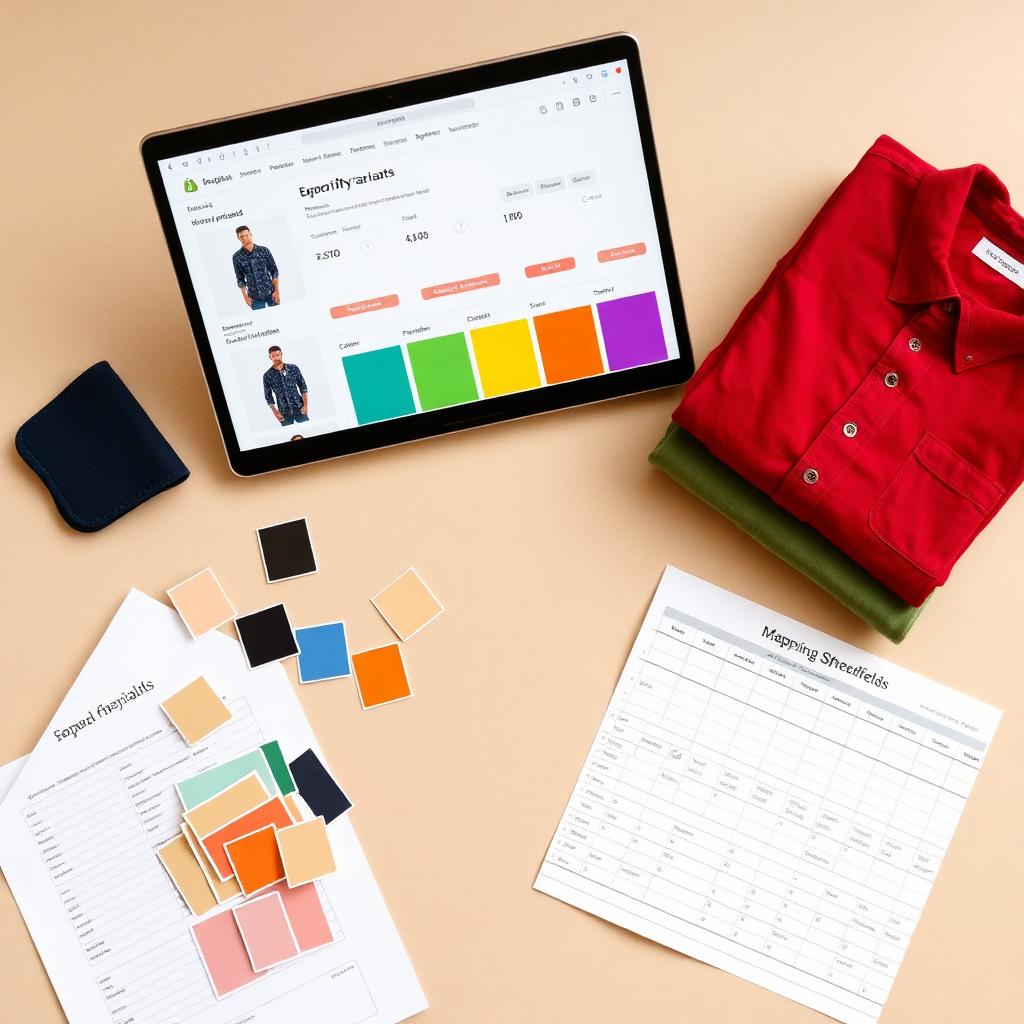
Your Shopify store looks finished. Then you check Google Merchant Center and a third of your apparel is disapproved, your titles read "Default Title," and half your variants are missing color. Shopify does a lot for you out of the box, but its default feed is built for generic products, not clothing. Fashion has variants, sizes, colors, genders, and age groups, and the default sync leaves most of those fields thin or empty. A product feed is not a data export. It is the version of your product that Google and other channels actually read. This guide covers how the Shopify feed works, the apparel attributes it misses, how to fill them with metafields, and how to fix the disapprovals that quietly cost you free traffic.
TL;DR
- Shopify feed optimization means shaping the product data Shopify sends to channels like Google, Meta, and Pinterest so your apparel is eligible, well matched, and clickable.
- Shopify's default feed maps the basics but leaves apparel-critical fields thin. The highest-impact additions are
google_product_category,gtin/mpn, and per-variantcolor,size,gender, andage_group.- Metafields are the fix. Map Shopify metafields to feed attributes in the Google & YouTube channel to fill fields Shopify does not auto-populate.
- Missing
color,size,gender, orage_groupcan drop apparel out of free listings entirely. Each variant also needs its own image.- Kampana builds the images and structured attributes from one product, so your Shopify feed goes out clean instead of disapproved.
What is Shopify feed optimization?
Shopify feed optimization is the work of improving the product data your store sends to sales channels so your products are eligible for listing, matched to the right searches, and worth clicking. The feed is a structured file: one row per variant, with fields for title, description, price, availability, images, and category attributes.
Channels read that feed literally. Google Shopping, Meta catalog ads, and Pinterest product pins all pull from it. If a field is blank, the channel does not infer it from your pretty product page. It leaves it blank, and blank fields cost eligibility and relevance.
For apparel, optimization is not cosmetic. Colour, size, material, gender, and age group are especially critical for clothing and accessories, and missing any of them can prevent products from appearing in free listings entirely, according to feed practitioners working with Google Merchant Center. Google itself lists gender, age group, and color among the required and best-practice attributes for the Apparel & Accessories category (Google Merchant Center Help).
Ecommerce should not start after the product is approved. It should start with the product. The feed is where that product meets the channel.
How the Shopify product feed actually works
Shopify does not have one universal feed. Each channel app builds its own from your product data.
The most common is the Google & YouTube channel. Once you connect a Merchant Center account, the app syncs your products in a separate step and maps your Shopify fields to Google's product attributes. Shopify notes that if you already have a product feed set up, the app overwrites it to avoid conflicts between your store and Merchant Center (Shopify Help Center).
The mapping is where fashion breaks. Shopify auto-fills what it can: title, description, price, availability, link, and the main image. But attributes that live outside your standard product fields, like google_product_category, gtin, gender, and age_group, are not always populated. Those need to be supplied, most often through metafields.
Third-party feed apps exist for more control, but the native channel plus metafields covers most fashion brands. The point is the same either way: the feed is a translation layer, and a lazy translation loses apparel data.
Why the default Shopify feed fails apparel
A generic product has a title, a price, and a photo. Clothing has all that plus variants, and variants are where the default feed thins out.
Four failure patterns show up again and again.
First, "Default Title." Products with a single variant sometimes feed a variant title of "Default Title," which is meaningless to Google and hurts relevance.
Second, missing category attributes. google_product_category, gtin, and mpn are not standard Shopify fields, so unless you add them, they are blank. These three are among the highest-impact attributes you can add, and they sync forward once set.
Third, thin apparel attributes. color and size may come from variant options, but gender, age_group, material, and pattern often do not exist as fields, so they never make the feed.
Fourth, tooling churn. In 2024, Shopify's Google & YouTube app changed how some apparel fields were edited, and stores that relied on the old bulk editor saw disapprovals until they moved those values into metafields. The lesson stuck: do not depend on a temporary UI field for data that has to persist. Put it in a metafield.
None of these are rare. They are the default state of a fashion catalog that nobody has optimized.
The attributes fashion feeds need most
Here is the working set for a clothing feed, with whether Shopify fills it by default.
| Attribute | Shopify default? | Why it matters for apparel |
|---|---|---|
title | Yes | Needs restructuring for search (see titles section) |
description | Yes | Should include fit, fabric, care |
price / availability | Yes | Must match the live variant |
link | Yes | Points to the variant page |
image_link | Yes (main) | Needs a correct image per color |
google_product_category | No | Classifies the product; add it |
gtin / mpn | No | High-impact identifiers; add via metafield |
color | Partial (from options) | Required for apparel |
size | Partial (from options) | Required for apparel |
gender | No | Required for apparel free listings |
age_group | No | Required for apparel |
material | No | Best practice; helps matching |
pattern | No | Optional; helps matching |
GTIN, MPN, and google_product_category are the three highest-impact attributes to add via metafields, and they sync automatically going forward. For apparel, color, size, material, gender, and age_group are the ones that decide whether clothing shows at all.
Google's product data specification is the authoritative list of accepted values and formats (Google Merchant Center Help). Build to it and every downstream channel is easier.
How to optimize your Shopify feed, step by step
You can lift a fashion feed from "mostly disapproved" to "clean" in a focused session. Work in this order.
- Audit your diagnostics. Open Merchant Center and read the item-level errors and warnings. Sort by which fields are missing most. This tells you where the money is.
- Set
google_product_category. Map each product to the correct Apparel & Accessories taxonomy node. Do this at the product-type or collection level so it scales. - Add identifiers. Populate
gtinormpnvia metafields. These sync forward once set. - Fill apparel attributes. Ensure
colorandsizecome through per variant, and addgenderandage_group. Addmaterialandpatternwhere you can. - Fix images. Confirm each color variant has its own assigned image. Remove promotional overlays from the main image.
- Restructure titles. Rewrite variant titles to the apparel pattern (below). Kill "Default Title."
- Sync and recheck. Push the feed, wait for reprocessing, and confirm the error count drops. Repeat on the stragglers.
Do the category and identifier work once, correctly, at the collection level, and it holds for future products in that collection.
Using metafields to fill missing attributes
Metafields are custom fields on your Shopify products and variants. They are how you store data Shopify has no standard field for, and how you feed that data to channels.
For the Google & YouTube channel, you map a metafield to a Merchant Center attribute so your custom value flows into the feed. Metafield mapping lets you map any metafield to almost any feed attribute, which is exactly what apparel needs for gender, age_group, material, gtin, and category. To manage the mapping, go to Shopify Admin, then the Google & YouTube app, then the product management area, and map each metafield to its target attribute.
A practical setup for a clothing brand:
- A
gendermetafield with valuesmale,female, orunisex. - An
age_groupmetafield, usuallyadultfor most lines. - A
materialmetafield with the primary fabric. - A
gtinmetafield per variant where you have barcodes. - A
google_product_categorymetafield at product level.
One caveat worth knowing: the native app does not support every custom metafield to Merchant Center in all cases, and some brands use supplemental feeds or a third-party feed app for the edge cases. For the core apparel attributes, though, the native mapping is enough.
Google's attribute pages define the accepted values, for example the gender attribute accepts only male, female, or unisex (Google Merchant Center Help). Use the exact accepted values, not your own labels.
Titles and descriptions that win apparel clicks
Your product title is the single biggest lever for relevance in a shopping feed. Google matches queries against it, and shoppers scan it before they click.
The apparel title pattern that works is predictable and front-loaded:
Brand + Gender/Age + Product Type + Key Attribute + Color + Size
For example: Kampana Studio Men's Organic Cotton Crew Tee, Navy, Medium.
Why this order:
- Brand builds recognition and trust.
- Gender and product type match how people search clothing.
- Color and size answer the shopper's first two questions.
Rules for descriptions:
- Lead with fit, fabric, and care. These are the details apparel buyers want.
- Write for a person, not a keyword stuffer.
- Keep it consistent with the title and the variant fields.
- Avoid promotional language like "sale" or "free shipping" in the feed description.
A good title is not clever. It is structured. The brands that rank in shopping treat the title as a data field with a formula, not a headline.
Images: one per variant, no exceptions
Feed images are where fashion quietly loses conversions. The item is approved, but the wrong picture shows.
The rules:
- Every color variant needs its own assigned image. If you sell a jacket in four colors and only the black one has a variant image, a shopper searching red sees black in the results.
- Meet the minimum quality bar. Apparel images should be clear and reasonably large. A clean product image on a neutral background wins as the main image.
- No overlays on the main image. No text, logos, or promotional badges.
- Use additional images for context. On-model, detail, and back views as secondary images.
For most fashion brands, the real bottleneck is not mapping images in the feed. It is producing a correct, high-quality image for every color in the first place. That is a production problem, and it is the expensive one.
Common Shopify feed errors and fixes
The errors that hit fashion catalogs most, and the fix for each.
Missing value: size, color, gender, age group
The classic apparel disapproval. Add the fields per variant using accepted values. Google's fix-it guide for missing size, color, gender, and age group covers each one (Google Merchant Center Help).
Missing google_product_category
Products are not classified, so matching suffers. Set the category via metafield at the product-type level.
Missing GTIN or identifier warnings
Add gtin or mpn via metafields. Where you genuinely have no GTIN, set the correct identifier-exists handling rather than leaving it ambiguous.
"Default Title" variant
Single-variant products feeding a meaningless title. Restructure the feed title with the apparel pattern.
Image mismatch
Wrong color shows because variants share one photo. Assign a correct image per color.
Price or availability mismatch
Feed and landing page disagree. Keep the sync live so stock and price update together.
| Error | Cause | Fix |
|---|---|---|
| Missing size/color/gender/age_group | Apparel fields blank | Add per-variant via metafields |
| Missing category | google_product_category unset | Map at product-type level |
| Identifier warning | No gtin/mpn | Add metafield or set identifier handling |
| Default Title | Single-variant title | Restructure feed title |
| Image mismatch | Shared photo | One image per color |
| Price mismatch | Feed out of sync | Live channel sync |
Shopify to Google vs Meta vs Pinterest
Shopify can feed several channels, and they share most of the attribute logic. Build the attributes once and reuse them.
| Google Shopping | Meta catalog | ||
|---|---|---|---|
| Powers | Shopping ads, free listings | FB/IG Shops, catalog ads | Product pins |
| Variant grouping | item_group_id | item_group_id | item group |
| Apparel required | color, size, gender, age_group | color, size, gender, age_group | color, size |
| Category field | google_product_category | google_product_category | Google taxonomy |
| Source in Shopify | Google & YouTube app | Facebook & Instagram app | Pinterest app |
Because the attributes overlap, the metafields you build for Google carry over. Google's product data specification is the shared reference the others align to (Google product data spec). For the Meta side specifically, read our guide on setting up a Meta catalog for apparel. For the Google-specific disapproval fixes, see how to fix disapproved apparel feeds.
How feed quality affects revenue
Free listings and shopping ads are some of the highest-intent traffic a fashion brand can get. Someone searching "navy linen shirt medium" is close to buying. A clean feed is what makes you eligible to be their answer.
When your apparel attributes are complete, more of your catalog is eligible, your titles match more queries, and each color shows the right image. When they are thin, products disappear from free listings, ads under-deliver, and you pay for clicks that land on a mismatched result.
The gap between a feed that mostly works and one that fully works is measured in eligible SKUs and matched queries. For a brand with hundreds of variants across a seasonal range, that gap is significant.
And the honest constraint is upstream. A perfect feed still needs a correct image per color and consistent attributes across the range. That is a product creation problem, not a spreadsheet problem. Which is where Kampana fits.
How Kampana handles marketplace feeds
Kampana is an AI product creation OS for fashion brands. It turns one product into design, 3D renders, tech packs, PDP imagery, B2B sell-in kits, marketplace feeds, and social campaigns, on a node-based canvas with approval gates and product-fidelity QA. For Shopify feeds, the point is that Kampana produces the images and structured attributes your feed needs, from the same product, so what syncs to Google, Meta, and Pinterest is clean instead of disapproved.
Your feed should not start with a spreadsheet. It should start with the product.
What you get
- A product-accurate image per color variant, ready for the feed and PDP.
- Structured apparel attributes (
color,size,gender,age_group,material,pattern) mapped to Google, Meta, and Pinterest fields. - Clean, structured titles and descriptions per product.
- Category and identifier values ready to load into Shopify metafields.
- A feed-ready output that syncs cleanly through your Shopify channel apps.
The old way vs Kampana
| Old way | With Kampana | |
|---|---|---|
| Variant images | Shoot or edit each color | Product-accurate render per color |
| Attributes | Fill metafields by hand, per product | Structured attributes generated once |
| Titles | Manual, inconsistent | Structured to the apparel pattern |
| Consistency | Drift across the range | One source, mapped to every channel |
| Who approves | Manual spot check | Human approval gate + product-fidelity QA |
| Time per drop | Days | Same-day |
How it works
- Drop one product on the canvas.
- Wire it to the marketplace feed and PDP asset nodes.
- Approve each product-accurate image and attribute set at the gate.
- Export feed-ready images and attributes to load into Shopify metafields and channels.
Pricing is credit-based. One shared credit pool, no seats, no subscription, and credits do not expire. A free starter pack lets you run a real drop first. See credit pricing for the current ranges on the optimize products for marketplaces workflow.
Explore the connected workflows: build a complete PDP asset pack, turn 3D assets into ecommerce and campaign renders, launch on TikTok, Instagram, and Pinterest ads, and the flagship end-to-end fashion collection launch. Browse all fashion workflows or read how to create a fashion PDP asset pack.
FAQ
What is a Shopify product feed?
It is the structured product data Shopify sends to a sales channel like Google, Meta, or Pinterest. Each channel app builds its own feed from your product data and maps your fields to that channel's attributes. If you already have a feed, the Google & YouTube app overwrites it to avoid conflicts (Shopify Help Center).
Why is my Shopify apparel getting disapproved on Google?
Usually because color, size, gender, or age_group is missing. Apparel requires these, and blanks can drop products from free listings. Add the values per variant, using Google's accepted values (Google Merchant Center Help).
How do I add attributes Shopify does not fill by default?
Use metafields. Create a metafield for the value, then map it to the Merchant Center attribute in the Google & YouTube app. GTIN, MPN, and google_product_category are the highest-impact ones to add, and they sync forward once set.
What should apparel titles look like in the feed?
Front-load structure: brand, gender, product type, key attribute, color, and size, for example "Kampana Studio Men's Organic Cotton Crew Tee, Navy, Medium." Google matches queries against the title, so structured titles win more matches.
Do I need a third-party feed app?
Not for the basics. The native Google & YouTube channel plus metafields covers most apparel needs. Some brands add a supplemental feed or a feed app for edge cases the native app does not support, such as certain custom metafield mappings.
How do variant images work in the feed?
Every color variant needs its own assigned image. If only one color has an image, shoppers searching other colors see the wrong product. Assign a correct, high-resolution image per color and keep overlays off the main image.
Does the same feed data work for Meta and Pinterest?
Largely yes. The attribute logic overlaps, including item_group_id, color, size, gender, and category. Build to Google's product data specification once and reuse the attributes across channels (Google product data spec).
Can Kampana build my Shopify feed assets?
Kampana produces the images and structured attributes from one product and exports them ready to load into Shopify metafields and channel apps. Syncing to Merchant Center still runs through your Shopify channel and a human approval gate. Kampana does not auto-publish for you.
The bottom line
Shopify gives you a feed, but not an optimized one for fashion. The default sync leaves apparel attributes thin, and thin attributes drop clothing out of the surfaces where high-intent shoppers actually search. Fix it by setting google_product_category, adding identifiers, filling color, size, gender, and age_group through metafields, restructuring titles, and giving every color its own image.
Most of the effort is not the spreadsheet. It is producing a correct image and consistent attributes for a range that grows every season. That is a product creation job, and it is the one Kampana is built for.
Start with the product, not the feed. Start creating, free or explore the marketplace feeds workflow.
Metadata
title: Shopify Feed Optimization for Fashion: The Complete Guide (2026) | Kampana
canonical: https://kampana.io/blog/shopify-feed-optimization
meta-description: Optimize your Shopify product feed for fashion. Fill the apparel attributes Shopify misses, use metafields, and fix the disapprovals that cost free listings.
meta-keywords: shopify feed optimization, shopify google shopping feed, apparel feed attributes, shopify metafields feed, fashion product feed, shopify merchant center apparel, fix disapproved apparel feed
meta-robots: index, follow, max-image-preview:large, max-snippet:-1
og:type: article
og:title: Shopify Feed Optimization for Fashion: The Complete Guide (2026)
og:description: Fill the apparel attributes Shopify misses, map metafields, and fix the errors that keep clothing out of free listings and shopping ads.
og:url: https://kampana.io/blog/shopify-feed-optimization
og:image: https://kampana.io/og/shopify-feed-optimization.png
twitter:card: summary_large_image
twitter:title: Shopify Feed Optimization for Fashion (2026)
twitter:description: Metafields, apparel attributes, and title structure to get your Shopify fashion feed approved and matched.
twitter:image: https://kampana.io/og/shopify-feed-optimization.png
article:author: Kampana
article:published_time: 2026-07-01T15:00:00Z
Schema (JSON-LD)
{
  "@context": "https://schema.org",
  "@graph": [
    {
      "@type": "Article",
      "headline": "Shopify Feed Optimization for Fashion: The Complete Guide (2026)",
      "author": {"@type": "Organization", "name": "Kampana"},
      "publisher": {"@type": "Organization", "name": "Kampana"},
      "datePublished": "2026-07-01",
      "mainEntityOfPage": "https://kampana.io/blog/shopify-feed-optimization"
    },
    {
      "@type": "HowTo",
      "name": "How to optimize your Shopify feed for fashion",
      "step": [
        {"@type": "HowToStep", "name": "Audit your Merchant Center diagnostics"},
        {"@type": "HowToStep", "name": "Set google_product_category"},
        {"@type": "HowToStep", "name": "Add GTIN or MPN identifiers"},
        {"@type": "HowToStep", "name": "Fill apparel attributes: color, size, gender, age_group"},
        {"@type": "HowToStep", "name": "Assign an image per color variant"},
        {"@type": "HowToStep", "name": "Restructure titles to the apparel pattern"},
        {"@type": "HowToStep", "name": "Sync and recheck the error count"}
      ]
    },
    {
      "@type": "FAQPage",
      "mainEntity": [
        {"@type": "Question", "name": "What is a Shopify product feed?", "acceptedAnswer": {"@type": "Answer", "text": "The structured product data Shopify sends to channels like Google, Meta, and Pinterest. Each channel app builds its own feed and maps your fields to that channel's attributes."}},
        {"@type": "Question", "name": "Why is my Shopify apparel getting disapproved on Google?", "acceptedAnswer": {"@type": "Answer", "text": "Usually a missing color, size, gender, or age_group. Apparel requires these and blanks can drop products from free listings. Add them per variant."}},
        {"@type": "Question", "name": "How do I add attributes Shopify does not fill by default?", "acceptedAnswer": {"@type": "Answer", "text": "Use metafields mapped to Merchant Center attributes in the Google & YouTube app. GTIN, MPN, and google_product_category are the highest-impact additions."}},
        {"@type": "Question", "name": "What should apparel titles look like in the feed?", "acceptedAnswer": {"@type": "Answer", "text": "Front-load brand, gender, product type, key attribute, color, and size. Google matches queries against the title."}},
        {"@type": "Question", "name": "Does the same feed data work for Meta and Pinterest?", "acceptedAnswer": {"@type": "Answer", "text": "Largely yes. The attribute logic overlaps, so build to Google's product data specification once and reuse it across channels."}}
      ]
    },
    {
      "@type": "BreadcrumbList",
      "itemListElement": [
        {"@type": "ListItem", "position": 1, "name": "Blog", "item": "https://kampana.io/blog"},
        {"@type": "ListItem", "position": 2, "name": "Shopify Feed Optimization for Fashion", "item": "https://kampana.io/blog/shopify-feed-optimization"}
      ]
    }
  ]
}
Lovable publishing prompt
Create a new blog post page at /blog/shopify-feed-optimization for kampana.io using the standard Kampana blog layout.

Content: use the markdown in this file as the body. Preserve H1, byline, clickable Table of Contents (anchor links to every H2/H3 id), TL;DR callout box, all tables, image slots, FAQ, and CTA.

Images: generate or slot a hero and one inline image per H2. Use the alt text provided. Hero shows a Shopify product syncing to Google Merchant Center with apparel attribute chips and a metafield mapping panel. Inline images: a Shopify-to-clean-feed step flow, and a variant image mapping visual.

SEO: apply the metadata block (title, canonical, meta description, OG, Twitter). Inject the JSON-LD schema (Article + HowTo + FAQPage + BreadcrumbList) into the head.

Internal links: keep all links to /workflows/optimize-fashion-products-for-marketplaces, /workflows/ecommerce-pdp-asset-pack, /workflows/3d-assets-to-ecommerce-and-campaign-renders, /workflows/launch-on-tiktok-instagram-pinterest-ads, /workflows/end-to-end-fashion-collection-launch, /workflows, /pricing, and the related blog posts (meta-catalog-apparel, how-to-optimize-fashion-products-for-marketplaces, how-to-create-fashion-pdp-asset-pack).

Primary keyword: "shopify feed optimization". Ensure it appears in the H1, TL;DR, and early body. Do not change the copy voice. Publish as draft for human review.
Send one product URL. Kampana turns it into a mini campaign pack.