How to Build a Wholesale Line Sheet for Fashion (Template Included, 2026)
A wholesale line sheet is the document buyers order from. Here is exactly what to put on one, a field-by-field template, and how to build it from one product.
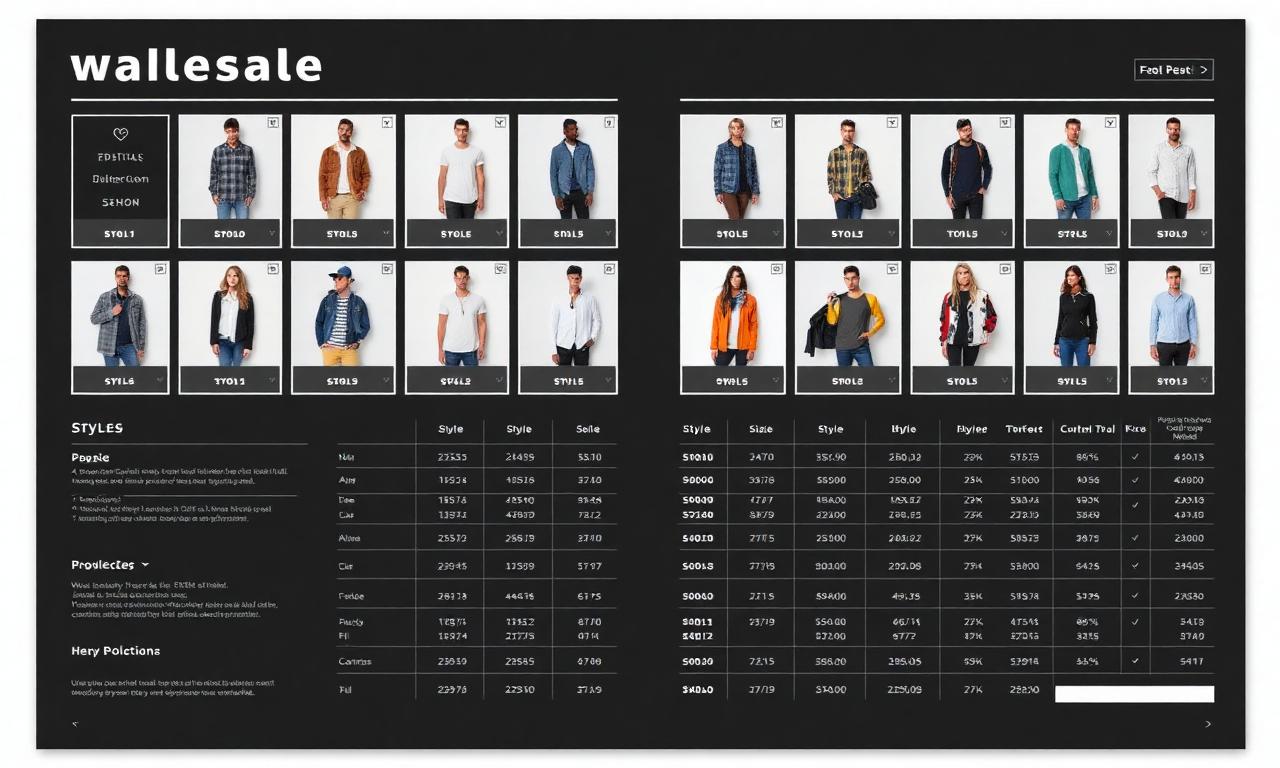
A buyer has twenty minutes and forty brands to get through. Your line sheet is the document they actually place the order from. If it is missing a wholesale price, a style code, or a minimum, they do not email you to ask. They move on.
Most line sheets fail in the same boring ways: pretty images and no order data, or a wall of numbers and no product you can see. A good one is both. It shows the product clearly and gives the buyer every field they need to write the order.
This guide covers what a wholesale line sheet is, exactly what belongs on it, a field-by-field template you can copy, and how to build one from a single product without rebuilding it for every buyer.
If you only read one thing
- A line sheet is an order document, not a lookbook. Buyers order from it, so it must carry codes, prices, sizes, and terms.
- Every product needs the same fields: image, style name and code, colors, size run, wholesale price, retail price (MSRP), and order minimums.
- Terms belong on the sheet: MOQ, delivery window, payment terms, and how to order.
- One clean product record feeds the whole sheet, so the price and code on the line sheet match the deck and the invoice.
- Kampana builds the line sheet as part of a B2B sell-in kit from one approved product.
What is a wholesale line sheet?
A wholesale line sheet is a simple, information-dense document that lists the products in a collection with everything a retail buyer needs to place an order. It is the working document of wholesale. The lookbook sells the feeling. The line sheet takes the order.
Each product on the sheet shows a clear image plus the order data: a style name and code, the available colors, the size run, the wholesale price, the suggested retail price, and any minimums. A buyer should be able to scan it, pick styles, and write quantities without asking you a single clarifying question.
Line sheets sit inside the larger sell-in motion. They go out with a B2B digital showroom kit, alongside a buyer deck and a lookbook, and they pull from the same product data you used to build the ecommerce PDP asset pack. The product is the same. The line sheet is just the order-ready view of it.
Line sheet vs lookbook vs linesheet order form
These three get mixed up constantly, and a buyer notices when you send the wrong one. Here is the clean separation.
| Document | Job | What it carries |
|---|---|---|
| Lookbook | Sell the story and the styling | Editorial imagery, mood, looks |
| Line sheet | Make the range orderable | Product image, codes, colors, sizes, prices, MOQ |
| Order form | Capture the actual order | Quantities by style, color, size, totals, terms |
The simplest way to remember it: the lookbook makes a buyer want the collection, the line sheet lets them choose from it, and the order form records what they bought. Many brands combine the line sheet and order form into one orderable document, which is fine as long as the order fields are clearly there. The strongest sell-in sends all three from one source so the prices and codes match across them.
Why a weak line sheet loses orders
A line sheet is not where you express the brand. It is where you remove friction. Every missing field is a reason for a busy buyer to skip a style.
There are three failures that quietly cost orders:
- Beautiful but unorderable. Gorgeous imagery, no prices, no codes. The buyer cannot act, so they do not.
- Complete but unreadable. Every field is there, crammed into a grid so dense the buyer gives up.
- Inconsistent. The price on the line sheet does not match the deck or the invoice, and now the buyer does not trust any of your numbers.
Wholesale buyers do not want to chase a sample trunk, and they do not want to chase missing data either. They want a document they can order from in one pass. A line sheet that is clear, complete, and consistent is worth more than a beautiful one that makes them email you.
What goes on a wholesale line sheet
A line sheet has three zones: a header, the per-product rows, and a terms block. Get all three and the buyer has everything.
Header and brand block
The top of the sheet orients the buyer and tells them who to contact.
- Brand name and logo
- Season or collection name (e.g. Spring 2026)
- Contact name, email, and phone for orders
- Sales rep or showroom, if relevant
- Currency and a note on whether prices are wholesale
Per-product fields
This is the core. Each product row or card should carry the same set of fields so the sheet scans cleanly.
- A clear product image (front, on a clean background or ghost mannequin)
- Style name and style number (the code the order is written against)
- Available colors, named consistently
- Size run (e.g. XS to XL, or numeric)
- Fabric or material, in one short line
- Wholesale price per unit
- Suggested retail price (MSRP)
- Case pack or minimum per style, if you require one
Terms block
The terms turn interest into a placeable order. Put them on the sheet, not in a separate email.
- Minimum order quantity (MOQ) or opening order minimum
- Delivery or ship window
- Payment terms (e.g. net 30, deposit on order)
- How to order (email, portal, or order form link)
- Any wholesale registration or reseller requirement
The wholesale line sheet template (field by field)
Here is a template you can copy. Treat the header and terms as fixed blocks, and repeat the product row for every style.
| Field | Example | Notes |
|---|---|---|
| Brand / season | Aria Studio, Spring 2026 | Header, once |
| Order contact | sales@ariastudio.com | Header, once |
| Currency | USD | Header, once |
| Style name | The Aria Midi Dress | Per product |
| Style code | AR-SS26-014 | Per product, unique |
| Colors | Black, Sand, Sage | Per product, named |
| Sizes | XS, S, M, L, XL | Per product |
| Material | 100% linen | Per product, short |
| Wholesale price | $48 | Per product |
| MSRP | $120 | Per product |
| Min per style | 3 per color | Per product, optional |
| MOQ | $1,500 opening order | Terms, once |
| Ship window | Jan to Feb 2026 | Terms, once |
| Payment terms | Net 30, approved accounts | Terms, once |
Two rules make this template work. First, the style code is the spine. Every order, invoice, and reorder references it, so it has to be unique and stable. Second, keep colors and sizes named the same way everywhere, the same discipline that keeps a marketplace feed clean. One source of truth, many documents.
How to write product info a buyer can order from
Buyers do not need marketing copy on a line sheet. They need decision data, written tight.
- Name the product plainly. "The Aria Midi Dress" beats "Aria." The name plus the code is what gets written on the order.
- One line on material and fit. "100% linen, relaxed midi" tells a buyer how it sits in their assortment. Save the story for the lookbook.
- Name colors consistently. "Sand" on the line sheet, the deck, and the invoice. Not "Sand" here and "Beige" there.
- Show the real product. A clean front image, ideally the same approved product image you use on the PDP, so what the buyer sees is what ships.
The goal is a row a buyer can read in five seconds and price into their floor plan. Tight beats clever.
How to price and show terms clearly
Pricing is where line sheets get nervous and vague. Do not be. Buyers are comfortable with wholesale math. They just need both numbers.
- Show the wholesale price and the MSRP. The buyer needs the cost and the margin in the same row.
- State the currency once, clearly, in the header.
- Put the MOQ where it cannot be missed. Opening order minimum, and any per-style minimum.
- Name the ship window and payment terms. A buyer planning a season needs the dates as much as the prices.
- Say how to order. A portal link, an order form, or an email. Remove the last step of friction.
Clear terms are not pushy. They are respectful of a buyer's time, and they are what let a buyer say yes in the meeting instead of after three follow-ups.
How to build a line sheet step by step
You do not build a line sheet from scratch each season. You build it from your product data. A working sequence:
- Start from your approved products. Use the same product images and data as your PDP and deck.
- Lock the per-product fields: name, code, colors, sizes, material, wholesale, MSRP, minimums.
- Set the header and terms blocks once for the season.
- Lay out the grid so each product scans the same way. Image left, data right, consistent order.
- Check consistency. Codes, colors, and prices must match the deck and the order form exactly.
- Export a clean PDF and an orderable version, plus a digital showroom link if you have one.
- Send it inside the sell-in kit, with the lookbook and buyer deck.
Do one collection end to end before you scale. Once the path works, the same product data runs the whole B2B digital showroom kit, and it connects to the end-to-end fashion collection launch so wholesale and ecommerce ship from the same source.
Common line sheet mistakes and how to avoid them
Treating it like a lookbook
A line sheet with no prices or codes is a brochure. Keep the order fields on every product. Send the lookbook separately for the story.
Inconsistent codes and color names
If "AR-014" is "AR014" on the invoice, or "Sand" is "Beige" on the deck, the buyer loses trust. Use one source of truth for codes, colors, and prices.
Missing terms
No MOQ, no ship window, no payment terms means a follow-up email instead of an order. Put the terms on the sheet.
Dense, unreadable grids
All the data crammed into a wall of text makes a buyer give up. Use a consistent layout with room to breathe. Readable beats complete-but-ugly.
Stale prices
A line sheet built by hand drifts from the real prices over a season. Build it from live product data so a price change updates everywhere.
Line sheet vs digital showroom: when to use each
A line sheet is a document. A digital showroom is an interactive version of the same data. You will often use both.
| Line sheet (PDF) | Digital showroom | |
|---|---|---|
| Format | Static document | Interactive, online |
| Best for | Email, quick reference, offline | Self-serve browsing, larger ranges |
| Ordering | Order form or email | In-showroom order capture |
| Updates | Re-export | Live |
| When | Every buyer, every season | Bigger accounts, broader assortments |
The point is not to choose one forever. It is to build the product data once and present it both ways. A buyer who wants a PDF gets a PDF. A buyer who wants to browse gets a showroom. Same prices, same codes, same source.
What to look for in a line sheet tool
A short checklist when you decide how to build line sheets:
- Pulls from one product source so the line sheet, deck, and showroom match.
- Carries every order field by default: code, colors, sizes, wholesale, MSRP, minimums, terms.
- Exports a clean PDF and an orderable version, and a digital showroom where useful.
- Keeps codes and colors consistent across every document.
- Has a review step so a person approves prices and terms before it goes to buyers.
- Pricing that fits a fashion calendar, not per-seat fees that punish a sales team working together.
How a clear line sheet affects your sell-in
Here is the part most articles skip. A line sheet is not paperwork. It is the conversion step of wholesale.
When the line sheet is clear, a buyer can scan the range, price it into their floor, and write the order in the meeting. When it is missing fields or full of mismatches, the order slips to a follow-up that may never come, and your strongest styles get skipped for the boring reason that the buyer could not price them fast enough.
So the real question is not "does my collection look good." It is "can a buyer order from my line sheet without emailing me." That is a document question, and it is the one the sell-in kit exists to answer.
How Kampana builds a wholesale line sheet
Kampana is an AI product creation OS for fashion brands. It builds the line sheet as part of a B2B sell-in kit on a node-based canvas, from the same approved product you used for the PDP. The codes, colors, and prices come from one source, so the line sheet, the deck, and the showroom match. Product-accurate assets pass an approval gate and a product-fidelity check.
What you get
- A clean line sheet with image, style name and code, colors, sizes, material, wholesale, and MSRP per product
- A header and terms block with MOQ, ship window, payment terms, and how to order
- A matching buyer deck and digital lookbook from the same product data
- A digital showroom version for larger accounts
- A review step so a person approves prices and terms before buyers see them
The old way vs Kampana
| The old way | With Kampana | |
|---|---|---|
| Source | Rebuilt by hand in a slide tool | One approved product record |
| Consistency | Codes and prices drift | One source across all documents |
| Formats | One static PDF | Line sheet, deck, lookbook, showroom |
| Images | Separate from the PDP | Same approved product images |
| Approval | Ad hoc | Approval gate + product-fidelity check |
How it works
- Drop your approved products on the canvas.
- Wire them to the line sheet and sell-in kit nodes.
- Approve the prices, codes, and terms.
- Export the line sheet, deck, and showroom, ready to send.
Pricing is credit-based. One shared pool for the whole workspace, unlimited users, no per-seat fees, and credits do not expire. You spend on what you actually generate, so a single line sheet and a full sell-in kit cost different amounts. See pricing for current credit packs, and start with the free credits on one collection.
Frequently asked questions
What is a wholesale line sheet?
It is an order-ready document that lists every product in a collection with the data a buyer needs to order: a clear image, style name and code, colors, size run, wholesale price, suggested retail price, and minimums. Unlike a lookbook, its job is to be ordered from, not just admired.
What should a line sheet include?
A header with brand, season, and order contact. A row or card per product with image, style code, colors, sizes, material, wholesale price, and MSRP. A terms block with MOQ, ship window, payment terms, and how to order.
What is the difference between a line sheet and a lookbook?
A lookbook sells the story with editorial imagery. A line sheet makes the range orderable with codes, prices, and terms. Many brands send both: the lookbook to create desire and the line sheet to take the order.
Do I need both wholesale and retail prices on a line sheet?
Yes. The buyer needs the wholesale cost and the suggested retail (MSRP) in the same row to see their margin. Showing both is standard and speeds the decision.
What is a typical minimum order on a line sheet?
It varies by brand and category, so set what works for your margins and capacity. State it clearly as an opening order minimum and, where you use them, per-style or case-pack minimums. The point is to make the minimum visible, not to hide it.
Can a line sheet double as an order form?
Yes, many brands combine them. As long as the order fields, quantities by style, color, and size, plus totals and terms, are clearly present, one orderable document can serve both jobs.
How is a digital showroom different from a line sheet?
A line sheet is a static document, usually a PDF. A digital showroom is an interactive, online version of the same data that larger accounts can browse and order from directly. Build the product data once and present it both ways.
How often should I update my line sheet?
Each season at minimum, and any time prices, codes, or availability change. Building it from live product data avoids stale prices and keeps the line sheet matched to the deck and invoice.
The bottom line
A wholesale line sheet is the least glamorous document in your sell-in and the one that takes the order.
It is not a lookbook. It is the order-ready view of your collection: a clear image and the exact fields a buyer needs to price a style into their floor and write the quantity. The brands that win wholesale make line sheets that are clear, complete, and consistent with the deck and the invoice, built from one product source so nothing drifts.
If you want a line sheet, buyer deck, and digital showroom that all come from one approved product, with a sign-off on prices and terms, that is what Kampana is built for. Start creating, free, or explore the B2B digital showroom kit to see it on one collection.
Send one product URL. Kampana turns it into a mini campaign pack.